Skip to content

Viz

Visualization of volumetric data.

qim3d.viz.chunks

chunks(zarr_path, **kwargs)

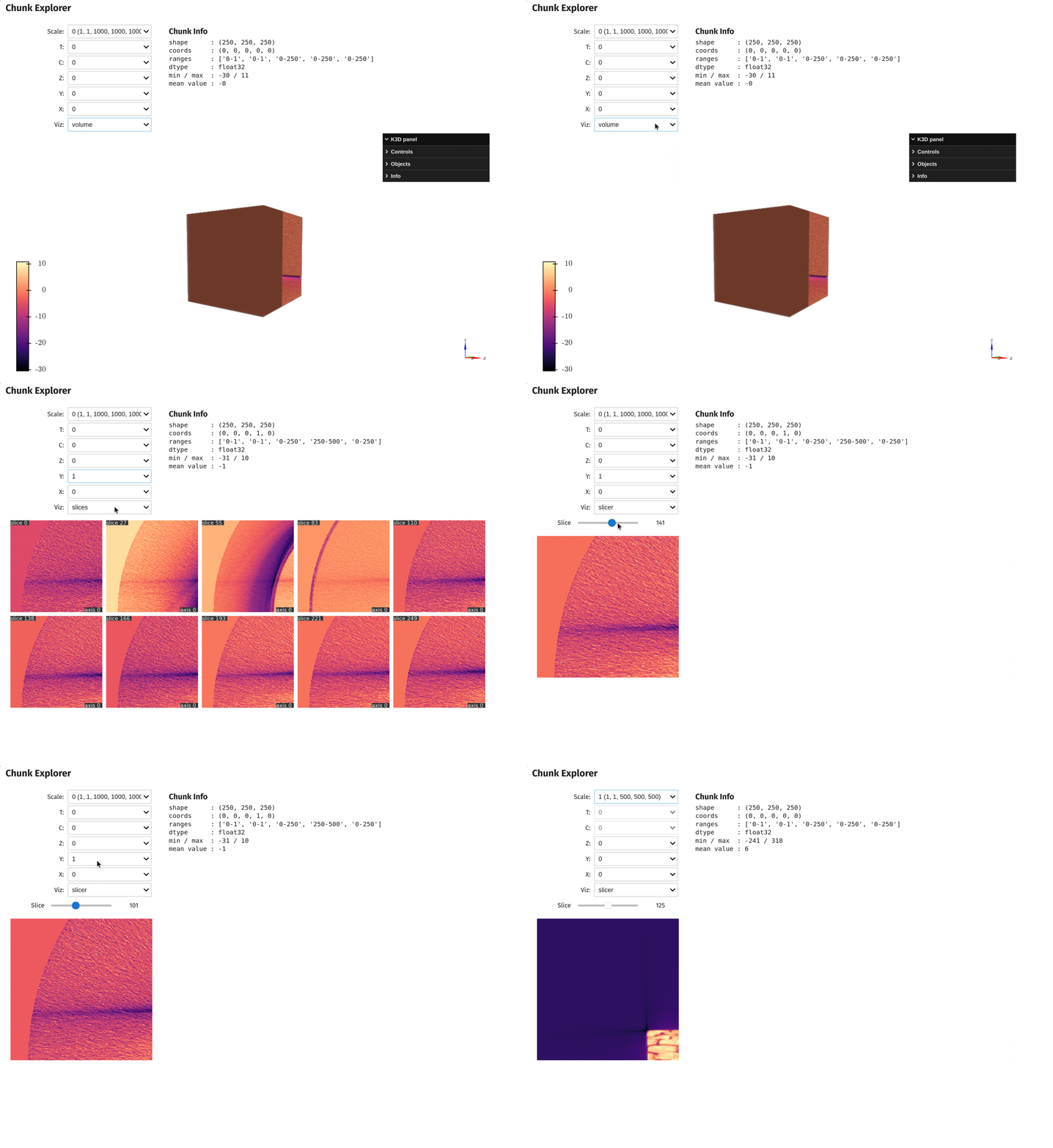
Launches an interactive explorer for large-scale OME-Zarr and Zarr datasets.

This tool enables you to inspect massive 3D or 5D datasets (e.g., bio-imaging pyramids, large block-wise volumes) one chunk at a time without loading the entire file into RAM. It relies on lazy loading, making it ideal for checking data integrity, visualizing specific regions of interest (ROI) in big data, or navigating multi-resolution hierarchies.

Key Features:

  • Lazy Exploration: Loads only the specific chunk selected via dropdown menus.
  • Multiscale Support: Automatically detects and navigates resolution levels (pyramids) in OME-Zarr groups.
  • 5D Navigation: Supports dimensions for Time (T) and Channel (C) in addition to spatial axes (Z, Y, X).
  • Versatile Visualization: Switch instantly between a slicer, a slices_grid, or a 3D volumetric rendering for the selected chunk.

Parameters:

Name Type Description Default
zarr_path str

The filesystem path to the OME-Zarr or Zarr dataset.

required
**kwargs Any

Additional keyword arguments passed selectively to the underlying visualization function. For example, you can pass cmap='magma' (for slicer/slices) or zoom=1.5 (for volume). Arguments not supported by the currently selected visualization method are ignored.

{}

Returns:

Name Type Description
chunk_explorer VBox

The interactive interface containing controls for scale selection, chunk coordinates, and the visualization display.

Raises:

Type Description
ValueError

If the dataset dimensionality is not 3D or 5D.

Example

import qim3d

# Visualize interactive chunks explorer
qim3d.viz.chunks('path/to/zarr/dataset.zarr')
interactive chunks explorer

Source code in qim3d/viz/_data_exploration.py
def chunks(zarr_path: str, **kwargs) -> widgets.VBox:
    """
    Launches an interactive explorer for large-scale OME-Zarr and Zarr datasets.

    This tool enables you to inspect massive 3D or 5D datasets (e.g., bio-imaging pyramids, large block-wise volumes) one chunk at a time without loading the entire file into RAM. It relies on lazy loading, making it ideal for checking data integrity, visualizing specific regions of interest (ROI) in big data, or navigating multi-resolution hierarchies.

    **Key Features:**

    * **Lazy Exploration:** Loads only the specific chunk selected via dropdown menus.
    * **Multiscale Support:** Automatically detects and navigates resolution levels (pyramids) in OME-Zarr groups.
    * **5D Navigation:** Supports dimensions for Time (T) and Channel (C) in addition to spatial axes (Z, Y, X).
    * **Versatile Visualization:** Switch instantly between a `slicer`, a `slices_grid`, or a 3D `volumetric` rendering for the selected chunk.

    Args:
        zarr_path (str): The filesystem path to the OME-Zarr or Zarr dataset.
        **kwargs (Any): Additional keyword arguments passed selectively to the underlying visualization function.
            For example, you can pass `cmap='magma'` (for `slicer`/`slices`) or `zoom=1.5` (for `volume`). Arguments not supported by the currently selected visualization method are ignored.

    Returns:
        chunk_explorer (widgets.VBox):
            The interactive interface containing controls for scale selection, chunk coordinates, and the visualization display.

    Raises:
        ValueError: If the dataset dimensionality is not 3D or 5D.

    Example:
        ```python
        import qim3d

        # Visualize interactive chunks explorer
        qim3d.viz.chunks('path/to/zarr/dataset.zarr')
        ```
        ![interactive chunks explorer](../../assets/screenshots/chunks_explorer.gif)
    """
    # Opens the Zarr dataset - doesn't load to memory yet
    zarr_data = zarr.open(zarr_path, mode='r')

    title = widgets.HTML('<h2>Chunk Explorer</h2>')
    info_label = widgets.HTML(value='Chunk info will be displayed here')

    def get_num_chunks(shape: Sequence[int], chunk_size: Sequence[int]) -> list[int]:
        return [(s + chunk_size[i] - 1) // chunk_size[i] for i, s in enumerate(shape)]

    def _filter_kwargs(
        function: Callable[..., Any], kwargs: dict[str, Any]
    ) -> dict[str, Any]:
        """Filter kwargs to only include those that are accepted by the function."""
        sig = inspect.signature(function)
        return {k: v for k, v in kwargs.items() if k in sig.parameters}

    def load_and_visualize(
        key: int,
        *coords: int,
        visualization_method: Literal['slicer', 'slices', 'volume'],
        **inner_kwargs: object,
    ) -> Widget | Figure | Output:
        key = _path_from_dropdown(key)
        arr = da.from_zarr(zarr_data) if isinstance(zarr_data, zarr.Array) else da.from_zarr(zarr_data[key])
        shape = arr.shape
        chunksz = arr.chunks

        if arr.ndim == 3:
            z_idx, y_idx, x_idx = coords
            slices = (
                slice(
                    z_idx * chunksz[0][0], min((z_idx + 1) * chunksz[0][0], shape[0])
                ),
                slice(
                    y_idx * chunksz[1][0], min((y_idx + 1) * chunksz[1][0], shape[1])
                ),
                slice(
                    x_idx * chunksz[2][0], min((x_idx + 1) * chunksz[2][0], shape[2])
                ),
            )
            chunk = arr[slices].compute()
        elif arr.ndim == 5:
            t_idx, c_idx, z_idx, y_idx, x_idx = coords
            slices = (
                slice(
                    t_idx * chunksz[0][0], min((t_idx + 1) * chunksz[0][0], shape[0])
                ),
                slice(
                    c_idx * chunksz[1][0], min((c_idx + 1) * chunksz[1][0], shape[1])
                ),
                slice(
                    z_idx * chunksz[2][0], min((z_idx + 1) * chunksz[2][0], shape[2])
                ),
                slice(
                    y_idx * chunksz[3][0], min((y_idx + 1) * chunksz[3][0], shape[3])
                ),
                slice(
                    x_idx * chunksz[4][0], min((x_idx + 1) * chunksz[4][0], shape[4])
                ),
            )
            chunk = arr[slices].compute()
            chunk = chunk[0, 0, ...]
        else:
            msg = f'Unsupported ndim={arr.ndim}'
            raise ValueError(msg)

        mins, maxs, means = chunk.min(), chunk.max(), chunk.mean()
        ranges = [f'{sl.start}-{sl.stop}' for sl in slices]
        coords_str = ', '.join(str(c) for c in coords)
        info_html = (
            f"<div style='font-size:14px; margin-left:32px'>"
            f"<h3 style='margin:0'>Chunk Info</h3>"
            f'<pre>'
            f'shape      : {chunk.shape}\n'
            f'coords     : ({coords_str})\n'
            f'ranges     : {ranges}\n'
            f'dtype      : {chunk.dtype}\n'
            f'min / max  : {mins:.0f} / {maxs:.0f}\n'
            f'mean value : {means:.0f}\n'
            f'</pre></div>'
        )
        info_label.value = info_html

        if visualization_method == 'slicer':
            kw = _filter_kwargs(qim3d.viz.slicer, inner_kwargs)
            return qim3d.viz.slicer(chunk, **kw)
        if visualization_method == 'slices':
            out = widgets.Output()
            with out:
                kw = _filter_kwargs(qim3d.viz.slices_grid, inner_kwargs)
                fig = qim3d.viz.slices_grid(chunk, **kw)
                display(fig)
            return out
        # volume
        out = widgets.Output()
        with out:
            kw = _filter_kwargs(qim3d.viz.volumetric, inner_kwargs)
            vol = qim3d.viz.volumetric(chunk, show=False, **kw)
            display(vol)
        return out

    def _path_from_dropdown(string:str):
        return string.split('(')[0].strip()

    if isinstance(zarr_data, zarr.Group): 
        scale_opts = [f'{key} {zarr_data[key].shape}' for key in sorted(zarr_data.keys())]
    elif isinstance(zarr_data, zarr.Array):
        scale_opts = [f'{zarr_data.shape}',]
    drop_style = {'description_width': '120px'}
    scale_dd = widgets.Dropdown(
        options=scale_opts, description='Scale:', style=drop_style
    )

    # first_shape = zarr_data[0].shape
    if isinstance(zarr_data, zarr.Array):
        first_shape = zarr_data.shape
        chunks = zarr_data.chunks
    else:
        first_array = zarr_data[_path_from_dropdown(scale_opts[0])]
        first_shape = first_array.shape
        chunks = first_array.chunks


    if len(first_shape) == 3:
        axis_names = ['Z', 'Y', 'X']
    elif len(first_shape) == 5:
        axis_names = ['T', 'C', 'Z', 'Y', 'X']
    else:
        msg = f'Only 3D or 5D supported, got ndim={len(first_shape)}'
        raise ValueError(msg)

    counts0 = get_num_chunks(first_shape, chunks)
    axis_dds = []
    for name, cnt in zip(axis_names, counts0):
        dd = widgets.Dropdown(
            options=list(range(cnt)), value=0, description=f'{name}:', style=drop_style
        )
        axis_dds.append(dd)

    method_dd = widgets.Dropdown(
        options=['slicer', 'slices', 'volume'],
        value='slicer',
        description='Viz:',
        style=drop_style,
    )

    def disable_observers() -> None:
        for dd in (*axis_dds, method_dd):
            dd.unobserve(_update_vis, names='value')

    def enable_observers() -> None:
        for dd in (*axis_dds, method_dd):
            dd.observe(_update_vis, names='value')

    def _update_coords(key: str) -> None:
        disable_observers()
        key = _path_from_dropdown(key)
        shp = zarr_data[key].shape
        cnts = get_num_chunks(shp, zarr_data[key].chunks)
        for dd, c in zip(axis_dds, cnts):
            dd.options = list(range(c))
            dd.disabled = c == 1
            dd.value = 0
        enable_observers()
        _update_vis()

    def _update_vis(*_) -> None:
        coords = [dd.value for dd in axis_dds]
        widget = load_and_visualize(
            scale_dd.value, *coords, visualization_method=method_dd.value, **kwargs
        )
        container.children = [title, controls_with_info, widget]

    scale_dd.observe(lambda change: _update_coords(scale_dd.value), names='value')
    enable_observers()

    initial = load_and_visualize(
        scale_dd.value,
        *[dd.value for dd in axis_dds],
        visualization_method=method_dd.value,
        **kwargs,
    )

    control_box = widgets.VBox([scale_dd, *axis_dds, method_dd])
    controls_with_info = widgets.HBox([control_box, info_label])
    container = widgets.VBox([title, controls_with_info, initial])
    return container

qim3d.viz.circles

circles(blobs, volume, alpha=0.5, color='#ff9900', **kwargs)

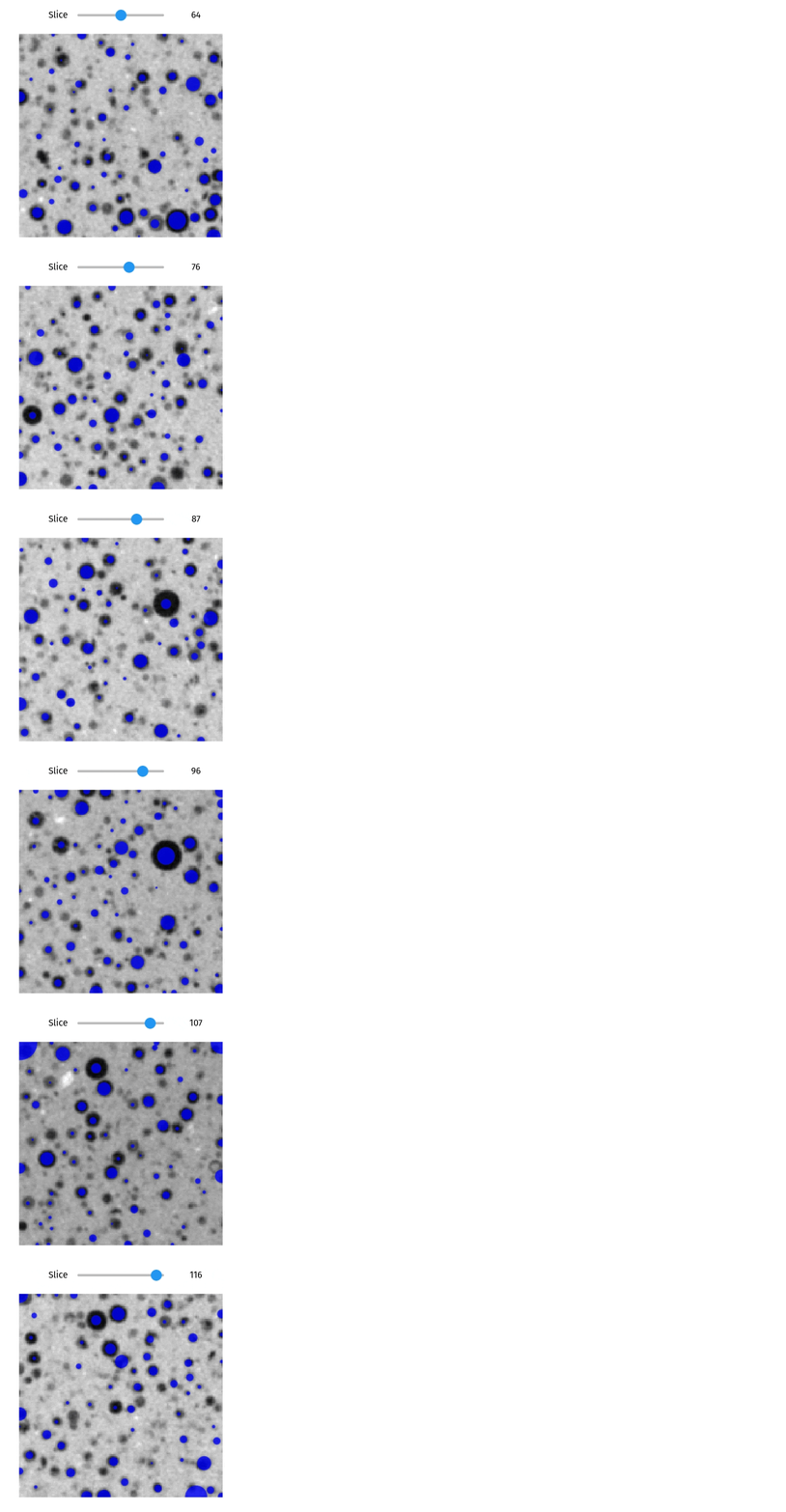
Visualizes detected blobs as circles overlaid on the volume slices.

This function is primarily used to verify the results of blob detection algorithms. It takes a list of detected features (defined by their center coordinates and radius) and projects them onto the 2D slices of the volume. As you scroll through the stack, the circles dynamically resize to represent the cross-section of the 3D spherical blobs at that specific depth, providing an intuitive check for detection accuracy.

Parameters:

Name Type Description Default
blobs ndarray

A list or array of detected blobs. Each blob is expected to be a 4-tuple or array (z, y, x, radius). This is typically the output from qim3d.detection.blobs.

required
volume ndarray

The 3D volume (image stack) on which the blobs were detected.

required
alpha float

The transparency level of the filled circles (0.0 to 1.0). Defaults to 0.5.

0.5
color str

The color of the circles, capable of accepting hex codes or standard color names. Defaults to "#ff9900" (orange).

'#ff9900'
**kwargs Any

Additional keyword arguments passed to the underlying qim3d.viz.slices_grid function (e.g., vmin, vmax).

{}

Returns:

Name Type Description
slicer_obj interactive

An interactive widget with a slider to navigate through slices, showing the overlay of detected blobs.

Example

import qim3d
import qim3d.detection

# Get data
vol = qim3d.examples.cement_128x128x128

# Detect blobs, and get binary mask
blobs, _ = qim3d.detection.blobs(
    vol,
    min_sigma=1,
    max_sigma=8,
    threshold=0.001,
    overlap=0.1,
    background="bright"
    )

# Visualize detected blobs with circles method
qim3d.viz.circles(blobs, vol, alpha=0.8, color='blue')
blob detection

Source code in qim3d/viz/_detection.py
def circles(
    blobs: tuple[float, float, float, float],
    volume: np.ndarray,
    alpha: float = 0.5,
    color: str = '#ff9900',
    **kwargs,
) -> widgets.interactive:
    """
    Visualizes detected blobs as circles overlaid on the volume slices.

    This function is primarily used to verify the results of blob detection algorithms. It takes a list of detected features (defined by their center coordinates and radius) and projects them onto the 2D slices of the volume. As you scroll through the stack, the circles dynamically resize to represent the cross-section of the 3D spherical blobs at that specific depth, providing an intuitive check for detection accuracy.

    Args:
        blobs (np.ndarray): A list or array of detected blobs. Each blob is expected to be a 4-tuple or array `(z, y, x, radius)`. This is typically the output from `qim3d.detection.blobs`.
        volume (np.ndarray): The 3D volume (image stack) on which the blobs were detected.
        alpha (float, optional): The transparency level of the filled circles (0.0 to 1.0). Defaults to 0.5.
        color (str, optional): The color of the circles, capable of accepting hex codes or standard color names. Defaults to "#ff9900" (orange).
        **kwargs (Any): Additional keyword arguments passed to the underlying `qim3d.viz.slices_grid` function (e.g., `vmin`, `vmax`).

    Returns:
        slicer_obj (widgets.interactive):
            An interactive widget with a slider to navigate through slices, showing the overlay of detected blobs.

    Example:
        ```python
        import qim3d
        import qim3d.detection

        # Get data
        vol = qim3d.examples.cement_128x128x128

        # Detect blobs, and get binary mask
        blobs, _ = qim3d.detection.blobs(
            vol,
            min_sigma=1,
            max_sigma=8,
            threshold=0.001,
            overlap=0.1,
            background="bright"
            )

        # Visualize detected blobs with circles method
        qim3d.viz.circles(blobs, vol, alpha=0.8, color='blue')
        ```
        ![blob detection](../../assets/screenshots/blob_detection.gif)
    """

    def _slicer(z_slice):
        clear_output(wait=True)
        fig = qim3d.viz.slices_grid(
            volume[z_slice : z_slice + 1],
            n_slices=1,
            colormap='gray',
            display_figure=False,
            display_positions=False,
            **kwargs,
        )
        # Add circles from deteced blobs
        for detected in blobs:
            z, y, x, s = detected
            if abs(z - z_slice) < s:  # The blob is in the slice
                # Adjust the radius based on the distance from the center of the sphere
                distance_from_center = abs(z - z_slice)
                angle = (
                    np.pi / 2 * (distance_from_center / s)
                )  # Angle varies from 0 at the center to pi/2 at the edge
                adjusted_radius = s * np.cos(angle)  # Radius follows a cosine curve

                if adjusted_radius > 0.5:
                    c = plt.Circle(
                        (x, y),
                        adjusted_radius,
                        color=color,
                        linewidth=0,
                        fill=True,
                        alpha=alpha,
                    )
                    fig.get_axes()[0].add_patch(c)

        display(fig)
        return fig

    position_slider = widgets.IntSlider(
        value=volume.shape[0] // 2,
        min=0,
        max=volume.shape[0] - 1,
        description='Slice',
        continuous_update=True,
    )
    slicer_obj = widgets.interactive(_slicer, z_slice=position_slider)
    slicer_obj.layout = widgets.Layout(align_items='flex-start')

    return slicer_obj

qim3d.viz.compare_volumes

compare_volumes(volume1, volume2, slice_axis=0, slice_index=None, volumetric_visualization=False)

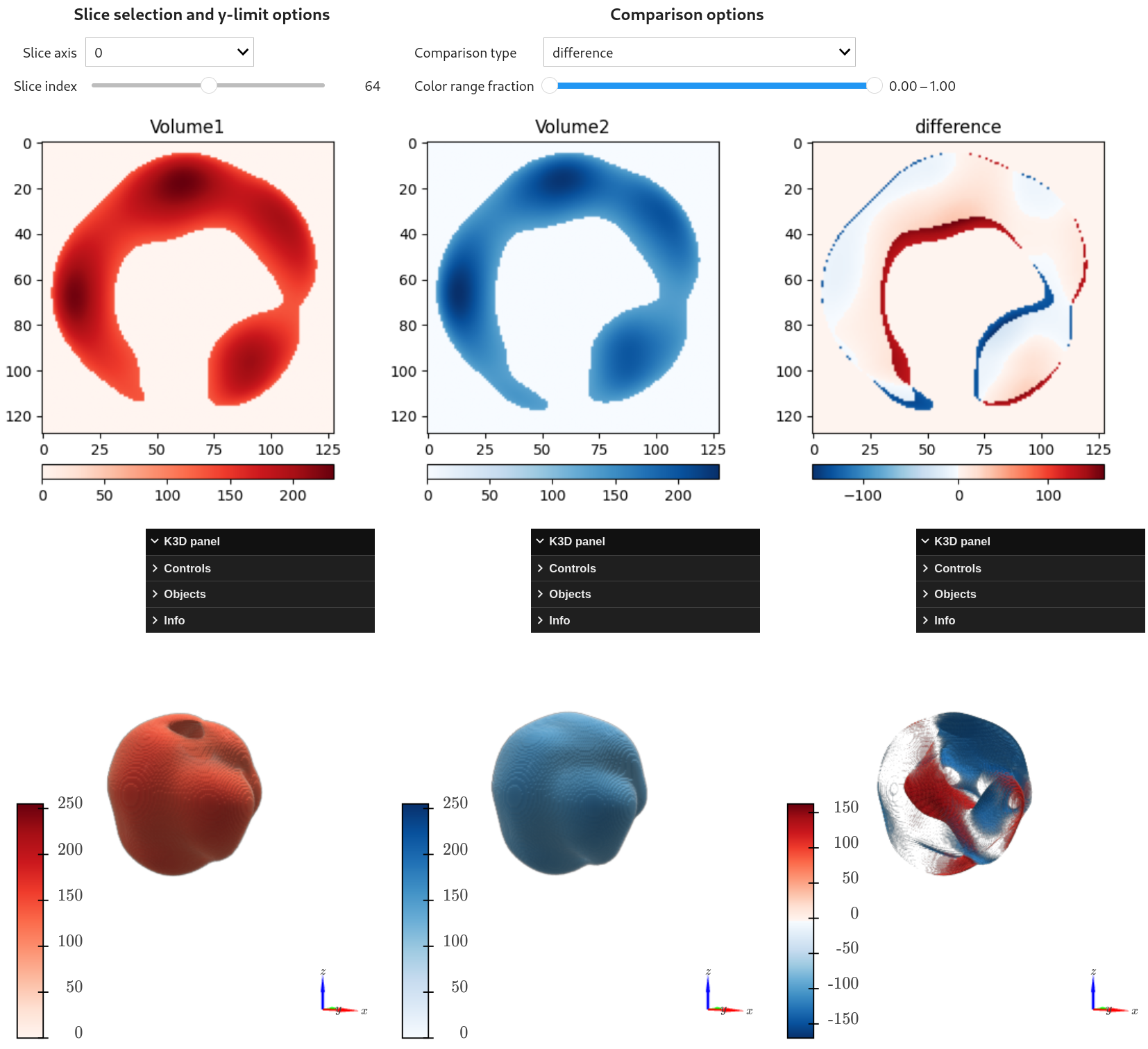
Launches an interactive dashboard to visually compare two 3D volumes side-by-side.

This tool is essential for registration validation (checking alignment), change detection, or analyzing reconstruction errors (residuals). It displays synchronized slices of both volumes alongside a computed difference map. You can switch between 'difference', 'absolute difference', and 'quadratic difference' modes to highlight discrepancies effectively.

If enabled, the tool also provides 3D volumetric rendering (via k3d), allowing you to inspect the spatial distribution of the errors or changes in 3D space.

Parameters:

Name Type Description Default
volume1 ndarray

The first 3D volume (e.g., Ground Truth or Reference).

required
volume2 ndarray

The second 3D volume (e.g., Prediction or Moving Image). Must have the same shape as volume1.

required
slice_axis int

The initial axis along which to slice (0, 1, or 2). Defaults to 0.

0
slice_index int

The initial slice index to display. If None, defaults to the middle slice.

None
volumetric_visualization bool

If True, includes interactive 3D volumetric renderings below the slice views. Defaults to False.

False

Returns:

Name Type Description
widget VBox

The interactive widget containing the comparison controls, slice plots, and optional 3D views.

Example

import qim3d

vol1 = qim3d.generate.volume(noise_scale=0.020, dtype='float32')
vol2 = qim3d.generate.volume(noise_scale=0.021, dtype='float32')

qim3d.viz.compare_volumes(vol1, vol2, volumetric_visualization=True)
volume_comparison

Source code in qim3d/viz/_data_exploration.py
@coarseness('volume1', 'volume2')
def compare_volumes(
    volume1: np.ndarray,
    volume2: np.ndarray,
    slice_axis: int = 0,
    slice_index: int = None,
    volumetric_visualization: bool = False,
) -> widgets.interactive:
    """
    Launches an interactive dashboard to visually compare two 3D volumes side-by-side.

    This tool is essential for registration validation (checking alignment), change detection, or analyzing reconstruction errors (residuals). It displays synchronized slices of both volumes alongside a computed difference map. You can switch between 'difference', 'absolute difference', and 'quadratic difference' modes to highlight discrepancies effectively.

    If enabled, the tool also provides 3D volumetric rendering (via `k3d`), allowing you to inspect the spatial distribution of the errors or changes in 3D space.

    Args:
        volume1 (np.ndarray): The first 3D volume (e.g., Ground Truth or Reference).
        volume2 (np.ndarray): The second 3D volume (e.g., Prediction or Moving Image). Must have the same shape as `volume1`.
        slice_axis (int, optional): The initial axis along which to slice (0, 1, or 2). Defaults to 0.
        slice_index (int, optional): The initial slice index to display. If `None`, defaults to the middle slice.
        volumetric_visualization (bool, optional): If `True`, includes interactive 3D volumetric renderings below the slice views. Defaults to `False`.

    Returns:
        widget (widgets.VBox):
            The interactive widget containing the comparison controls, slice plots, and optional 3D views.

    Example:
        ```python
        import qim3d

        vol1 = qim3d.generate.volume(noise_scale=0.020, dtype='float32')
        vol2 = qim3d.generate.volume(noise_scale=0.021, dtype='float32')

        qim3d.viz.compare_volumes(vol1, vol2, volumetric_visualization=True)
        ```
        ![volume_comparison](../../assets/screenshots/viz-compare_volumes.png)
    """

    if volume1.ndim != 3:
        msg = 'Volume must be 3D.'
        raise ValueError(msg)
    if volume1.shape != volume2.shape:
        msg = 'Volumes must have the same shape.'
        raise ValueError(msg)

    if np.issubdtype(volume1.dtype, np.unsignedinteger) and np.issubdtype(
        volume2.dtype, np.unsignedinteger
    ):
        log.warning(
            'Volumes have unsigned integer datatypes. Beware of over-/underflow.'
        )

    if slice_axis not in (0, 1, 2):
        msg = 'Invalid slice_axis.'
        raise ValueError(msg)

    if slice_index is None:
        slice_index = volume1.shape[slice_axis] // 2
    if not isinstance(slice_index, int):
        msg = 'slice_index must be an integer.'
        raise ValueError(msg)

    vc = _VolumeComparison(
        volume1, volume2, slice_axis, slice_index, volumetric_visualization
    )
    return vc.build_interactive()

qim3d.viz.export_rotation

export_rotation(path, volume, degrees=360, n_frames=180, fps=30, image_size=(256, 256), colormap='magma', camera_height=2.0, camera_distance='auto', camera_focus='center', show=False)

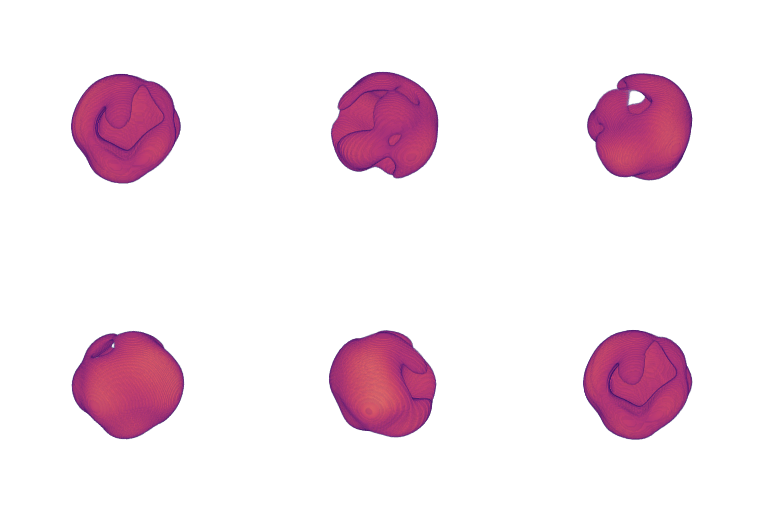
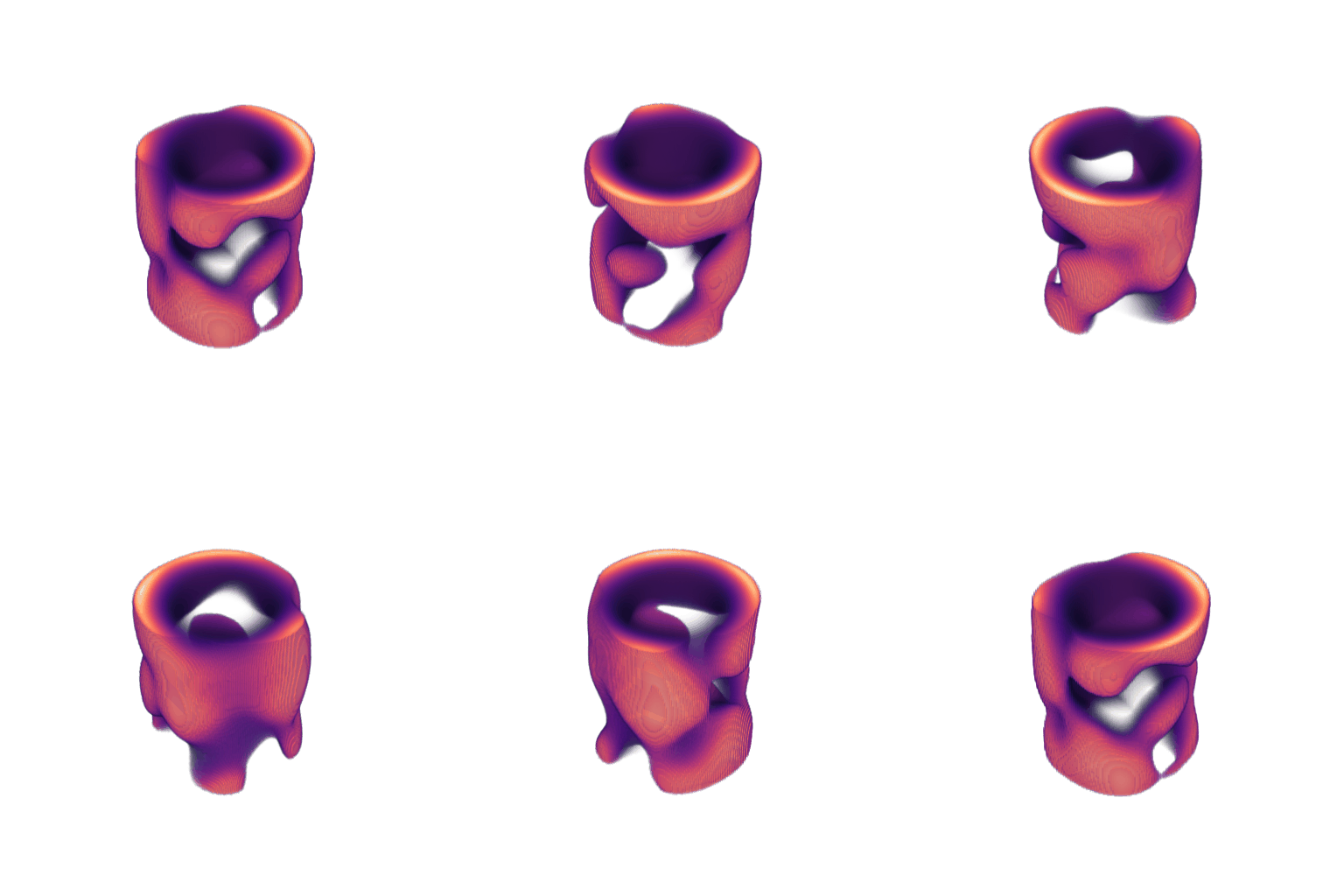
Exports a 360-degree turntable animation of the volume to a video or GIF.

Generates a spinning orbit visualization of the 3D data, perfect for presentations, reports, or sharing results on the web. It renders the volume from a rotating camera perspective and saves the output as a movie file (.mp4, .webm, .avi) or an animated .gif.

Key Features:

  • Presentation Ready: Creates smooth, professional animations of your data.
  • Flexible Output: Supports common video formats and high-quality GIFs.
  • Customizable Camera: Control the height, distance, and focus point of the rotation.

Parameters:

Name Type Description Default
path str

The destination file path. Must end with .gif, .avi, .mp4, or .webm. If no extension is provided, defaults to .gif.

required
volume ndarray

The 3D input volume to be animated.

required
degrees int

Total rotation angle in degrees (e.g., 360 for a full spin).

360
n_frames int

Total number of frames to generate. Higher values create smoother/slower animations at fixed FPS.

180
fps int

Frames per second. Controls the playback speed.

30
image_size tuple[int, int] or None

Resolution (width, height) of the output frames.

(256, 256)
colormap str

Matplotlib colormap name for the volume rendering.

'magma'
camera_height float

Vertical position of the camera relative to the volume's Z-axis height.

2.0
camera_distance float or str

Distance from the camera to the focus point.

  • str: Use 'auto' to automatically calculate a fitting distance.
  • float: Specific distance in voxel units.
'auto'
camera_focus list or str

The point the camera rotates around.

  • str: Use 'center' to rotate around the volume center.
  • list: A list of 3 integers [z, y, x] specifying the voxel coordinate.
'center'
show bool

If True, displays the generated animation inline in the notebook.

False

Raises:

Type Description
TypeError

If camera_focus or camera_distance is invalid.

ValueError

If path contains an unsupported file extension.

Example

Creation of .gif file with default parameters of a generated volume.
import qim3d
vol = qim3d.generate.volume()

qim3d.viz.export_rotation('test.gif', vol, show=True)
export_rotation_defaults

Example

Creation of a .webm file with specified parameters of a generated volume in the shape of a tube.

import qim3d

vol = qim3d.generate.volume(shape='tube')

qim3d.viz.export_rotation('test.webm', vol,
                          degrees = 360,
                          n_frames = 120,
                          fps = 30,
                          image_size = (512,512),
                          camera_height = 3.0,
                          camera_distance = 'auto',
                          camera_focus = 'center',
                          show = True)
export_rotation_video

Source code in qim3d/viz/_data_exploration.py
def export_rotation(
    path: str,
    volume: np.ndarray,
    degrees: int = 360,
    n_frames: int = 180,
    fps: int = 30,
    image_size: tuple[int, int] | None = (256, 256),
    colormap: str = 'magma',
    camera_height: float = 2.0,
    camera_distance: float | str = 'auto',
    camera_focus: list | str = 'center',
    show: bool = False,
) -> None:
    """
    Exports a 360-degree turntable animation of the volume to a video or GIF.

    Generates a spinning orbit visualization of the 3D data, perfect for presentations, reports, or sharing results on the web. It renders the volume from a rotating camera perspective and saves the output as a movie file (.mp4, .webm, .avi) or an animated .gif.

    **Key Features:**

    * **Presentation Ready:** Creates smooth, professional animations of your data.
    * **Flexible Output:** Supports common video formats and high-quality GIFs.
    * **Customizable Camera:** Control the height, distance, and focus point of the rotation.

    Args:
        path (str): The destination file path. Must end with .gif, .avi, .mp4, or .webm. If no extension is provided, defaults to .gif.
        volume (numpy.ndarray): The 3D input volume to be animated.
        degrees (int, optional): Total rotation angle in degrees (e.g., 360 for a full spin).
        n_frames (int, optional): Total number of frames to generate. Higher values create smoother/slower animations at fixed FPS.
        fps (int, optional): Frames per second. Controls the playback speed.
        image_size (tuple[int, int] or None, optional): Resolution (width, height) of the output frames.
        colormap (str, optional): Matplotlib colormap name for the volume rendering.
        camera_height (float, optional): Vertical position of the camera relative to the volume's Z-axis height.
        camera_distance (float or str, optional): Distance from the camera to the focus point.

            * **str**: Use `'auto'` to automatically calculate a fitting distance.
            * **float**: Specific distance in voxel units.

        camera_focus (list or str, optional): The point the camera rotates around.

            * **str**: Use `'center'` to rotate around the volume center.
            * **list**: A list of 3 integers `[z, y, x]` specifying the voxel coordinate.

        show (bool, optional): If `True`, displays the generated animation inline in the notebook.

    Raises:
        TypeError: If `camera_focus` or `camera_distance` is invalid.
        ValueError: If `path` contains an unsupported file extension.

    Example:
        Creation of .gif file with default parameters of a generated volume.
        ```python
        import qim3d
        vol = qim3d.generate.volume()

        qim3d.viz.export_rotation('test.gif', vol, show=True)
        ```
        ![export_rotation_defaults](../../assets/screenshots/export_rotation_defaults.gif)

    Example:
        Creation of a .webm file with specified parameters of a generated volume in the shape of a tube.
        ```python
        import qim3d

        vol = qim3d.generate.volume(shape='tube')

        qim3d.viz.export_rotation('test.webm', vol,
                                  degrees = 360,
                                  n_frames = 120,
                                  fps = 30,
                                  image_size = (512,512),
                                  camera_height = 3.0,
                                  camera_distance = 'auto',
                                  camera_focus = 'center',
                                  show = True)
        ```
        ![export_rotation_video](../../assets/screenshots/export_rotation_video.gif)
    """
    if not (
        camera_focus == 'center'
        or (
            isinstance(camera_focus, list | np.ndarray)
            and not isinstance(camera_focus, str)
            and len(camera_focus) == 3
        )
    ):
        msg = f'Value "{camera_focus}" for camera focus is invalid. Use "center" or a list of three values.'
        raise TypeError(msg)
    if not (isinstance(camera_distance, float) or camera_distance == 'auto'):
        msg = f'Value "{camera_distance}" for camera distance is invalid. Use "auto" or a float value.'
        raise TypeError(msg)

    if Path(path).suffix == '':
        print(f'Input path: "{path}" does not have a filetype. Defaulting to .gif.')
        path += '.gif'

    # Handle img in (xyz) instead of (zyx) (due to rendering issues with the up-vector, ensure that z=y, such that we now have (x,z,y))
    vol = np.transpose(volume, (2, 0, 1))

    # Create a uniform grid
    grid = pv.ImageData()
    grid.dimensions = np.array(vol.shape) + 1  # PyVista dims are +1 from volume shape
    grid.spacing = (1, 1, 1)
    grid.origin = (0, 0, 0)
    grid.cell_data['values'] = vol.flatten(order='F')  # Fortran order

    # Initialize plotter
    plotter = pv.Plotter(off_screen=True)
    plotter.add_volume(grid, opacity='linear', cmap=colormap)
    plotter.remove_scalar_bar()  # Remove colorbar

    frames = []
    camera_height = vol.shape[1] * camera_height

    if camera_distance == 'auto':
        bounds = np.array(plotter.bounds)  # (xmin, xmax, ymin, ymax, zmin, zmax)
        diag = np.linalg.norm(
            [bounds[1] - bounds[0], bounds[3] - bounds[2], bounds[5] - bounds[4]]
        )
        camera_distance = diag * 2.0

    if camera_focus == 'center':
        _, center, _ = plotter.camera_position
    else:
        center = camera_focus

    center = np.array(center)

    angle_per_frame = degrees / n_frames
    radians_per_frame = np.radians(angle_per_frame)

    # Set up orbit radius and fixed up
    radius = camera_distance
    fixed_up = [0, 1, 0]
    for i in tqdm(range(n_frames), desc='Rendering'):
        theta = radians_per_frame * i
        x = radius * np.sin(theta)
        z = radius * np.cos(theta)
        y = camera_height  # fixed height

        eye = center + np.array([x, y, z])
        plotter.camera_position = [eye.tolist(), center.tolist(), fixed_up]

        plotter.render()
        img = plotter.screenshot(return_img=True, window_size=image_size)
        frames.append(img)

    if path[-4:] == '.gif':
        imageio.mimsave(path, frames, fps=fps, loop=0)

    elif path[-4:] == '.avi' or path[-4:] == '.mp4':
        writer = imageio.get_writer(path, fps=fps)
        for frame in frames:
            writer.append_data(frame)
        writer.close()

    elif path[-5:] == '.webm':
        writer = imageio.get_writer(
            path, fps=fps, codec='vp9', ffmpeg_params=['-crf', '32']
        )
        for frame in frames:
            writer.append_data(frame)
        writer.close()

    else:
        msg = 'Invalid file extension. Please use .gif, .avi, .mp4 or .webm'
        raise ValueError(msg)

    path = _get_save_path(path)
    log.info('File saved to ' + str(path.resolve()))

    if show:
        if path.suffix == '.gif':
            display(Image(filename=path))
        elif path.suffix in ['.avi', '.mp4', '.webm']:
            display(Video(filename=path, html_attributes='controls autoplay loop'))

qim3d.viz.fade_mask

fade_mask(volume, axis=0, colormap='magma', min_value=None, max_value=None)

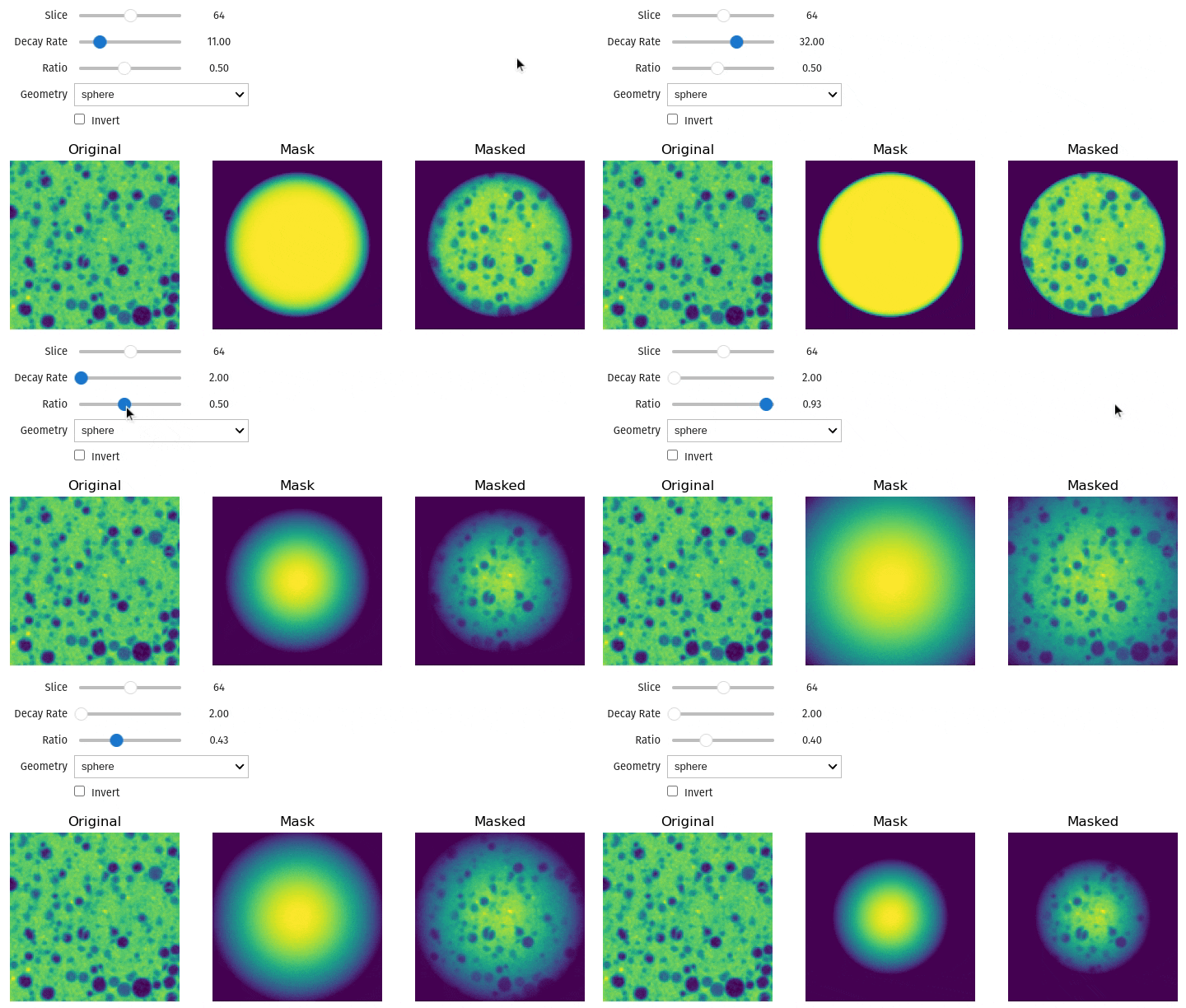
Launches an interactive tool to tune parameters for edge fading (vignetting) on a 3D volume.

This function helps you find the optimal settings for suppressing boundary artifacts or focusing on the center of the volume. It visualizes the process by displaying three panels: the original slice, the generated weight mask (attenuation map), and the final result. You can adjust the decay rate, ratio (radius), and geometry (spherical or cylindrical) in real-time before applying them permanently using qim3d.operations.fade_mask.

Parameters:

Name Type Description Default
volume ndarray

The 3D input volume.

required
axis int

The axis alignment for the mask geometry (relevant for cylindrical fading). Defaults to 0.

0
colormap str

The Matplotlib colormap used for displaying the volume and mask. Defaults to 'magma'.

'magma'
min_value float

Custom minimum intensity for display contrast. If None, uses the data minimum.

None
max_value float

Custom maximum intensity for display contrast. If None, uses the data maximum.

None

Returns:

Name Type Description
slicer_obj interactive

The interactive widget containing the parameter sliders and the side-by-side visualization.

Example

import qim3d
vol = qim3d.examples.cement_128x128x128
qim3d.viz.fade_mask(vol)
operations-edge_fade_before

Source code in qim3d/viz/_data_exploration.py
@coarseness('volume')
def fade_mask(
    volume: np.ndarray,
    axis: int = 0,
    colormap: str = 'magma',
    min_value: float = None,
    max_value: float = None,
) -> widgets.interactive:
    """
    Launches an interactive tool to tune parameters for edge fading (vignetting) on a 3D volume.

    This function helps you find the optimal settings for suppressing boundary artifacts or focusing on the center of the volume. It visualizes the process by displaying three panels: the original slice, the generated weight mask (attenuation map), and the final result. You can adjust the decay rate, ratio (radius), and geometry (spherical or cylindrical) in real-time before applying them permanently using `qim3d.operations.fade_mask`.

    Args:
        volume (np.ndarray): The 3D input volume.
        axis (int, optional): The axis alignment for the mask geometry (relevant for cylindrical fading). Defaults to 0.
        colormap (str, optional): The Matplotlib colormap used for displaying the volume and mask. Defaults to 'magma'.
        min_value (float, optional): Custom minimum intensity for display contrast. If `None`, uses the data minimum.
        max_value (float, optional): Custom maximum intensity for display contrast. If `None`, uses the data maximum.

    Returns:
        slicer_obj (widgets.interactive):
            The interactive widget containing the parameter sliders and the side-by-side visualization.

    Example:
        ```python
        import qim3d
        vol = qim3d.examples.cement_128x128x128
        qim3d.viz.fade_mask(vol)
        ```
        ![operations-edge_fade_before](../../assets/screenshots/viz-fade_mask.gif)
    """

    # Create the interactive widget
    def _slicer(
        position: int,
        decay_rate: float,
        ratio: float,
        geometry: str,
        invert: bool,
    ) -> Figure:
        fig, axes = plt.subplots(1, 3, figsize=(9, 3))

        slice_img = volume[position, :, :]
        # If min_value is higher than the highest value in the image ValueError is raised
        # We don't want to override the values because next slices might be okay
        new_min_value = (
            None
            if (isinstance(min_value, float | int) and min_value > np.max(slice_img))
            else min_value
        )
        new_max_value = (
            None
            if (isinstance(max_value, float | int) and max_value < np.min(slice_img))
            else max_value
        )

        axes[0].imshow(
            slice_img, cmap=colormap, vmin=new_min_value, vmax=new_max_value
        )
        axes[0].set_title('Original')
        axes[0].axis('off')

        mask = qim3d.operations.fade_mask(
            np.ones_like(volume),
            decay_rate=decay_rate,
            ratio=ratio,
            geometry=geometry,
            axis=axis,
            invert=invert,
        )
        axes[1].imshow(mask[position, :, :], cmap=colormap)
        axes[1].set_title('Mask')
        axes[1].axis('off')

        masked_volume = qim3d.operations.fade_mask(
            volume,
            decay_rate=decay_rate,
            ratio=ratio,
            geometry=geometry,
            axis=axis,
            invert=invert,
        )
        # If min_value is higher than the highest value in the image ValueError is raised
        # We don't want to override the values because next slices might be okay
        slice_img = masked_volume[position, :, :]
        new_min_value = (
            None
            if (isinstance(min_value, float | int) and min_value > np.max(slice_img))
            else min_value
        )
        new_max_value = (
            None
            if (isinstance(max_value, float | int) and max_value < np.min(slice_img))
            else max_value
        )
        axes[2].imshow(
            slice_img, cmap=colormap, vmin=new_min_value, vmax=new_max_value
        )
        axes[2].set_title('Masked')
        axes[2].axis('off')

        return fig

    shape_dropdown = widgets.Dropdown(
        options=['spherical', 'cylindrical'],
        value='spherical',  # default value
        description='Geometry',
    )

    position_slider = widgets.IntSlider(
        value=volume.shape[0] // 2,
        min=0,
        max=volume.shape[0] - 1,
        description='Slice',
        continuous_update=False,
    )
    decay_rate_slider = widgets.FloatSlider(
        value=10,
        min=1,
        max=50,
        step=1.0,
        description='Decay Rate',
        continuous_update=False,
    )
    ratio_slider = widgets.FloatSlider(
        value=0.5,
        min=0.1,
        max=1,
        step=0.01,
        description='Ratio',
        continuous_update=False,
    )

    # Create the Checkbox widget
    invert_checkbox = widgets.Checkbox(
        value=False,
        description='Invert',  # default value
    )

    slicer_obj = widgets.interactive(
        _slicer,
        position=position_slider,
        decay_rate=decay_rate_slider,
        ratio=ratio_slider,
        geometry=shape_dropdown,
        invert=invert_checkbox,
    )
    slicer_obj.layout = widgets.Layout(align_items='flex-start')

    return slicer_obj

qim3d.viz.grid_overview

grid_overview(data, n_images=7, colormap_im='gray', colormap_segm='viridis', alpha=0.5, show=False)

Displays an overview grid of images, labels, and masks (if they exist).

Labels are the annotated target segmentations Masks are applied to the output and target prior to the loss calculation in case of sparse labeled data

Parameters:

Name Type Description Default
data list or Dataset

A list of tuples or Torch dataset containing image, label, (and mask data).

required
n_images int

The maximum number of images to display. Defaults to 7.

7
colormap_im str

The colormap to be used for displaying input images. Defaults to 'gray'.

'gray'
colormap_segm str

The colormap to be used for displaying labels. Defaults to 'viridis'.

'viridis'
alpha float

The transparency level of the label and mask overlays. Defaults to 0.5.

0.5
show bool

If True, displays the plot (i.e. calls plt.show()). Defaults to False.

False

Raises:

Type Description
ValueError

If the data elements are not tuples.

Returns:

Name Type Description
fig Figure

The figure with an overview of the images and their labels.

Notes
  • If the image data is RGB, the color map is ignored and the user is informed.
  • The number of displayed images is limited to the minimum between n_images and the length of the data.
  • The grid layout and dimensions vary based on the presence of a mask.
Source code in qim3d/viz/_metrics.py
def grid_overview(
    data: list ,
    n_images: int = 7,
    colormap_im: str = 'gray',
    colormap_segm: str = 'viridis',
    alpha: float = 0.5,
    show: bool = False,
) -> matplotlib.figure.Figure:
    """
    Displays an overview grid of images, labels, and masks (if they exist).

    Labels are the annotated target segmentations
    Masks are applied to the output and target prior to the loss calculation in case of
    sparse labeled data

    Args:
        data (list or torch.utils.data.Dataset): A list of tuples or Torch dataset containing image, label, (and mask data).
        n_images (int, optional): The maximum number of images to display. Defaults to 7.
        colormap_im (str, optional): The colormap to be used for displaying input images. Defaults to 'gray'.
        colormap_segm (str, optional): The colormap to be used for displaying labels. Defaults to 'viridis'.
        alpha (float, optional): The transparency level of the label and mask overlays. Defaults to 0.5.
        show (bool, optional): If True, displays the plot (i.e. calls plt.show()). Defaults to False.

    Raises:
        ValueError: If the data elements are not tuples.


    Returns:
        fig (matplotlib.figure.Figure): The figure with an overview of the images and their labels.

    Notes:
        - If the image data is RGB, the color map is ignored and the user is informed.
        - The number of displayed images is limited to the minimum between `n_images`
            and the length of the data.
        - The grid layout and dimensions vary based on the presence of a mask.

    """

    # Check if data has a mask
    has_mask = len(data[0]) > 2 and data[0][-1] is not None

    # Check if image data is RGB and inform the user if it's the case
    if len(data[0][0].squeeze().shape) > 2:
        log.info('Input images are RGB: color map is ignored')

    # Check if dataset have at least specified number of images
    if len(data) < n_images:
        log.warning(
            'Not enough images in the dataset. Changing n_images=%d to n_images=%d',
            n_images,
            len(data),
        )
        n_images = len(data)

    # Adapt segmentation cmap so that background is transparent
    colors_segm = colormaps.get_cmap(colormap_segm)(np.linspace(0, 1, 256))
    colors_segm[:128, 3] = 0
    custom_cmap = LinearSegmentedColormap.from_list('CustomCmap', colors_segm)

    # Check if data have the right format
    if not isinstance(data[0], tuple):
        raise ValueError('Data elements must be tuples')

    # Define row titles
    row_titles = ['Input images', 'Ground truth segmentation', 'Mask']

    # Make new list such that possible augmentations remain identical for all three rows
    plot_data = [data[idx] for idx in range(n_images)]

    fig = plt.figure(
        figsize=(2 * n_images, 9 if has_mask else 6), constrained_layout=True
    )

    # create 2 (3) x 1 subfigs
    subfigs = fig.subfigures(nrows=3 if has_mask else 2, ncols=1)
    for row, subfig in enumerate(subfigs):
        subfig.suptitle(row_titles[row], fontsize=22)

        # create 1 x n_images subplots per subfig
        axs = subfig.subplots(nrows=1, ncols=n_images)
        for col, ax in enumerate(np.atleast_1d(axs)):
            if row in [1, 2]:  # Ground truth segmentation and mask
                ax.imshow(plot_data[col][0].squeeze(), cmap=colormap_im)
                ax.imshow(plot_data[col][row].squeeze(), cmap=custom_cmap, alpha=alpha)
                ax.axis('off')
            else:
                ax.imshow(plot_data[col][row].squeeze(), cmap=colormap_im)
                ax.axis('off')

    if show:
        plt.show()
    plt.close()

    return fig

qim3d.viz.grid_pred

grid_pred(in_targ_preds, n_images=7, colormap_im='gray', colormap_segm='viridis', alpha=0.5, show=False)

Displays a grid of input images, predicted segmentations, ground truth segmentations, and their comparison.

Displays a grid of subplots representing different aspects of the input images and segmentations. The grid includes the following rows: - Row 1: Input images - Row 2: Predicted segmentations overlaying input images - Row 3: Ground truth segmentations overlaying input images - Row 4: Comparison between true and predicted segmentations overlaying input images

Each row consists of n_images subplots, where each subplot corresponds to an image from the dataset. The function utilizes various color maps for visualization and applies transparency to the segmentations.

Parameters:

Name Type Description Default
in_targ_preds tuple

A tuple containing input images, target segmentations, and predicted segmentations.

required
n_images int

Number of images to display. Defaults to 7.

7
colormap_im str

Color map for input images. Defaults to "gray".

'gray'
colormap_segm str

Color map for segmentations. Defaults to "viridis".

'viridis'
alpha float

Alpha value for transparency. Defaults to 0.5.

0.5
show bool

If True, displays the plot (i.e. calls plt.show()). Defaults to False.

False

Returns:

Name Type Description
fig Figure

The figure with images, labels and the label prediction from the trained models.

Example

import qim3d dataset = MySegmentationDataset() model = MySegmentationModel() in_targ_preds = qim3d.ml.inference(dataset,model) qim3d.viz.grid_pred(in_targ_preds, colormap_im='viridis', alpha=0.5)

Source code in qim3d/viz/_metrics.py
def grid_pred(
    in_targ_preds: tuple[np.ndarray, np.ndarray, np.ndarray],
    n_images: int = 7,
    colormap_im: str = 'gray',
    colormap_segm: str = 'viridis',
    alpha: float = 0.5,
    show: bool = False,
) -> matplotlib.figure.Figure:
    """
    Displays a grid of input images, predicted segmentations, ground truth segmentations, and their comparison.

    Displays a grid of subplots representing different aspects of the input images and segmentations.
    The grid includes the following rows:
        - Row 1: Input images
        - Row 2: Predicted segmentations overlaying input images
        - Row 3: Ground truth segmentations overlaying input images
        - Row 4: Comparison between true and predicted segmentations overlaying input images

    Each row consists of `n_images` subplots, where each subplot corresponds to an image from the dataset.
    The function utilizes various color maps for visualization and applies transparency to the segmentations.

    Args:
        in_targ_preds (tuple): A tuple containing input images, target segmentations, and predicted segmentations.
        n_images (int, optional): Number of images to display. Defaults to 7.
        colormap_im (str, optional): Color map for input images. Defaults to "gray".
        colormap_segm (str, optional): Color map for segmentations. Defaults to "viridis".
        alpha (float, optional): Alpha value for transparency. Defaults to 0.5.
        show (bool, optional): If True, displays the plot (i.e. calls plt.show()). Defaults to False.

    Returns:
        fig (matplotlib.figure.Figure): The figure with images, labels and the label prediction from the trained models.

    Raises:
        None

    Example:
        import qim3d
        dataset = MySegmentationDataset()
        model = MySegmentationModel()
        in_targ_preds = qim3d.ml.inference(dataset,model)
        qim3d.viz.grid_pred(in_targ_preds, colormap_im='viridis', alpha=0.5)

    """
    import torch

    # Check if dataset have at least specified number of images
    if len(in_targ_preds[0]) < n_images:
        log.warning(
            'Not enough images in the dataset. Changing n_images=%d to n_images=%d',
            n_images,
            len(in_targ_preds[0]),
        )
        n_images = len(in_targ_preds[0])

    # Take only the number of images from in_targ_preds
    inputs, targets, preds = (items[:n_images] for items in in_targ_preds)

    # Adapt segmentation cmap so that background is transparent
    colors_segm = colormaps.get_cmap(colormap_segm)(np.linspace(0, 1, 256))
    colors_segm[:128, 3] = 0
    custom_cmap = LinearSegmentedColormap.from_list('CustomCmap', colors_segm)

    N = n_images
    H = inputs[0].shape[-2]
    W = inputs[0].shape[-1]

    comp_rgb = torch.zeros((N, 4, H, W))
    comp_rgb[:, 1, :, :] = targets.logical_and(preds)
    comp_rgb[:, 0, :, :] = targets.logical_xor(preds)
    comp_rgb[:, 3, :, :] = targets.logical_or(preds)

    row_titles = [
        'Input images',
        'Predicted segmentation',
        'Ground truth segmentation',
        'True vs. predicted segmentation',
    ]

    fig = plt.figure(figsize=(2 * n_images, 10), constrained_layout=True)

    # create 3 x 1 subfigs
    subfigs = fig.subfigures(nrows=4, ncols=1)
    for row, subfig in enumerate(subfigs):
        subfig.suptitle(row_titles[row], fontsize=22)

        # create 1 x n_images subplots per subfig
        axs = subfig.subplots(nrows=1, ncols=n_images)
        for col, ax in enumerate(np.atleast_1d(axs)):
            if row == 0:
                ax.imshow(inputs[col], cmap=colormap_im)
                ax.axis('off')

            elif row == 1:  # Predicted segmentation
                ax.imshow(inputs[col], cmap=colormap_im)
                ax.imshow(preds[col], cmap=custom_cmap, alpha=alpha)
                ax.axis('off')
            elif row == 2:  # Ground truth segmentation
                ax.imshow(inputs[col], cmap=colormap_im)
                ax.imshow(targets[col], cmap=custom_cmap, alpha=alpha)
                ax.axis('off')
            else:
                ax.imshow(inputs[col], cmap=colormap_im)
                ax.imshow(comp_rgb[col].permute(1, 2, 0), alpha=alpha)
                ax.axis('off')

    if show:
        plt.show()
    plt.close()

    return fig

qim3d.viz.histogram

histogram(volume, coarseness=1, ignore_zero=True, bins='auto', slice_index=None, slice_axis=0, vertical_line=None, vertical_line_colormap='qim', kde=False, log_scale=False, despine=True, show_title=True, color='qim3d', edgecolor=None, figsize=(8, 4.5), bin_style='step', return_fig=False, show=True, ax=None, **sns_kwargs)

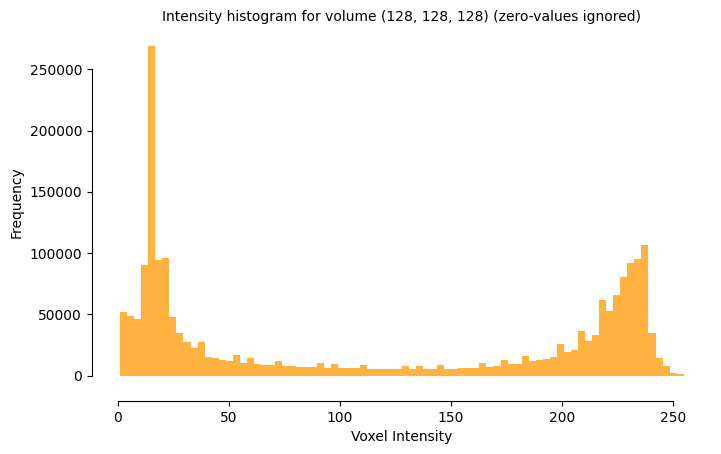
Computes and displays the intensity distribution (histogram) of a 3D volume or a specific 2D slice.

This function visualizes the frequency of voxel intensities (gray values), which is essential for analyzing data contrast, identifying material phases, and determining threshold values for segmentation. It utilizes seaborn.histplot and includes optimizations for 3D data, such as subsampling (coarseness) to handle large datasets efficiently. You can also overlay Kernel Density Estimates (KDE) or specific threshold markers.

Parameters:

Name Type Description Default
volume ndarray

The 3D input volume.

required
coarseness int or list[int]

Subsampling factor to speed up computation. A value of 1 uses all data; 2 uses every second voxel, etc.

1
ignore_zero bool

If True, excludes zero-valued voxels (background) from the statistics.

True
bins int or str

The number of bins or a binning strategy (e.g., 'auto', 'sturges').

'auto'
slice_index int, str, or None

The specific slice to analyze. If None, analyzes the entire volume. Accepts an integer index or 'middle'.

None
slice_axis int

The axis along which to extract the slice (0, 1, or 2). Used only if slice_index is provided.

0
vertical_line int or Iterable

One or more intensity values to mark with vertical dashed lines (e.g., to visualize a threshold cut-off).

None
vertical_line_colormap str or Iterable

The colormap or list of colors for the vertical lines.

'qim'
kde bool

If True, computes and overlays a Kernel Density Estimate (smooth curve) of the distribution.

False
log_scale bool

If True, sets the Y-axis (frequency) to a logarithmic scale.

False
despine bool

If True, removes the top and right borders of the plot for a cleaner look.

True
show_title bool

If True, adds a descriptive title with slice/volume information.

True
color str

The main color of the histogram bars.

'qim3d'
edgecolor str

The color of the bar edges.

None
figsize tuple[float, float]

The width and height of the figure in inches.

(8, 4.5)
bin_style str

The visual style of the histogram ('bars', 'step', or 'poly').

'step'
return_fig bool

If True, returns the matplotlib.figure.Figure object.

False
show bool

If True, calls plt.show() to display the plot.

True
ax Axes

An existing Axes object to plot onto. If provided, the function returns this Axes object (unless return_fig=True).

None
**sns_kwargs str | float | bool

Additional keyword arguments passed to seaborn.histplot.

{}

Returns:

Name Type Description
object matplotlib.figure.Figure, matplotlib.axes.Axes, or None

The plot object, depending on parameters:

  • matplotlib.figure.Figure: Returned if return_fig=True.
  • matplotlib.axes.Axes: Returned if return_fig=False and ax was provided.
  • None: If return_fig=False and no ax is provided (plot is displayed immediately).

Raises:

Type Description
ValueError

If slice_axis is invalid or slice_index is out of bounds.

Example

import qim3d

vol = qim3d.examples.bone_128x128x128
qim3d.viz.histogram(vol)
viz histogram

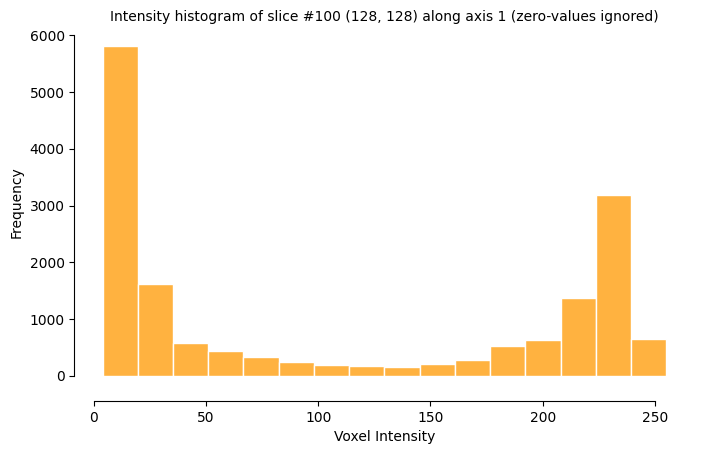
Histogram from a single slice

import qim3d

vol = qim3d.examples.bone_128x128x128
qim3d.viz.histogram(vol, slice_index=100, slice_axis=1, bin_style='bars', edgecolor='white')
viz histogram

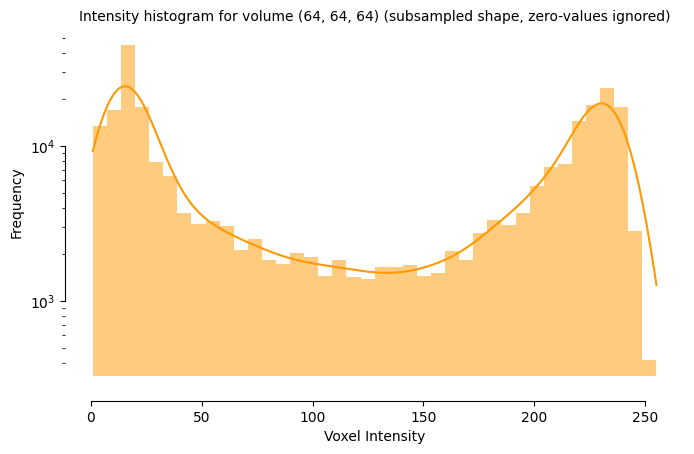
Using coarseness for faster computation

import qim3d

vol = qim3d.examples.bone_128x128x128
qim3d.viz.histogram(vol, coarseness=2, kde=True, log_scale=True)
viz histogram

Source code in qim3d/viz/_data_exploration.py
@coarseness('volume')
def histogram(
    volume: np.ndarray,
    coarseness: int | list[int] = 1,
    ignore_zero: bool = True,
    bins: int | str = 'auto',
    slice_index: int | str | None = None,
    slice_axis: int = 0,
    vertical_line: int | Iterable = None,
    vertical_line_colormap: str | Iterable = 'qim',
    kde: bool = False,
    log_scale: bool = False,
    despine: bool = True,
    show_title: bool = True,
    color: str = 'qim3d',
    edgecolor: str | None = None,
    figsize: tuple[float, float] = (8, 4.5),
    bin_style: Literal['bars', 'step', 'poly'] = 'step',
    return_fig: bool = False,
    show: bool = True,
    ax: plt.Axes | None = None,
    **sns_kwargs: str | float | bool,
) -> plt.Figure | plt.Axes | None:
    """
    Computes and displays the intensity distribution (histogram) of a 3D volume or a specific 2D slice.

    This function visualizes the frequency of voxel intensities (gray values), which is essential for analyzing data contrast, identifying material phases, and determining threshold values for segmentation. It utilizes `seaborn.histplot` and includes optimizations for 3D data, such as subsampling (`coarseness`) to handle large datasets efficiently. You can also overlay Kernel Density Estimates (KDE) or specific threshold markers.

    Args:
        volume (np.ndarray): The 3D input volume.
        coarseness (int or list[int], optional): Subsampling factor to speed up computation. A value of `1` uses all data; `2` uses every second voxel, etc.
        ignore_zero (bool, optional): If `True`, excludes zero-valued voxels (background) from the statistics.
        bins (int or str, optional): The number of bins or a binning strategy (e.g., 'auto', 'sturges').
        slice_index (int, str, or None, optional): The specific slice to analyze. If `None`, analyzes the entire volume. Accepts an integer index or 'middle'.
        slice_axis (int, optional): The axis along which to extract the slice (0, 1, or 2). Used only if `slice_index` is provided.
        vertical_line (int or Iterable, optional): One or more intensity values to mark with vertical dashed lines (e.g., to visualize a threshold cut-off).
        vertical_line_colormap (str or Iterable, optional): The colormap or list of colors for the vertical lines.
        kde (bool, optional): If `True`, computes and overlays a Kernel Density Estimate (smooth curve) of the distribution.
        log_scale (bool, optional): If `True`, sets the Y-axis (frequency) to a logarithmic scale.
        despine (bool, optional): If `True`, removes the top and right borders of the plot for a cleaner look.
        show_title (bool, optional): If `True`, adds a descriptive title with slice/volume information.
        color (str, optional): The main color of the histogram bars.
        edgecolor (str, optional): The color of the bar edges.
        figsize (tuple[float, float], optional): The width and height of the figure in inches.
        bin_style (str, optional): The visual style of the histogram ('bars', 'step', or 'poly').
        return_fig (bool, optional): If `True`, returns the `matplotlib.figure.Figure` object.
        show (bool, optional): If `True`, calls `plt.show()` to display the plot.
        ax (matplotlib.axes.Axes, optional): An existing Axes object to plot onto. If provided, the function returns this Axes object (unless `return_fig=True`).
        **sns_kwargs: Additional keyword arguments passed to `seaborn.histplot`.

    Returns:
        object (matplotlib.figure.Figure, matplotlib.axes.Axes, or None):
            The plot object, depending on parameters:

            * **matplotlib.figure.Figure**: Returned if `return_fig=True`.
            * **matplotlib.axes.Axes**: Returned if `return_fig=False` and `ax` was provided.
            * **None**: If `return_fig=False` and no `ax` is provided (plot is displayed immediately).

    Raises:
        ValueError: If `slice_axis` is invalid or `slice_index` is out of bounds.

    Example:
        ```python
        import qim3d

        vol = qim3d.examples.bone_128x128x128
        qim3d.viz.histogram(vol)
        ```
        ![viz histogram](../../assets/screenshots/viz-histogram-vol.png)

    Example: Histogram from a single slice
        ```python
        import qim3d

        vol = qim3d.examples.bone_128x128x128
        qim3d.viz.histogram(vol, slice_index=100, slice_axis=1, bin_style='bars', edgecolor='white')
        ```
        ![viz histogram](../../assets/screenshots/viz-histogram-slice.png)

    Example: Using coarseness for faster computation
        ```python
        import qim3d

        vol = qim3d.examples.bone_128x128x128
        qim3d.viz.histogram(vol, coarseness=2, kde=True, log_scale=True)
        ```
        ![viz histogram](../../assets/screenshots/viz-histogram-coarse.png)
    """
    if not (0 <= slice_axis < volume.ndim):
        msg = f'Axis must be an integer between 0 and {volume.ndim - 1}.'
        raise ValueError(msg)

    title_suffixes = []

    if slice_index == 'middle':
        slice_index = volume.shape[slice_axis] // 2

    if slice_index is not None:
        if 0 <= slice_index < volume.shape[slice_axis]:
            img_slice = np.take(volume, indices=slice_index, axis=slice_axis)
            data = img_slice.ravel()
            title = f'Intensity histogram of slice #{slice_index} {img_slice.shape} along axis {slice_axis}'
        else:
            msg = f'Slice index out of range. Must be between 0 and {volume.shape[slice_axis] - 1}.'
            raise ValueError(msg)
    else:
        data = volume.ravel()
        title = f'Intensity histogram for volume {volume.shape}'

    if ignore_zero:
        data = data[data > 0]
        title_suffixes.append('zero-values ignored')

    if title_suffixes:
        title += ' (' + ', '.join(title_suffixes) + ')'

    # Use provided Axes or create new figure
    if ax is None:
        fig, ax = plt.subplots(figsize=figsize)
    else:
        fig = None

    if log_scale:
        ax.set_yscale('log')

    if color == 'qim3d':
        color = qim3d.viz.colormaps.qim(1.0)

    sns.histplot(
        data,
        bins=bins,
        kde=kde,
        color=color,
        element=bin_style,
        edgecolor=edgecolor,
        ax=ax,  # Plot directly on the specified Axes
        **sns_kwargs,
    )

    if vertical_line is not None:

        if isinstance(vertical_line_colormap, str):
            colors = matplotlib.colormaps[vertical_line_colormap]
        elif isinstance(vertical_line_colormap, Iterable):
            colors = lambda x: vertical_line_colormap[x]


        if isinstance(vertical_line, (float, int)):
            ax.axvline(
                x=vertical_line,
                color=colors(0),
                linestyle='--',
                linewidth=2,
            )
        elif isinstance(vertical_line, Iterable):
            for index, line_position in enumerate(vertical_line):
                if isinstance(vertical_line_colormap, str):
                    index = index/(max(len(vertical_line)-1, 1))
                ax.axvline(
                    x=line_position,
                    color=colors(index),
                    linestyle='--',
                    linewidth=2,
                )

    if despine:
        sns.despine(
            fig=None,
            ax=ax,
            top=True,
            right=True,
            left=False,
            bottom=False,
            offset={'left': 0, 'bottom': 18},
            trim=True,
        )

    ax.set_xlabel('Voxel Intensity')
    ax.set_ylabel('Frequency')

    if show_title:
        ax.set_title(title, fontsize=10)

    # Handle show and return
    if show and fig is not None:
        plt.show()

    if return_fig:
        return fig
    elif ax is not None:
        return ax

qim3d.viz.image_preview

image_preview(image, image_width=80, axis=None, slice=None, relative_intensity=True)

Image preview function

Source code in qim3d/viz/_preview.py
def image_preview(
    image: np.ndarray,
    image_width: int = 80,
    axis: int = None,
    slice: int = None,
    relative_intensity: bool = True,
):
    """ 
    Image preview function
    """
    if image.ndim == 3 and image.shape[2] > 4:
        image = choose_slice(image, axis, slice)
    image = check_and_adjust_image_dims(image)
    ratio = X_STRIDE * image_width / image.shape[1]
    image = check_and_adjust_values(image, relative_intensity)
    image = rescale_image(image, (X_STRIDE * image_width, int(ratio * image.shape[0])))
    print(image_ansi_string(image))

qim3d.viz.iso_surface

iso_surface(volume, colormap='Magma')

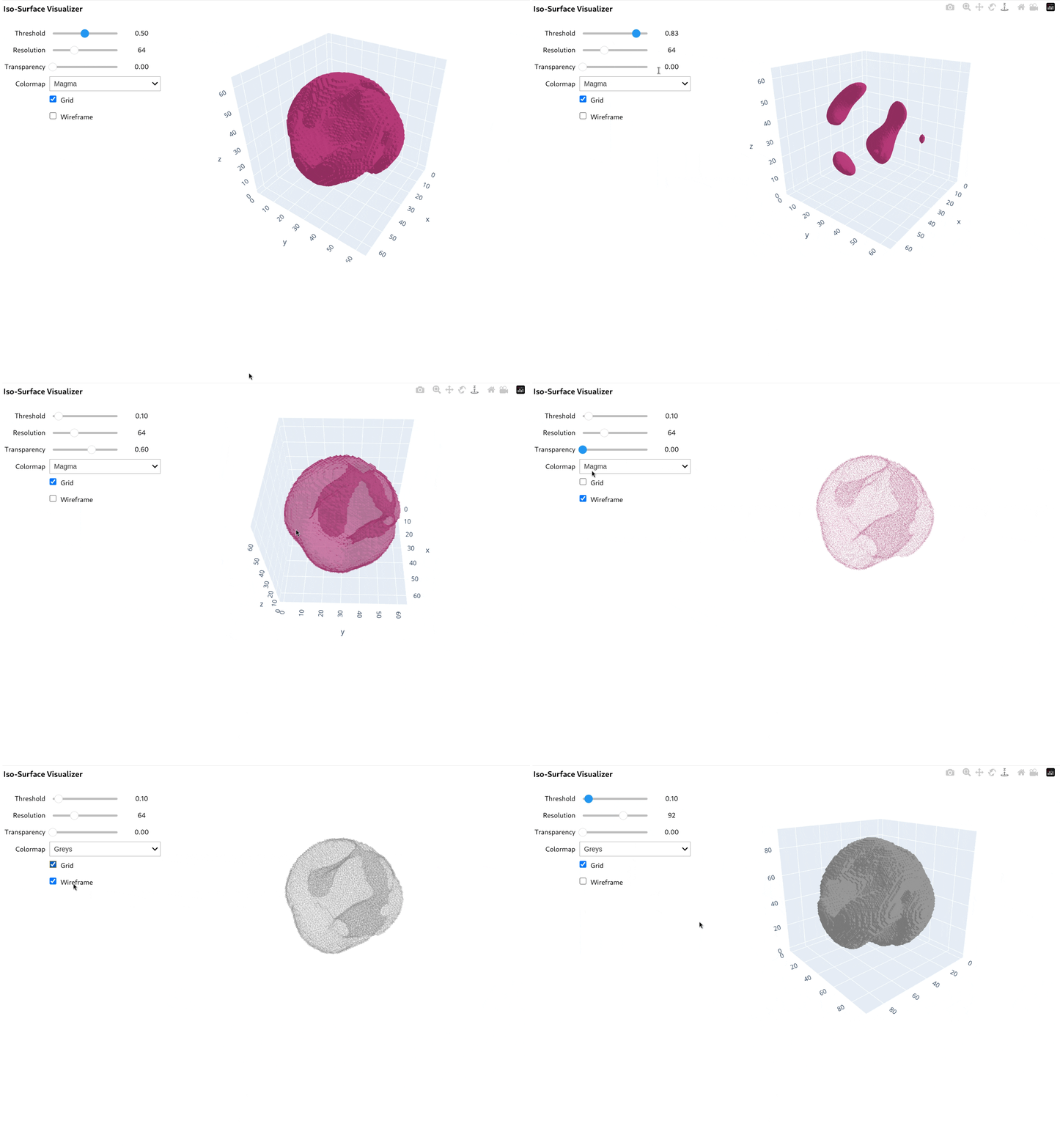
Creates an interactive tool to visualize 3D iso-surfaces (surfaces of constant value).

Generates a GUI to extract and render 3D contours from the volume in real-time. This is useful for finding specific intensity boundaries, visualizing segmentation masks, or exploring the shape of objects defined by a specific threshold. It uses Plotly for interaction and includes controls for resolution and transparency.

Key Features:

  • Interactive Thresholding: Adjust the iso-value dynamically to see how the surface changes.
  • Performance Control: Adjustable resolution slider to balance between mesh quality and rendering speed.
  • Visual Styles: Supports wireframe mode, transparency, and various colormaps.

Parameters:

Name Type Description Default
volume ndarray

The 3D input volume to be visualized.

required
colormap str

The initial color map name (e.g., 'Magma', 'Viridis'). Can be changed in the GUI.

'Magma'
Example

import qim3d

vol = qim3d.generate.volume(noise_scale=0.020)
qim3d.viz.iso_surface(vol)
volume_comparison

Source code in qim3d/viz/_data_exploration.py
@coarseness('volume')
def iso_surface(volume: np.ndarray, colormap: str = 'Magma') -> None:
    """
    Creates an interactive tool to visualize 3D iso-surfaces (surfaces of constant value).

    Generates a GUI to extract and render 3D contours from the volume in real-time. This is useful for finding specific intensity boundaries, visualizing segmentation masks, or exploring the shape of objects defined by a specific threshold. It uses `Plotly` for interaction and includes controls for resolution and transparency.

    **Key Features:**

    * **Interactive Thresholding:** Adjust the iso-value dynamically to see how the surface changes.
    * **Performance Control:** Adjustable resolution slider to balance between mesh quality and rendering speed.
    * **Visual Styles:** Supports wireframe mode, transparency, and various colormaps.

    Args:
        volume (numpy.ndarray): The 3D input volume to be visualized.
        colormap (str, optional): The initial color map name (e.g., 'Magma', 'Viridis'). Can be changed in the GUI.

    Example:
        ```python
        import qim3d

        vol = qim3d.generate.volume(noise_scale=0.020)
        qim3d.viz.iso_surface(vol)
        ```
        ![volume_comparison](../../assets/screenshots/iso_surface.gif)
    """
    IsoSurface(volume, colormap)

qim3d.viz.line_profile

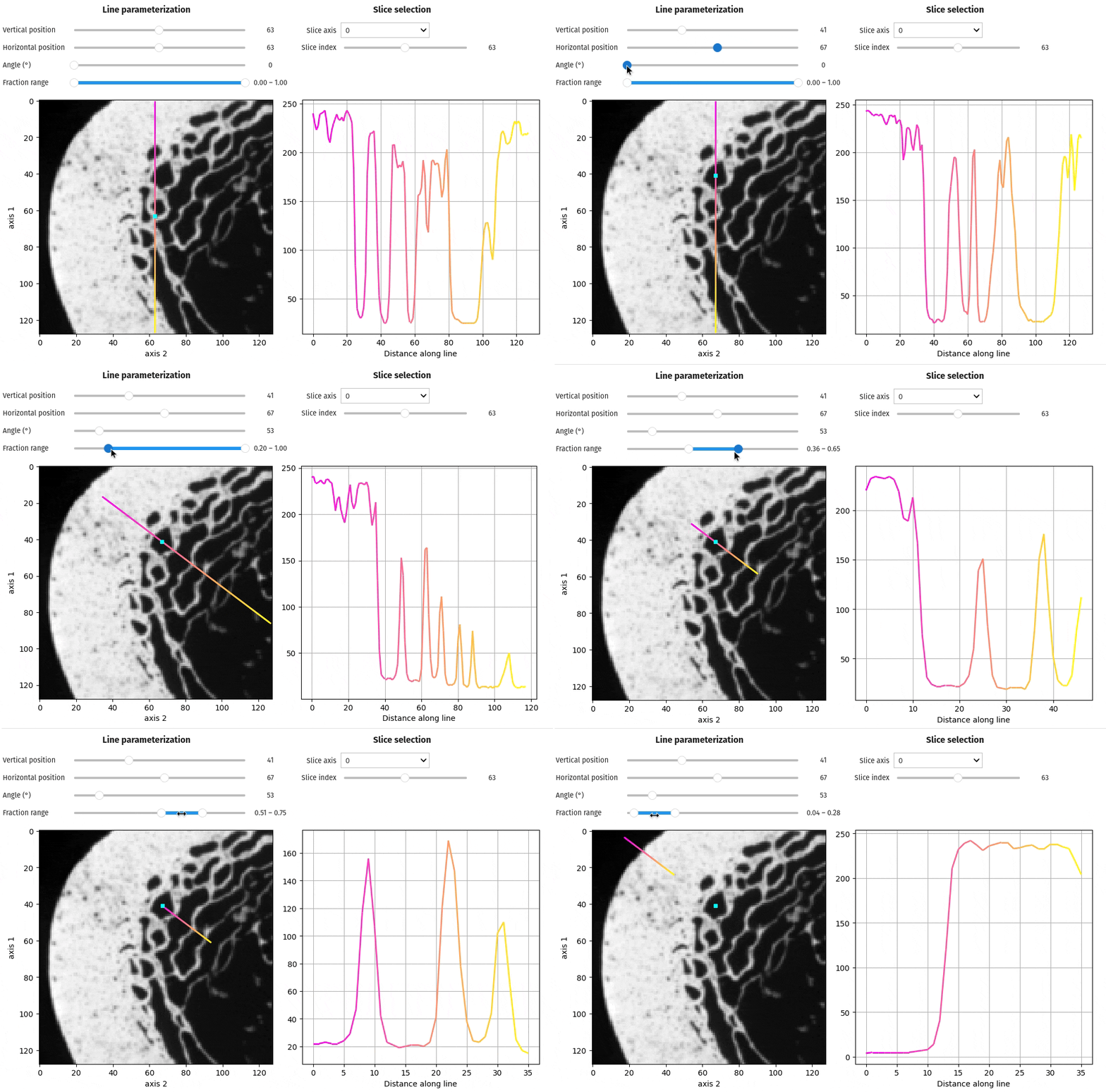
line_profile(volume, slice_axis=0, slice_index='middle', vertical_position='middle', horizontal_position='middle', angle=0, fraction_range=(0.0, 1.0), y_limits='auto')

Creates an interactive tool to visualize intensity profiles along a line segment within a 3D volume.

This function allows you to draw a line on a specific slice of your data and plot the pixel or voxel intensity values along that path. It is ideal for quantitative analysis, such as checking material homogeneity, measuring the sharpness of edges (step functions), or inspecting noise levels across a region of interest (ROI). The tool supports arbitrary angles, dynamic pivot points, and adjustable plot limits.

Key Features:

  • Profile Plotting: Real-time graph of intensity values (gray levels) versus distance.
  • Flexible Positioning: Define the line by a pivot point (vertical/horizontal) and an angle of rotation.
  • Navigation: Select specific slices using indices or keywords like 'middle'.
  • Zooming: Focus on specific segments of the line using the fraction_range parameter.

Parameters:

Name Type Description Default
volume ndarray

The 3D input volume (image stack).

required
slice_axis int

The axis along which to extract the 2D slice (0, 1, or 2). Defaults to 0.

0
slice_index int or str

The index of the slice to display. Can be an integer or a position string ('start', 'middle', 'end'). Defaults to 'middle'.

'middle'
vertical_position int or str

The vertical coordinate of the line's pivot point. Can be an integer or 'start', 'middle', 'end'. Defaults to 'middle'.

'middle'
horizontal_position int or str

The horizontal coordinate of the line's pivot point. Can be an integer or 'start', 'middle', 'end'. Defaults to 'middle'.

'middle'
angle int or float

The angle of the line in degrees relative to the horizontal axis. Floats are rounded to the nearest integer. Defaults to 0.

0
fraction_range tuple[float, float]

The start and end points of the line segment as a fraction of the image width/height (0.0 to 1.0). Defaults to (0.00, 1.00).

(0.0, 1.0)
y_limits str or tuple[float, float]

Controls the Y-axis range of the intensity plot. Defaults to 'auto'.

  • 'auto': Dynamically adapts to the min/max intensity on the current line.
  • 'full': Fixes the range to the global min/max of the entire volume.
  • tuple: Manually sets the range (e.g., (0, 255)).
'auto'

Returns:

Name Type Description
widget interactive

The interactive widget object containing the slice viewer and the intensity plot.

Example

import qim3d

vol = qim3d.examples.bone_128x128x128
qim3d.viz.line_profile(vol)
viz histogram

Source code in qim3d/viz/_data_exploration.py
@coarseness('volume')
def line_profile(
    volume: np.ndarray,
    slice_axis: int = 0,
    slice_index: int | str = 'middle',
    vertical_position: int | str = 'middle',
    horizontal_position: int | str = 'middle',
    angle: int = 0,
    fraction_range: tuple[float, float] = (0.00, 1.00),
    y_limits: str | tuple[float, float] = 'auto',
) -> widgets.interactive:
    """
    Creates an interactive tool to visualize intensity profiles along a line segment within a 3D volume.

    This function allows you to draw a line on a specific slice of your data and plot the pixel or voxel intensity values along that path. It is ideal for quantitative analysis, such as checking material homogeneity, measuring the sharpness of edges (step functions), or inspecting noise levels across a region of interest (ROI). The tool supports arbitrary angles, dynamic pivot points, and adjustable plot limits.

    **Key Features:**

    * **Profile Plotting:** Real-time graph of intensity values (gray levels) versus distance.
    * **Flexible Positioning:** Define the line by a pivot point (vertical/horizontal) and an angle of rotation.
    * **Navigation:** Select specific slices using indices or keywords like 'middle'.
    * **Zooming:** Focus on specific segments of the line using the `fraction_range` parameter.

    Args:
        volume (np.ndarray): The 3D input volume (image stack).
        slice_axis (int, optional): The axis along which to extract the 2D slice (0, 1, or 2). Defaults to 0.
        slice_index (int or str, optional): The index of the slice to display. Can be an integer or a position string ('start', 'middle', 'end'). Defaults to 'middle'.
        vertical_position (int or str, optional): The vertical coordinate of the line's pivot point. Can be an integer or 'start', 'middle', 'end'. Defaults to 'middle'.
        horizontal_position (int or str, optional): The horizontal coordinate of the line's pivot point. Can be an integer or 'start', 'middle', 'end'. Defaults to 'middle'.
        angle (int or float, optional): The angle of the line in degrees relative to the horizontal axis. Floats are rounded to the nearest integer. Defaults to 0.
        fraction_range (tuple[float, float], optional): The start and end points of the line segment as a fraction of the image width/height (0.0 to 1.0). Defaults to (0.00, 1.00).
        y_limits (str or tuple[float, float], optional): Controls the Y-axis range of the intensity plot. Defaults to 'auto'.

            * **'auto'**: Dynamically adapts to the min/max intensity on the current line.
            * **'full'**: Fixes the range to the global min/max of the entire volume.
            * **tuple**: Manually sets the range (e.g., `(0, 255)`).

    Returns:
        widget (widgets.interactive):
            The interactive widget object containing the slice viewer and the intensity plot.

    Example:
        ```python
        import qim3d

        vol = qim3d.examples.bone_128x128x128
        qim3d.viz.line_profile(vol)
        ```
        ![viz histogram](../../assets/screenshots/viz-line_profile.gif)
    """

    def parse_position(
        pos: int | str,
        pos_range: tuple[int, int],
        name: str,
    ) -> int:
        if isinstance(pos, int):
            if not pos_range[0] <= pos < pos_range[1]:
                msg = (
                    f'Value for {name} must be inside [{pos_range[0]}, {pos_range[1]}]'
                )
                raise ValueError(msg)
            return pos
        elif isinstance(pos, str):
            pos = pos.lower()
            if pos == 'start':
                return pos_range[0]
            elif pos == 'middle':
                return pos_range[0] + (pos_range[1] - pos_range[0]) // 2
            elif pos == 'end':
                return pos_range[1]
            else:
                msg = (
                    f"Invalid string '{pos}' for {name}. "
                    "Must be 'start', 'middle', or 'end'."
                )
                raise ValueError(msg)
        else:
            msg = 'Axis position must be of type int or str.'
            raise TypeError(msg)

    if not isinstance(volume, np.ndarray | da.Array):
        msg = 'Data type for volume not supported.'
        raise ValueError(msg)
    if volume.ndim != 3:
        msg = 'Volume must be 3D.'
        raise ValueError(msg)

    dims = volume.shape
    slice_index = parse_position(slice_index, (0, dims[slice_axis] - 1), 'slice_index')
    # the omission of the ends for the pivot point is due to border issues.
    vertical_position = parse_position(
        vertical_position, (1, np.delete(dims, slice_axis)[0] - 2), 'vertical_position'
    )
    horizontal_position = parse_position(
        horizontal_position,
        (1, np.delete(dims, slice_axis)[1] - 2),
        'horizontal_position',
    )

    if not isinstance(angle, float | int):
        msg = 'Invalid type for angle.'
        raise ValueError(msg)
    angle = round(angle) % 360

    if not (
        0.0 <= fraction_range[0] <= 1.0
        and 0.0 <= fraction_range[1] <= 1.0
        and fraction_range[0] <= fraction_range[1]
    ):
        msg = 'Invalid values for fraction_range.'
        raise ValueError(msg)

    if isinstance(y_limits, str):
        if y_limits not in ['auto', 'full']:
            msg = 'Invalid string value for y_limits.'
            raise ValueError(msg)
    else:
        y_limits = [*y_limits]

    lp = _LineProfile(
        volume,
        slice_axis,
        slice_index,
        vertical_position,
        horizontal_position,
        angle,
        fraction_range,
        y_limits,
    )
    return lp.build_interactive()

qim3d.viz.local_thickness

local_thickness(image, image_lt, max_projection=False, axis=0, slice_index=None, show=False, figsize=(15, 5))

Visualizes a local thickness map alongside the original image and a statistics histogram.

This function provides a comprehensive view of structure width or pore size distribution. It displays a side-by-side comparison of the original data and the computed local thickness (heat map), where color intensity represents the diameter of the largest sphere that fits inside the structure at that point. It also includes a histogram to quantify the distribution of thickness values.

For 3D volumes, the output can be either an interactive slice viewer or a static Maximum Intensity Projection (MIP).

Parameters:

Name Type Description Default
image ndarray

The original 2D or 3D input data (binary or grayscale).

required
image_lt ndarray

The computed local thickness map (must have the same shape as image). This is typically the output of qim3d.processing.local_thickness.

required
max_projection bool

If True (and input is 3D), collapses the volume along the specified axis using maximum projection before plotting. Results in a static 2D figure. Defaults to False.

False
axis int

The axis along which to slice or project the volume. Defaults to 0.

0
slice_index int or float

The initial slice to display for 3D volumes.

  • int: The exact index of the slice.
  • float: A fraction between 0.0 and 1.0 (e.g., 0.5 for the middle).
  • None: Defaults to the middle slice.
None
show bool

If True, explicitly calls plt.show() to render the plot immediately. Defaults to False.

False
figsize tuple[int, int]

The width and height of the figure in inches. Defaults to (15, 5).

(15, 5)

Returns:

Name Type Description
object interactive or Figure

The visualization object, depending on the input and parameters:

  • widgets.interactive: Returned if the input is 3D and max_projection=False. Contains a slider for slice navigation.
  • matplotlib.figure.Figure: Returned if the input is 2D or if max_projection=True.

Raises:

Type Description
ValueError

If slice_index is a float outside the range [0, 1].

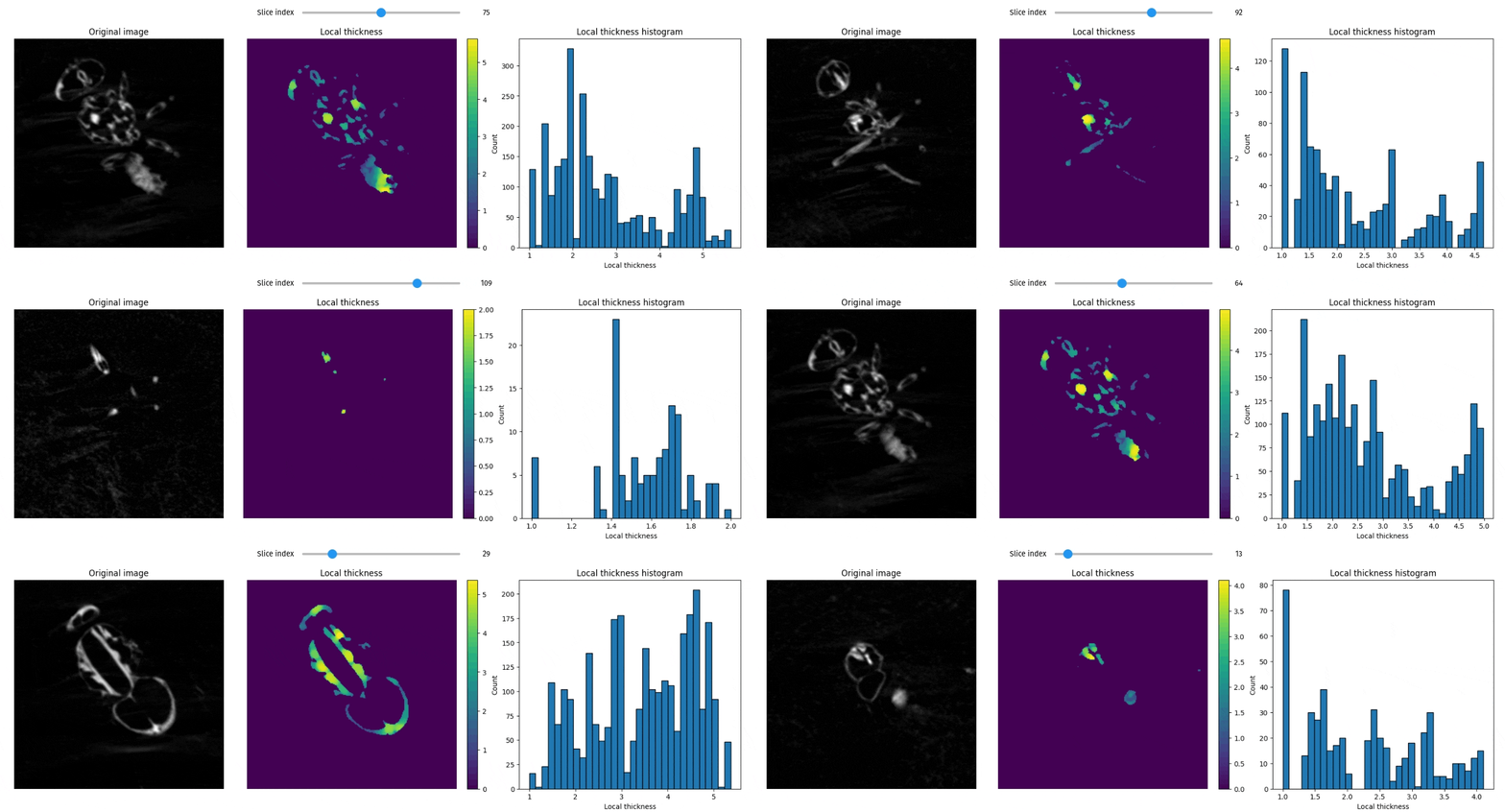
Example

import qim3d

fly = qim3d.examples.fly_150x256x256
lt_fly = qim3d.processing.local_thickness(fly)
qim3d.viz.local_thickness(fly, lt_fly, axis=0)
local thickness 3d

Source code in qim3d/viz/_local_thickness.py
def local_thickness(
    image: np.ndarray,
    image_lt: np.ndarray,
    max_projection: bool = False,
    axis: int = 0,
    slice_index: Optional[Union[int, float]] = None,
    show: bool = False,
    figsize: Tuple[int, int] = (15, 5),
) -> Union[plt.Figure, widgets.interactive]:
    """
    Visualizes a local thickness map alongside the original image and a statistics histogram.

    This function provides a comprehensive view of structure width or pore size distribution. It displays a side-by-side comparison of the original data and the computed local thickness (heat map), where color intensity represents the diameter of the largest sphere that fits inside the structure at that point. It also includes a histogram to quantify the distribution of thickness values.

    For 3D volumes, the output can be either an interactive slice viewer or a static Maximum Intensity Projection (MIP).

    Args:
        image (np.ndarray): The original 2D or 3D input data (binary or grayscale).
        image_lt (np.ndarray): The computed local thickness map (must have the same shape as `image`). This is typically the output of `qim3d.processing.local_thickness`.
        max_projection (bool, optional): If `True` (and input is 3D), collapses the volume along the specified axis using maximum projection before plotting. Results in a static 2D figure. Defaults to `False`.
        axis (int, optional): The axis along which to slice or project the volume. Defaults to 0.
        slice_index (int or float, optional): The initial slice to display for 3D volumes.

            * **int**: The exact index of the slice.
            * **float**: A fraction between 0.0 and 1.0 (e.g., 0.5 for the middle).
            * **None**: Defaults to the middle slice.

        show (bool, optional): If `True`, explicitly calls `plt.show()` to render the plot immediately. Defaults to `False`.
        figsize (tuple[int, int], optional): The width and height of the figure in inches. Defaults to (15, 5).

    Returns:
        object (widgets.interactive or matplotlib.figure.Figure):
            The visualization object, depending on the input and parameters:

            * **widgets.interactive**: Returned if the input is 3D and `max_projection=False`. Contains a slider for slice navigation.
            * **matplotlib.figure.Figure**: Returned if the input is 2D or if `max_projection=True`.

    Raises:
        ValueError: If `slice_index` is a float outside the range [0, 1].

    Example:
        ```python
        import qim3d

        fly = qim3d.examples.fly_150x256x256
        lt_fly = qim3d.processing.local_thickness(fly)
        qim3d.viz.local_thickness(fly, lt_fly, axis=0)
        ```
        ![local thickness 3d](../../assets/screenshots/local_thickness_3d.gif)
    """

    def _local_thickness(image, image_lt, show, figsize, axis=None, slice_index=None):
        if slice_index is not None:
            image = image.take(slice_index, axis=axis)
            image_lt = image_lt.take(slice_index, axis=axis)

        fig, axs = plt.subplots(1, 3, figsize=figsize, layout='constrained')

        axs[0].imshow(image, cmap='gray')
        axs[0].set_title('Original image')
        axs[0].axis('off')

        axs[1].imshow(image_lt, cmap='viridis')
        axs[1].set_title('Local thickness')
        axs[1].axis('off')

        plt.colorbar(
            axs[1].imshow(image_lt, cmap='viridis'), ax=axs[1], orientation='vertical'
        )

        axs[2].hist(image_lt[image_lt > 0].ravel(), bins=32, edgecolor='black')
        axs[2].set_title('Local thickness histogram')
        axs[2].set_xlabel('Local thickness')
        axs[2].set_ylabel('Count')

        if show:
            plt.show()

        plt.close()

        return fig

    # Get the middle slice if the input is 3D
    if len(image.shape) == 3:
        if max_projection:
            if slice_index is not None:
                log.warning(
                    'slice_index is not used for max_projection. It will be ignored.'
                )
            image = image.max(axis=axis)
            image_lt = image_lt.max(axis=axis)
            return _local_thickness(image, image_lt, show, figsize)
        else:
            if slice_index is None:
                slice_index = image.shape[axis] // 2
            elif isinstance(slice_index, float):
                if slice_index < 0 or slice_index > 1:
                    raise ValueError(
                        'Values of slice_index of float type must be between 0 and 1.'
                    )
                slice_index = int(slice_index * image.shape[0]) - 1
            slice_index_slider = widgets.IntSlider(
                min=0,
                max=image.shape[axis] - 1,
                step=1,
                value=slice_index,
                description='Slice index',
                layout=widgets.Layout(width='450px'),
            )
            widget_obj = widgets.interactive(
                _local_thickness,
                image=widgets.fixed(image),
                image_lt=widgets.fixed(image_lt),
                show=widgets.fixed(True),
                figsize=widgets.fixed(figsize),
                axis=widgets.fixed(axis),
                slice_index=slice_index_slider,
            )
            widget_obj.layout = widgets.Layout(align_items='center')
            if show:
                display(widget_obj)
            return widget_obj
    else:
        if max_projection:
            log.warning(
                'max_projection is only used for 3D images. It will be ignored.'
            )
        if slice_index is not None:
            log.warning('slice_index is only used for 3D images. It will be ignored.')
        return _local_thickness(image, image_lt, show, figsize)

qim3d.viz.mesh

mesh(mesh, wireframe=False, show_edges=True, show=True, save_screenshot='', export_html='', explode=0, smooth_shading=False, face_color='#cccccc', edge_color='#993333', **kwargs)

Visualize a 3D mesh using pygel3d or pyvista. If you need more advanced tools, use pyvista directly.

Parameters:

Name Type Description Default
mesh Manifold

The input mesh object.

required
wireframe bool

If True, displays the mesh as a wireframe. Defaults to False.

False
show_edges bool

If True, shows edges of the mesh. Fefaults to True.

True
show bool

If True, displays the visualization inline, useful for multiple plots. Works only with backend pyvista. Defaults to True.

True
save_screenshot str

If True, saves the visualization as an png file. The string is interpreted as the file path where the screenshot will be saved. Works only with the backend pyvista. Defaults to ''.

''
export_html str

If True, saves the visualization as an html file. The string is interpreted as the file path where the scene will be saved. Works only with the backend pyvista. Defaults to ''.

''
explode int

Only works when mesh is qim3d.mesh.VolumeMesh. Defines how spread are the tetrahedrons. If 0, the volume us intact. Defaults to 1.

0
smooth_shading bool

Smooths out edges. Only works with `pyvista'. Defaults to False.

False
face_color str

Face color of the mesh. Onyl works with pyvista. Doesn't work with `wireframe = True'. Defaults to '#cccccc'.

'#cccccc'
edge_color str

Edge color of the mesh. Only works with pyvista. Defaults to '#993333'.

'#993333'
**kwargs Any

Additional keyword arguments specific to the chosen backend: - pyvista kwargs: Arguments that customize the pyvista visualization. - pygel3d.display kwargs: Arguments that customize the pygel3d.display visualization.

{}

Returns:

Name Type Description
None None

The function displays the mesh but does not return a plot object.

Example

import qim3d

# Generate a 3D blob
synthetic_blob = qim3d.generate.volume()

# Convert the 3D numpy array to a Pygel3D mesh object
mesh = qim3d.mesh.from_volume(synthetic_blob, mesh_precision=0.5)

# Visualize the generated mesh
qim3d.viz.mesh(mesh)
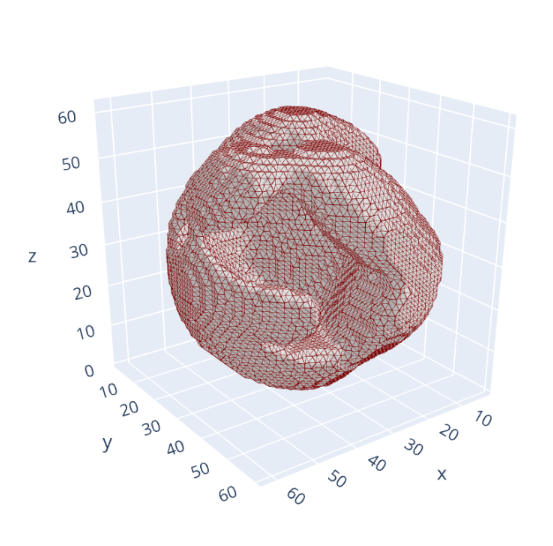
pygel3d_visualization

qim3d.viz.mesh(mesh, backend='k3d', wireframe=False, flat_shading=False)
k3d_visualization

Source code in qim3d/viz/_mesh.py
def mesh(
    mesh: pygel3d.hmesh.Manifold | SurfaceMesh | VolumeMesh,
    wireframe: bool = False,
    show_edges: bool = True,
    show: bool = True,
    save_screenshot: str = '',
    export_html:str = '',
    explode: int = 0,
    smooth_shading: bool = False,
    face_color = '#cccccc',
    edge_color = '#993333',
    **kwargs,
) ->  None:
    """
    Visualize a 3D mesh using `pygel3d` or `pyvista`. If you need more advanced tools, use pyvista directly.

    Args:
        mesh (pygel3d.hmesh.Manifold): The input mesh object.
        wireframe (bool, optional): If True, displays the mesh as a wireframe. Defaults to False.
        show_edges (bool, optional): If True, shows edges of the mesh. Fefaults to True.
        show (bool, optional): If True, displays the visualization inline, useful for multiple plots.
            Works only with backend `pyvista`. Defaults to True.
        save_screenshot (str, optional): If True, saves the visualization as an `png` file.
            The string is interpreted as the file path where the screenshot will 
            be saved. Works only with the backend `pyvista`. Defaults to ''.
        export_html (str, optional): If True, saves the visualization as an `html` file.
            The string is interpreted as the file path where the scene will 
            be saved. Works only with the backend `pyvista`. Defaults to ''.
        explode (int, optional): Only works when mesh is qim3d.mesh.VolumeMesh.
            Defines how spread are the tetrahedrons. If 0, the volume us intact.
            Defaults to 1.
        smooth_shading (bool, optional): Smooths out edges. Only works with `pyvista'.
            Defaults to False.
        face_color (str, optional): Face color of the mesh. Onyl works with `pyvista`.
            Doesn't work with `wireframe = True'. Defaults to '#cccccc'.
        edge_color (str, optional): Edge color of the mesh. Only works with `pyvista`.
            Defaults to '#993333'.
        **kwargs (Any): Additional keyword arguments specific to the chosen backend:
            - `pyvista` kwargs: Arguments that customize the [`pyvista`](https://docs.pyvista.org/api/plotting) visualization.
            - `pygel3d.display` kwargs: Arguments that customize the [`pygel3d.display`](https://www2.compute.dtu.dk/projects/GEL/PyGEL/pygel3d/jupyter_display.html#display) visualization.

    Returns:
        None: The function displays the mesh but does not return a plot object.


    Example:
        ```python
        import qim3d

        # Generate a 3D blob
        synthetic_blob = qim3d.generate.volume()

        # Convert the 3D numpy array to a Pygel3D mesh object
        mesh = qim3d.mesh.from_volume(synthetic_blob, mesh_precision=0.5)

        # Visualize the generated mesh
        qim3d.viz.mesh(mesh)
        ```
        ![pygel3d_visualization](../../assets/screenshots/viz-pygel_mesh.png)

        ```python
        qim3d.viz.mesh(mesh, backend='k3d', wireframe=False, flat_shading=False)
        ```
        [k3d_visualization](../../assets/screenshots/sphere.html)
        <div class="scene">
            <iframe src="http://127.0.0.1:8000/qim3d/assets/screenshots/sphere.html" width="100%" height="500" frameborder="0"></iframe>
        </div>


    """

    if isinstance(mesh, (VolumeMesh, SurfaceMesh)):
        plotter = pv.Plotter()

        if isinstance(mesh, VolumeMesh):
            mesh = mesh.explode(explode)

        if wireframe:
            kwargs['style'] =  'wireframe'
        plotter.add_mesh(mesh, 
                         show_edges = show_edges, 
                         smooth_shading = smooth_shading,
                         show_scalar_bar=False,
                         color = face_color,
                         edge_color=edge_color, 
                         **kwargs)

        if show:
            plotter.show()

        if save_screenshot:
            if not save_screenshot.endswith('png'):
                save_screenshot = save_screenshot + '.png'
            plotter.screenshot(save_screenshot)

        if export_html:
            if not export_html.endswith('.html'):
                export_html = export_html + '.html'
            plotter.export_html(export_html)

        return

    if isinstance(mesh, pygel3d.hmesh.Manifold):
        if len(mesh.vertices()) > 100000:
            msg = f'The mesh has {len(mesh.vertices())} vertices, visualization may be slow. Consider using a smaller <mesh_precision> when computing the mesh.'
            log.info(msg)

        jd.set_export_mode(True)
        valid_pygel_kwargs = {k: v for k, v in kwargs.items() if k in ['smooth', 'data']}
        return jd.display(mesh, wireframe=show_edges, **valid_pygel_kwargs)

qim3d.viz.overlay

overlay(volume1, volume2, volume1_values=(None, None), volume2_values=(None, None), colormaps='gray', display_size=512)

Creates an interactive widget to compare two 3D volumes by overlaying them with adjustable transparency.

This tool is essential for tasks like image registration (checking alignment between two scans), segmentation validation (comparing a binary mask against the original raw data), or general change detection. It provides a slider to smoothly fade (blend) between the two volumes, allowing for precise visual inspection of differences and spatial correspondence slice-by-slice.

Parameters:

Name Type Description Default
volume1 ndarray

The first 3D volume (e.g., the reference image).

required
volume2 ndarray

The second 3D volume (e.g., the moving image or segmentation mask). Must have the same shape as volume1.

required
volume1_values tuple[float, float]

Intensity limits (min, max) for contrast stretching volume1. If (None, None), uses the volume's min and max.

(None, None)
volume2_values tuple[float, float]

Intensity limits (min, max) for contrast stretching volume2.

(None, None)
colormaps str or Colormap or tuple

The colormap(s) to apply. Can be a single value (applied to both) or a tuple (cmap1, cmap2). Defaults to 'gray'.

'gray'
display_size int

The maximum width/height of the displayed image in pixels. Defaults to 512.

512

Returns:

Name Type Description
widget VBox

The interactive widget containing the slicer controls and the fading overlay display.

Example

import qim3d

vol = qim3d.examples.cement_128x128x128
binary = qim3d.filters.gaussian(vol, sigma=2) < 60
labeled_volume, num_labels = qim3d.segmentation.watershed(binary)

segm_cmap = qim3d.viz.colormaps.segmentation(num_labels, style = 'bright')

qim3d.viz.overlay(vol, labeled_volume, colormaps=('grey', segm_cmap), volume2_values=(0, num_labels))
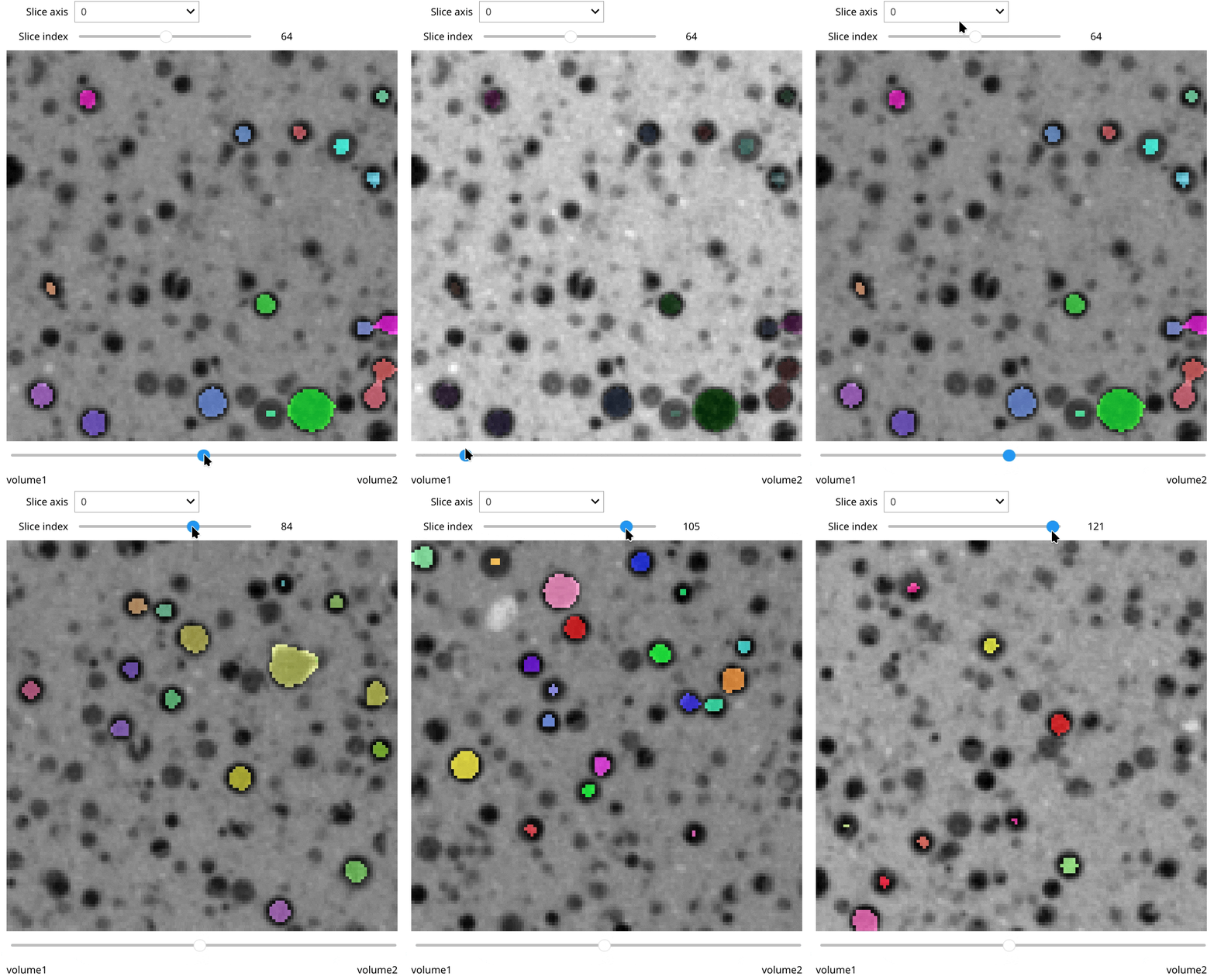
viz overlay

Source code in qim3d/viz/_data_exploration.py
def overlay(
    volume1: np.ndarray,
    volume2: np.ndarray,
    volume1_values: tuple[float, float] = (None, None),
    volume2_values: tuple[float, float] = (None, None),
    colormaps: ColormapLike | tuple[ColormapLike, ColormapLike] = 'gray',
    display_size: int = 512,
) -> widgets.interactive:
    """
    Creates an interactive widget to compare two 3D volumes by overlaying them with adjustable transparency.

    This tool is essential for tasks like image registration (checking alignment between two scans), segmentation validation (comparing a binary mask against the original raw data), or general change detection. It provides a slider to smoothly fade (blend) between the two volumes, allowing for precise visual inspection of differences and spatial correspondence slice-by-slice.

    Args:
        volume1 (np.ndarray): The first 3D volume (e.g., the reference image).
        volume2 (np.ndarray): The second 3D volume (e.g., the moving image or segmentation mask). Must have the same shape as `volume1`.
        volume1_values (tuple[float, float], optional): Intensity limits `(min, max)` for contrast stretching `volume1`. If `(None, None)`, uses the volume's min and max.
        volume2_values (tuple[float, float], optional): Intensity limits `(min, max)` for contrast stretching `volume2`.
        colormaps (str or matplotlib.colors.Colormap or tuple, optional): The colormap(s) to apply. Can be a single value (applied to both) or a tuple `(cmap1, cmap2)`. Defaults to 'gray'.
        display_size (int, optional): The maximum width/height of the displayed image in pixels. Defaults to 512.

    Returns:
        widget (widgets.VBox):
            The interactive widget containing the slicer controls and the fading overlay display.

    Example:
        ```python
        import qim3d

        vol = qim3d.examples.cement_128x128x128
        binary = qim3d.filters.gaussian(vol, sigma=2) < 60
        labeled_volume, num_labels = qim3d.segmentation.watershed(binary)

        segm_cmap = qim3d.viz.colormaps.segmentation(num_labels, style = 'bright')

        qim3d.viz.overlay(vol, labeled_volume, colormaps=('grey', segm_cmap), volume2_values=(0, num_labels))
        ```
        ![viz overlay](../../assets/screenshots/viz-overlay.gif)
    """
    if volume1.ndim != 3:
        msg = 'Volume must be 3D.'
        raise ValueError(msg)
    if volume1.shape != volume2.shape:
        msg = 'Volumes must have the same shape.'
        raise ValueError(msg)

    interactive_widget = OverlaySlicer(
        vol1=volume1,
        vol2=volume2,
        cmaps=colormaps,
        display_size=display_size,
        volume1_values=volume1_values,
        volume2_values=volume2_values,
    ).build_interactive()
    return interactive_widget

qim3d.viz.planes

planes(volume, colormap='magma', min_value=None, max_value=None)

Displays an interactive 3D scene with movable orthogonal cross-sections (X, Y, Z planes).

Creates a composite 3D viewer where three orthogonal slices intersect within the volume. Users can interactively drag sliders to explore the internal structure of the stack from different angles simultaneously. This visualization is often referred to as Multi-Planar Reconstruction (MPR) or an Orthogonal Slicer.

Key Features:

  • 3D Context: Visualizes how the three planes (Axial, Coronal, Sagittal) intersect in 3D space.
  • Interactive Controls: Includes sliders for position, opacity, and dynamic color range adjustment.
  • High Performance: Uses Plotly and ipywidgets for responsive slicing of local data.

Parameters:

Name Type Description Default
volume ndarray

The 3D input volume.

required
colormap str or Colormap

Matplotlib colormap name (e.g., 'magma', 'viridis').

'magma'
min_value float

Minimum value for color scaling (lower bound of contrast).

None
max_value float

Maximum value for color scaling (upper bound of contrast).

None
Example

import qim3d

# Load sample data
vol = qim3d.examples.shell_225x128x128

# Launch the interactive 3D plane viewer
qim3d.viz.planes(vol, colormap='plasma')
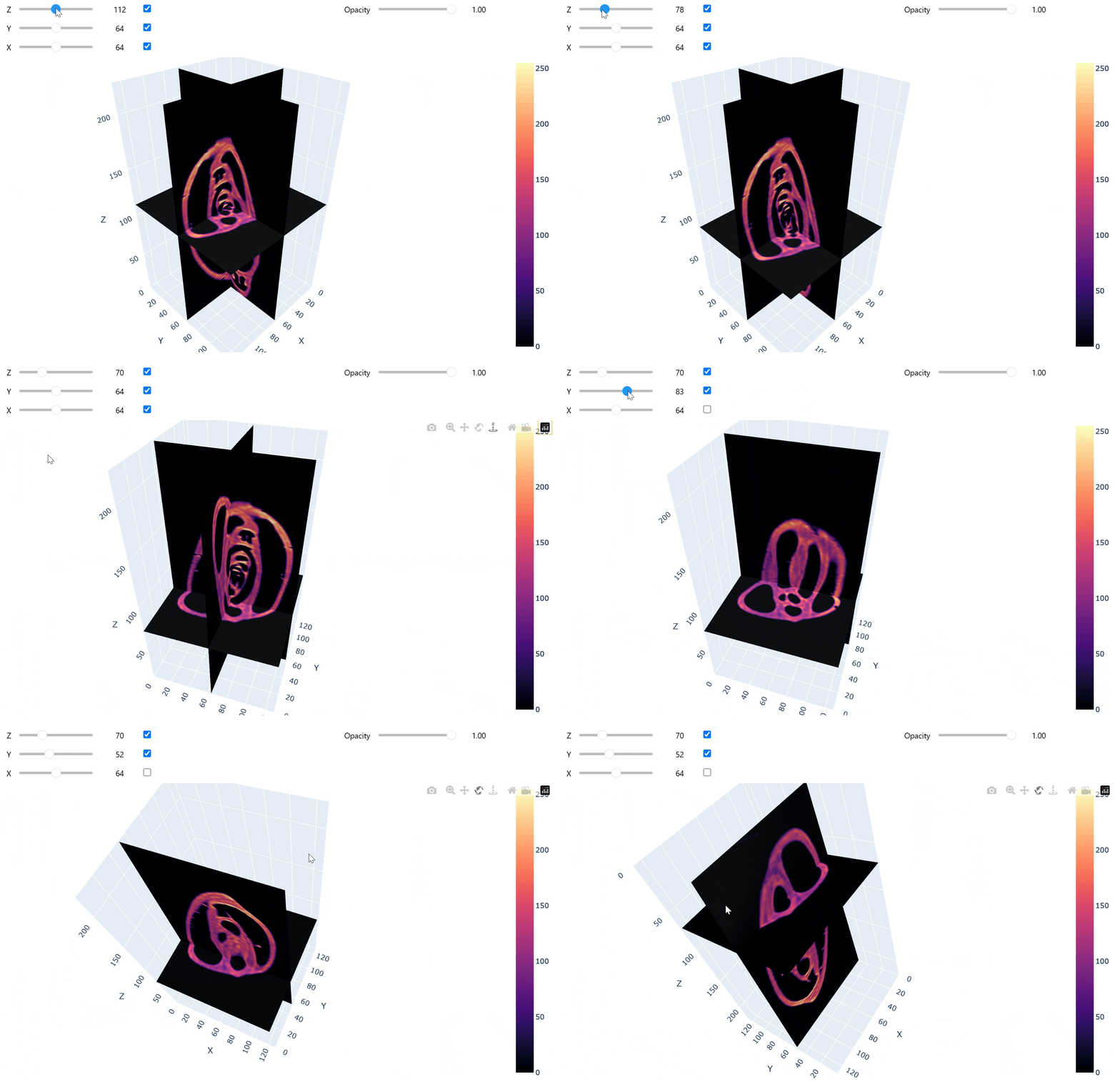
viz planes

Source code in qim3d/viz/_data_exploration.py
@coarseness('volume')
def planes(
    volume: np.ndarray,
    colormap: str | matplotlib.colors.Colormap = 'magma',
    min_value: float = None,
    max_value: float = None,
) -> None:
    """
    Displays an interactive 3D scene with movable orthogonal cross-sections (X, Y, Z planes).

    Creates a composite 3D viewer where three orthogonal slices intersect within the volume. 
    Users can interactively drag sliders to explore the internal structure of the stack from different angles simultaneously. 
    This visualization is often referred to as Multi-Planar Reconstruction (MPR) or an Orthogonal Slicer.

    **Key Features:**

    * **3D Context:** Visualizes how the three planes (Axial, Coronal, Sagittal) intersect in 3D space.
    * **Interactive Controls:** Includes sliders for position, opacity, and dynamic color range adjustment.
    * **High Performance:** Uses `Plotly` and `ipywidgets` for responsive slicing of local data.

    Args:
        volume (numpy.ndarray): The 3D input volume.
        colormap (str or matplotlib.colors.Colormap, optional): Matplotlib colormap name (e.g., 'magma', 'viridis').
        min_value (float, optional): Minimum value for color scaling (lower bound of contrast).
        max_value (float, optional): Maximum value for color scaling (upper bound of contrast).

    Example:
        ```python
        import qim3d

        # Load sample data
        vol = qim3d.examples.shell_225x128x128

        # Launch the interactive 3D plane viewer
        qim3d.viz.planes(vol, colormap='plasma')
        ```
        ![viz planes](../../assets/screenshots/viz-planes.gif)
    """
    VolumePlaneSlicer(
        volume=volume, colormap=colormap, color_range=[min_value, max_value]
    ).show()

qim3d.viz.plot_connected_components

plot_connected_components(connected_components, component_indexs=None, max_cc_to_plot=32, overlay=None, crop=False, display_figure=True, colormap='viridis', min_value=None, max_value=None, **kwargs)

Plots the connected components from a qim3d.processing.cc.CC object. If an overlay image is provided, the connected component will be masked to the overlay image.

Parameters:

Name Type Description Default
connected_components CC

The connected components object.

required
component_indexs list or tuple

The components to plot. If None the first max_cc_to_plot=32 components will be plotted. Defaults to None.

None
max_cc_to_plot int

The maximum number of connected components to plot. Defaults to 32.

32
overlay ndarray or None

Overlay image. Defaults to None.

None
crop bool

Whether to crop the image to the cc. Defaults to False.

False
display_figure bool

Whether to show the figure. Defaults to True.

True
colormap str

Specifies the color map for the image. Defaults to "viridis".

'viridis'
min_value float or None

Together with vmax define the data range the colormap covers. By default colormap covers the full range. Defaults to None.

None
max_value float or None

Together with vmin define the data range the colormap covers. By default colormap covers the full range. Defaults to None

None
**kwargs Any

Additional keyword arguments to pass to qim3d.viz.slices_grid.

{}

Returns:

Name Type Description
figs list[Figure]

List of figures, if display_figure=False.

Example

import qim3d

vol = qim3d.examples.cement_128x128x128[50:150]
vol_bin = vol < 80
cc = qim3d.segmentation.get_3d_cc(vol_bin)

qim3d.viz.plot_cc(cc, crop=True, display_figure=True, overlay=None, num_slices=5, component_indexs=[4,6,7])
qim3d.viz.plot_cc(cc, crop=True, display_figure=True, overlay=vol, num_slices=5, component_indexs=[4,6,7])
plot_cc_no_overlay plot_cc_overlay

Source code in qim3d/viz/_connected_components.py
def plot_connected_components(
    connected_components: ConnectedComponents,
    component_indexs: list | tuple = None,
    max_cc_to_plot: int = 32,
    overlay: np.ndarray = None,
    crop: bool = False,
    display_figure: bool = True,
    colormap: str = 'viridis',
    min_value: float = None,
    max_value: float = None,
    **kwargs,
) -> list[plt.Figure]:
    """
    Plots the connected components from a `qim3d.processing.cc.CC` object. If an overlay image is provided, the connected component will be masked to the overlay image.

    Args:
        connected_components (CC): The connected components object.
        component_indexs (list or tuple, optional): The components to plot. If None the first max_cc_to_plot=32 components will be plotted. Defaults to None.
        max_cc_to_plot (int, optional): The maximum number of connected components to plot. Defaults to 32.
        overlay (np.ndarray or None, optional): Overlay image. Defaults to None.
        crop (bool, optional): Whether to crop the image to the cc. Defaults to False.
        display_figure (bool, optional): Whether to show the figure. Defaults to True.
        colormap (str, optional): Specifies the color map for the image. Defaults to "viridis".
        min_value (float or None, optional): Together with vmax define the data range the colormap covers. By default colormap covers the full range. Defaults to None.
        max_value (float or None, optional): Together with vmin define the data range the colormap covers. By default colormap covers the full range. Defaults to None
        **kwargs (Any): Additional keyword arguments to pass to `qim3d.viz.slices_grid`.

    Returns:
        figs (list[plt.Figure]): List of figures, if `display_figure=False`.

    Example:
        ```python
        import qim3d

        vol = qim3d.examples.cement_128x128x128[50:150]
        vol_bin = vol < 80
        cc = qim3d.segmentation.get_3d_cc(vol_bin)

        qim3d.viz.plot_cc(cc, crop=True, display_figure=True, overlay=None, num_slices=5, component_indexs=[4,6,7])
        qim3d.viz.plot_cc(cc, crop=True, display_figure=True, overlay=vol, num_slices=5, component_indexs=[4,6,7])
        ```
        ![plot_cc_no_overlay](../../assets/screenshots/plot_cc_no_overlay.png)
        ![plot_cc_overlay](../../assets/screenshots/plot_cc_overlay.png)

    """
    # if no components are given, plot the first max_cc_to_plot=32 components
    if component_indexs is None:
        if len(connected_components) > max_cc_to_plot:
            log.warning(
                f'More than {max_cc_to_plot} connected components found. Only the first {max_cc_to_plot} will be plotted. Change max_cc_to_plot to plot more components.'
            )
        component_indexs = range(
            1, min(max_cc_to_plot + 1, len(connected_components) + 1)
        )

    figs = []
    for component in component_indexs:
        if overlay is not None:
            assert (
                overlay.shape == connected_components.shape
            ), f'Overlay image must have the same shape as the connected components. overlay.shape=={overlay.shape} != connected_components.shape={connected_components.shape}.'

            # plots overlay masked to connected component
            if crop:
                # Crop the overlay image based on the bounding box of the component
                bb = connected_components.get_bounding_box(component)[0]
                cc = connected_components.get_cc(component, crop=True)
                overlay_crop = overlay[bb]
                # use cc as mask for overlay_crop, where all values in cc set to 0 should be masked out, cc contains integers
                overlay_crop = np.where(cc == 0, 0, overlay_crop)
            else:
                cc = connected_components.get_cc(component, crop=False)
                overlay_crop = np.where(cc == 0, 0, overlay)
            fig = qim3d.viz.slices_grid(
                overlay_crop,
                display_figure=display_figure,
                colormap=colormap,
                min_value=min_value,
                max_value=max_value,
                **kwargs,
            )
        else:
            # assigns discrete color map to each connected component if not given
            if 'colormap' not in kwargs:
                kwargs['colormap'] = qim3d.viz.colormaps.segmentation(
                    len(component_indexs)
                )

            # Plot the connected component without overlay
            fig = qim3d.viz.slices_grid(
                connected_components.get_cc(component, crop=crop),
                display_figure=display_figure,
                **kwargs,
            )

        figs.append(fig)

    if not display_figure:
        return figs

    return

qim3d.viz.plot_metrics

plot_metrics(*metrics, linestyle='-', batch_linestyle='dotted', labels=None, figsize=(16, 6), show=False)

Plots the metrics over epochs and batches.

Parameters:

Name Type Description Default
*metrics tuple[dict[str, float]]

Variable-length argument list of dictionary containing the metrics per epochs and per batches.

()
linestyle str

The style of the epoch metric line. Defaults to '-'.

'-'
batch_linestyle str

The style of the batch metric line. Defaults to 'dotted'.

'dotted'
labels list[str]

Labels for the plotted lines. Defaults to None.

None
figsize Tuple[int, int]

Figure size (width, height) in inches. Defaults to (16, 6).

(16, 6)
show bool

If True, displays the plot. Defaults to False.

False

Returns:

Name Type Description
fig Figure

plot with metrics.

Example

train_loss = {'epoch_loss' : [...], 'batch_loss': [...]} val_loss = {'epoch_loss' : [...], 'batch_loss': [...]} plot_metrics(train_loss,val_loss, labels=['Train','Valid.'])

Source code in qim3d/viz/_metrics.py
def plot_metrics(
    *metrics: tuple[dict[str, float]],
    linestyle: str = '-',
    batch_linestyle: str = 'dotted',
    labels: list | None = None,
    figsize: tuple = (16, 6),
    show: bool = False,
):
    """
    Plots the metrics over epochs and batches.

    Args:
        *metrics: Variable-length argument list of dictionary containing the metrics per epochs and per batches.
        linestyle (str, optional): The style of the epoch metric line. Defaults to '-'.
        batch_linestyle (str, optional): The style of the batch metric line. Defaults to 'dotted'.
        labels (list[str], optional): Labels for the plotted lines. Defaults to None.
        figsize (Tuple[int, int], optional): Figure size (width, height) in inches. Defaults to (16, 6).
        show (bool, optional): If True, displays the plot. Defaults to False.

    Returns:
        fig (matplotlib.figure.Figure): plot with metrics.

    Example:
        train_loss = {'epoch_loss' : [...], 'batch_loss': [...]}
        val_loss = {'epoch_loss' : [...], 'batch_loss': [...]}
        plot_metrics(train_loss,val_loss, labels=['Train','Valid.'])

    """
    import seaborn as snb

    if labels == None:
        labels = [None] * len(metrics)
    elif len(metrics) != len(labels):
        raise ValueError("The number of metrics doesn't match the number of labels.")

    # plotting parameters
    snb.set_style('darkgrid')
    snb.set(font_scale=1.5)
    plt.rcParams['lines.linewidth'] = 2

    fig = plt.figure(figsize=figsize)

    palette = snb.color_palette(None, len(metrics))

    for i, metric in enumerate(metrics):
        metric_name = list(metric.keys())[0]
        epoch_metric = metric[list(metric.keys())[0]]
        batch_metric = metric[list(metric.keys())[1]]

        x_axis = np.linspace(0, len(epoch_metric) - 1, len(batch_metric))

        plt.plot(epoch_metric, linestyle=linestyle, color=palette[i], label=labels[i])
        plt.plot(
            x_axis, batch_metric, linestyle=batch_linestyle, color=palette[i], alpha=0.4
        )

    if labels[0] != None:
        plt.legend()

    plt.ylabel(metric_name)
    plt.xlabel('epoch')

    # reset plotting parameters
    snb.set_style('white')

    if show:
        plt.show()
    plt.close()

    return fig

qim3d.viz.slicer

slicer(volume, slice_axis=0, colormap='magma', min_value=None, max_value=None, image_height=3, image_width=3, display_positions=False, interpolation=None, image_size=None, colorbar=None, mask=None, mask_alpha=0.4, mask_colormap='gray', default_position=0.5, **matplotlib_imshow_kwargs)

Interactive tool to visualize, inspect, and scroll through 2D slices of a 3D volume.

Generates a GUI with a slider to navigate through the dataset along a specified axis. This function is essential for quality control, verifying segmentation masks, or exploring orthogonal views (axial, coronal, sagittal) of a stack.

Key Features:

  • Scrollable Interface: Automatically generates a slider for the chosen axis.
  • Overlay Support: Visualize segmentation results on top of raw data using the mask parameter.
  • Dynamic Contrast: Use colorbar='slices' to adapt intensity ranges per slice, or 'volume' for a global fixed range.

Parameters:

Name Type Description Default
volume ndarray

The 3D input data to be sliced.

required
slice_axis int

The axis to slice along (e.g., 0 for Z, 1 for Y, 2 for X).

0
colormap str or LinearSegmentedColormap

Matplotlib colormap name for the volume.

'magma'
min_value float

Minimum value for color scaling. If None, inferred from data.

None
max_value float

Maximum value for color scaling. If None, inferred from data.

None
image_height int

Height of the displayed figure.

3
image_width int

Width of the displayed figure.

3
display_positions bool

If True, displays the slice index/position on the image.

False
interpolation str

Matplotlib interpolation method (e.g., 'nearest', 'bilinear').

None
image_size int

Overrides both image_height and image_width to create a square figure.

None
colorbar str

Strategy for the color bar range.

  • 'volume': Constant range based on the global min/max of the volume.
  • 'slices': Dynamic range calculated per individual slice.
  • None: No color bar is displayed.
None
mask ndarray

A 3D segmentation mask to overlay on the volume.

None
mask_alpha float

Opacity of the mask overlay (0.0 to 1.0).

0.4
mask_colormap str

Matplotlib colormap name for the mask.

'gray'
default_position float or int

Initial slice position of the slider.

  • float: Relative position between 0.0 and 1.0 (e.g., 0.5 starts at the center).
  • int: Exact slice index.
0.5
**matplotlib_imshow_kwargs

Additional keyword arguments passed to matplotlib.pyplot.imshow.

{}

Returns:

Name Type Description
slicer_obj interactive

The interactive widget object containing the figure and slider.

Example

import qim3d

# Load sample data
vol = qim3d.examples.bone_128x128x128

# Visualize with a slider
qim3d.viz.slicer(vol, colormap='bone')
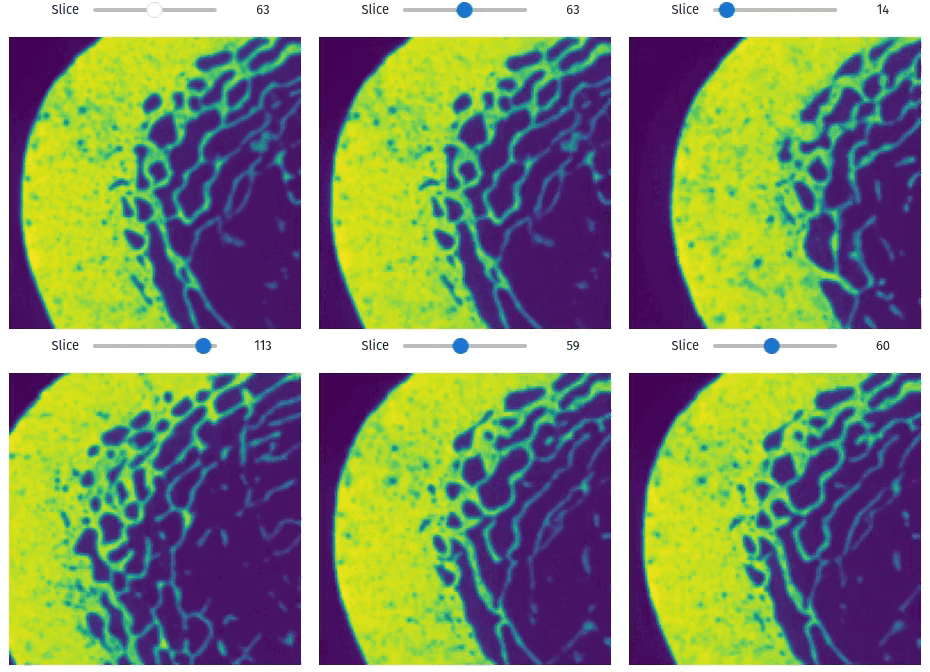
viz slicer

Source code in qim3d/viz/_data_exploration.py
@coarseness('volume')
def slicer(
    volume: np.ndarray,
    slice_axis: int = 0,
    colormap: str = 'magma',
    min_value: float = None,
    max_value: float = None,
    image_height: int = 3,
    image_width: int = 3,
    display_positions: bool = False,
    interpolation: str | None = None,
    image_size: int = None,
    colorbar: str = None,
    mask:np.ndarray = None,
    mask_alpha:float = 0.4,
    mask_colormap = 'gray',
    default_position:float|int = 0.5,
    **matplotlib_imshow_kwargs,
) -> widgets.interactive:
    """
    Interactive tool to visualize, inspect, and scroll through 2D slices of a 3D volume.

    Generates a GUI with a slider to navigate through the dataset along a specified axis. 
    This function is essential for quality control, verifying segmentation masks, 
    or exploring orthogonal views (axial, coronal, sagittal) of a stack.

    **Key Features:**

    * **Scrollable Interface:** Automatically generates a slider for the chosen axis.
    * **Overlay Support:** Visualize segmentation results on top of raw data using the `mask` parameter.
    * **Dynamic Contrast:** Use `colorbar='slices'` to adapt intensity ranges per slice, or `'volume'` for a global fixed range.

    Args:
        volume (numpy.ndarray): The 3D input data to be sliced.
        slice_axis (int, optional): The axis to slice along (e.g., 0 for Z, 1 for Y, 2 for X).
        colormap (str or matplotlib.colors.LinearSegmentedColormap, optional): Matplotlib colormap name for the volume.
        min_value (float, optional): Minimum value for color scaling. If `None`, inferred from data.
        max_value (float, optional): Maximum value for color scaling. If `None`, inferred from data.
        image_height (int, optional): Height of the displayed figure.
        image_width (int, optional): Width of the displayed figure.
        display_positions (bool, optional): If `True`, displays the slice index/position on the image.
        interpolation (str, optional): Matplotlib interpolation method (e.g., 'nearest', 'bilinear').
        image_size (int, optional): Overrides both `image_height` and `image_width` to create a square figure.
        colorbar (str, optional): Strategy for the color bar range.

            * `'volume'`: Constant range based on the global min/max of the volume.
            * `'slices'`: Dynamic range calculated per individual slice.
            * `None`: No color bar is displayed.

        mask (numpy.ndarray, optional): A 3D segmentation mask to overlay on the volume.
        mask_alpha (float, optional): Opacity of the mask overlay (0.0 to 1.0).
        mask_colormap (str, optional): Matplotlib colormap name for the mask.
        default_position (float or int, optional): Initial slice position of the slider.

            * **float**: Relative position between 0.0 and 1.0 (e.g., `0.5` starts at the center).
            * **int**: Exact slice index.

        **matplotlib_imshow_kwargs: Additional keyword arguments passed to `matplotlib.pyplot.imshow`.

    Returns:
        slicer_obj (ipywidgets.interactive):
            The interactive widget object containing the figure and slider.

    Example:
        ```python
        import qim3d

        # Load sample data
        vol = qim3d.examples.bone_128x128x128

        # Visualize with a slider
        qim3d.viz.slicer(vol, colormap='bone')
        ```
        ![viz slicer](../../assets/screenshots/viz-slicer.gif)
    """

    if image_size:
        image_height = image_size
        image_width = image_size

    colorbar_options = [None, 'slices', 'volume']
    if colorbar not in colorbar_options:
        msg = (
            f"Unrecognized value '{colorbar}' for parameter colorbar. "
            f'Expected one of {colorbar_options}.'
        )
        raise ValueError(msg)
    show_colorbar = colorbar is not None
    if colorbar == 'slices':
        # Precompute the minimum and maximum along each slice for faster widget sliding.
        non_slice_axes = tuple(i for i in range(volume.ndim) if i != slice_axis)
        slice_mins = np.min(volume, axis=non_slice_axes)
        slice_maxs = np.max(volume, axis=non_slice_axes)

    # Create the interactive widget
    def _slicer(slice_positions: int) -> Figure:
        if colorbar == 'slices':
            dynamic_min = slice_mins[slice_positions]
            dynamic_max = slice_maxs[slice_positions]
        else:
            dynamic_min = min_value
            dynamic_max = max_value

        fig = slices_grid(
            volume,
            slice_axis=slice_axis,
            colormap=colormap,
            min_value=dynamic_min,
            max_value=dynamic_max,
            image_height=image_height,
            image_width=image_width,
            display_positions=display_positions,
            interpolation=interpolation,
            slice_positions=slice_positions,
            n_slices=1,
            display_figure=True,
            colorbar=show_colorbar,
            mask = mask,
            mask_alpha = mask_alpha,
            mask_colormap = mask_colormap,
            **matplotlib_imshow_kwargs,
        )
        return fig

    if isinstance(default_position, float):
        default_position = int(default_position * (volume.shape[slice_axis] - 1))
    if isinstance(default_position, int):
        if default_position < 0:
            default_position = volume.shape[slice_axis] - default_position
        default_position = np.clip(
            default_position, a_min=0, a_max=volume.shape[slice_axis] - 1
        )
    else:
        default_position = volume.shape[slice_axis] // 2

    position_slider = widgets.IntSlider(
        value=default_position,
        min=0,
        max=volume.shape[slice_axis] - 1,
        description='Slice',
        continuous_update=True,
    )
    slicer_obj = widgets.interactive(_slicer, slice_positions=position_slider)
    slicer_obj.layout = widgets.Layout(align_items='flex-start')

    return slicer_obj

qim3d.viz.slicer_orthogonal

slicer_orthogonal(volume, colormap='magma', min_value=None, max_value=None, image_height=3, image_width=3, display_positions=False, interpolation=None, image_size=None, colorbar=None, mask=None, mask_alpha=0.4, mask_colormap='gray', default_z=0.5, default_y=0.5, default_x=0.5)

Interactive tool to visualize three orthogonal views (Z, Y, X) side-by-side.

Creates a composite widget displaying Axial, Coronal, and Sagittal slices simultaneously. This is often called a Multi-Planar Reconstruction (MPR) view. It allows users to verify isotropy, check feature continuity across dimensions, or inspect segmentation masks in all three orientations at once.

Key Features:

  • Simultaneous Views: Generates three independent sliders for Z, Y, and X axes.
  • Linked Settings: Applies colormaps, contrast settings, and masks uniformly across all three views.
  • Holistic Inspection: Essential for understanding the 3D structure without rendering a full 3D scene.

Parameters:

Name Type Description Default
volume ndarray

The 3D input volume.

required
colormap str or LinearSegmentedColormap

Matplotlib colormap name.

'magma'
min_value float

Minimum value for color scaling. If None, inferred from data.

None
max_value float

Maximum value for color scaling. If None, inferred from data.

None
image_height int

Height of each individual figure in inches.

3
image_width int

Width of each individual figure in inches.

3
display_positions bool

If True, displays the slice index on each image.

False
interpolation str

Matplotlib interpolation method (e.g., 'nearest', 'bilinear').

None
image_size int

Overrides image_height and image_width to make figures square.

None
colorbar str

Strategy for the color bar range.

  • 'volume': Constant range based on the global min/max of the volume.
  • 'slices': Dynamic range calculated per individual slice.
  • None: No color bar is displayed.
None
mask ndarray

A 3D segmentation mask to overlay on all views.

None
mask_alpha float

Opacity of the mask overlay (0.0 to 1.0).

0.4
mask_colormap str

Matplotlib colormap name for the mask.

'gray'
default_z float or int

Initial position for the Z-axis slider (0.0-1.0 relative or exact index).

0.5
default_y float or int

Initial position for the Y-axis slider (0.0-1.0 relative or exact index).

0.5
default_x float or int

Initial position for the X-axis slider (0.0-1.0 relative or exact index).

0.5

Returns:

Name Type Description
slicer_orthogonal_obj HBox

A container widget holding the three interactive slicers arranged horizontally.

Example

import qim3d

# Load sample data
vol = qim3d.examples.fly_150x256x256

# View all three axes side-by-side
qim3d.viz.slicer_orthogonal(vol, colormap="magma")
viz slicer_orthogonal

Source code in qim3d/viz/_data_exploration.py
@coarseness('volume')
def slicer_orthogonal(
    volume: np.ndarray,
    colormap: str = 'magma',
    min_value: float = None,
    max_value: float = None,
    image_height: int = 3,
    image_width: int = 3,
    display_positions: bool = False,
    interpolation: str | None = None,
    image_size: int = None,
    colorbar:str = None,
    mask:np.ndarray = None,
    mask_alpha:float = 0.4,
    mask_colormap:str = 'gray',
    default_z:float|int = 0.5,
    default_y:float|int = 0.5,
    default_x:float|int = 0.5,
) -> widgets.interactive:
    """
    Interactive tool to visualize three orthogonal views (Z, Y, X) side-by-side.

    Creates a composite widget displaying Axial, Coronal, and Sagittal slices simultaneously. 
    This is often called a Multi-Planar Reconstruction (MPR) view. It allows users to verify isotropy, 
    check feature continuity across dimensions, or inspect segmentation masks in all three orientations at once.

    **Key Features:**

    * **Simultaneous Views:** Generates three independent sliders for Z, Y, and X axes.
    * **Linked Settings:** Applies colormaps, contrast settings, and masks uniformly across all three views.
    * **Holistic Inspection:** Essential for understanding the 3D structure without rendering a full 3D scene.

    Args:
        volume (numpy.ndarray): The 3D input volume.
        colormap (str or matplotlib.colors.LinearSegmentedColormap, optional): Matplotlib colormap name.
        min_value (float, optional): Minimum value for color scaling. If `None`, inferred from data.
        max_value (float, optional): Maximum value for color scaling. If `None`, inferred from data.
        image_height (int, optional): Height of each individual figure in inches.
        image_width (int, optional): Width of each individual figure in inches.
        display_positions (bool, optional): If `True`, displays the slice index on each image.
        interpolation (str, optional): Matplotlib interpolation method (e.g., 'nearest', 'bilinear').
        image_size (int, optional): Overrides `image_height` and `image_width` to make figures square.
        colorbar (str, optional): Strategy for the color bar range.

            * `'volume'`: Constant range based on the global min/max of the volume.
            * `'slices'`: Dynamic range calculated per individual slice.
            * `None`: No color bar is displayed.

        mask (numpy.ndarray, optional): A 3D segmentation mask to overlay on all views.
        mask_alpha (float, optional): Opacity of the mask overlay (0.0 to 1.0).
        mask_colormap (str, optional): Matplotlib colormap name for the mask.
        default_z (float or int, optional): Initial position for the Z-axis slider (0.0-1.0 relative or exact index).
        default_y (float or int, optional): Initial position for the Y-axis slider (0.0-1.0 relative or exact index).
        default_x (float or int, optional): Initial position for the X-axis slider (0.0-1.0 relative or exact index).

    Returns:
        slicer_orthogonal_obj (ipywidgets.HBox):
            A container widget holding the three interactive slicers arranged horizontally.

    Example:
        ```python
        import qim3d

        # Load sample data
        vol = qim3d.examples.fly_150x256x256

        # View all three axes side-by-side
        qim3d.viz.slicer_orthogonal(vol, colormap="magma")
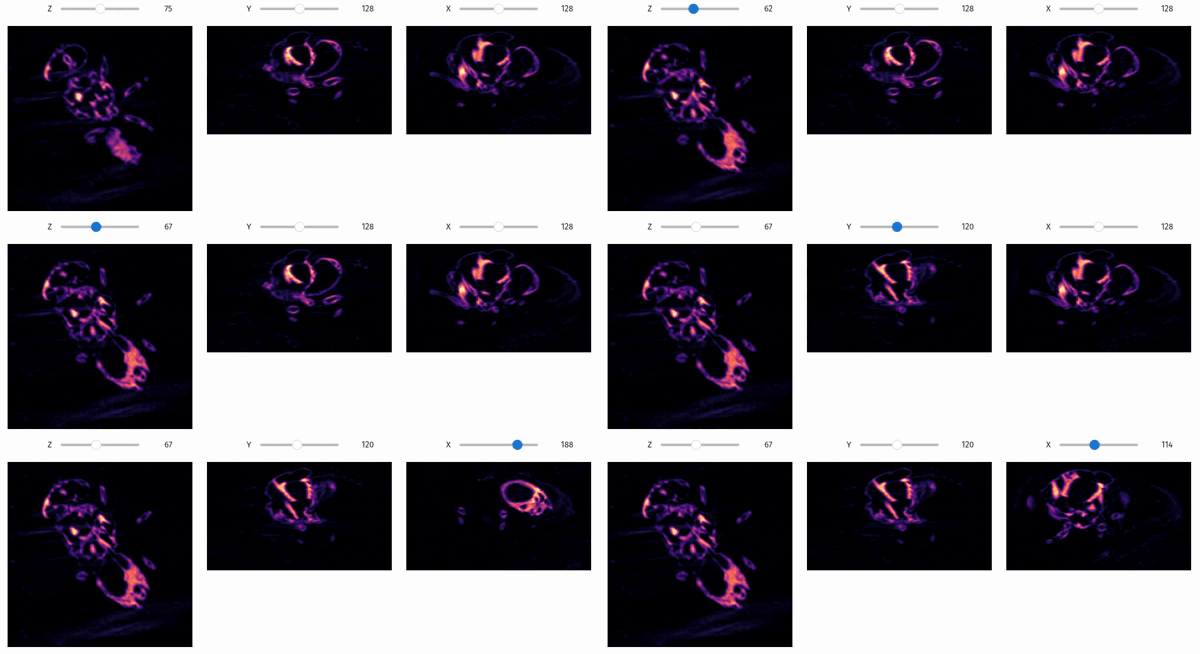
        ```
        ![viz slicer_orthogonal](../../assets/screenshots/viz-orthogonal.gif)
    """

    if image_size:
        image_height = image_size
        image_width = image_size

    get_slicer_for_axis = lambda slice_axis, default_position: slicer(
        volume,
        slice_axis=slice_axis,
        colormap=colormap,
        min_value=min_value,
        max_value=max_value,
        image_height=image_height,
        image_width=image_width,
        display_positions=display_positions,
        interpolation=interpolation,
        colorbar=colorbar,
        mask = mask,
        mask_alpha = mask_alpha,
        mask_colormap = mask_colormap,
        default_position=default_position
    )

    z_slicer = get_slicer_for_axis(slice_axis=0, default_position=default_z)
    y_slicer = get_slicer_for_axis(slice_axis=1, default_position=default_y)
    x_slicer = get_slicer_for_axis(slice_axis=2, default_position=default_x)

    z_slicer.children[0].description = 'Z'
    y_slicer.children[0].description = 'Y'
    x_slicer.children[0].description = 'X'

    return widgets.HBox([z_slicer, y_slicer, x_slicer])

qim3d.viz.slices_grid

slices_grid(volume, slice_axis=0, slice_positions=None, n_slices=15, max_columns=5, colormap='magma', min_value=None, max_value=None, image_size=None, image_height=2, image_width=2, display_figure=False, display_positions=True, interpolation=None, colorbar=False, colorbar_style='small', mask=None, mask_alpha=0.4, mask_colormap='gray', **matplotlib_imshow_kwargs)

Creates a static grid visualization (montage) of multiple 2D slices from a 3D volume.

Generates a mosaic or gallery view of the dataset, ideal for reports, publications, or quick overviews. Unlike interactive tools, this function produces a static matplotlib figure that can be saved easily. It supports batch visualization of specific indices, relative positions (e.g., 'mid'), or automatically spaced intervals.

Key Features:

  • Flexible Selection: Choose slices by specific index, relative strings ('start', 'mid', 'end'), or automatic linear spacing.
  • Publication Ready: Control layout (max_columns), sizing, and colorbars for export-ready figures.
  • Mask Overlays: Superimpose segmentation masks directly onto the slice grid.

Parameters:

Name Type Description Default
volume ndarray

The 3D input volume to be sliced.

required
slice_axis int

The axis to slice along (e.g., 0 for Z, 1 for Y, 2 for X).

0
slice_positions int, list[int], str, or None

Determines which slices to display.

  • None: Displays n_slices linearly spaced across the volume.
  • list[int]: Displays exactly the slices at these indices (n_slices is ignored).
  • int: Displays n_slices centered around this specific index.
  • str: Displays n_slices around a relative position ('start', 'mid', 'end').
None
n_slices int

The number of slices to display. Ignored if slice_positions is a list.

15
max_columns int

The maximum number of columns in the grid layout.

5
colormap str or LinearSegmentedColormap

Matplotlib colormap name.

'magma'
min_value float

Minimum value for color scaling. If None, inferred from data.

None
max_value float

Maximum value for color scaling. If None, inferred from data.

None
image_size int

Overrides both image_height and image_width to create square subplots.

None
image_height int

Height of each subplot in inches.

2
image_width int

Width of each subplot in inches.

2
display_figure bool

If True, calls plt.show() immediately.

False
display_positions bool

If True, adds text labels indicating slice index and axis.

True
interpolation str

Matplotlib interpolation method (e.g., 'nearest', 'bilinear').

None
colorbar bool

If True, adds a global colorbar to the figure.

False
colorbar_style str

Visual style of the colorbar.

  • 'small': Matches the height of a single image row.
  • 'large': Spans the full height of the grid.
'small'
mask ndarray

A 3D segmentation mask to overlay on the slices.

None
mask_alpha float

Opacity of the mask overlay (0.0 to 1.0).

0.4
mask_colormap str

Matplotlib colormap name for the mask.

'gray'
**matplotlib_imshow_kwargs

Additional keyword arguments passed to matplotlib.pyplot.imshow.

{}

Returns:

Name Type Description
fig Figure

The generated matplotlib figure object containing the grid of slices.

Raises:

Type Description
ValueError

If volume is not 3D or if slice_axis is invalid.

ValueError

If slice_positions is an invalid string.

ValueError

If colorbar_style is not 'small' or 'large'.

Example

import qim3d

# Load sample data
vol = qim3d.examples.shell_225x128x128

# Create a grid of 15 linearly spaced slices
qim3d.viz.slices_grid(vol, n_slices=15)
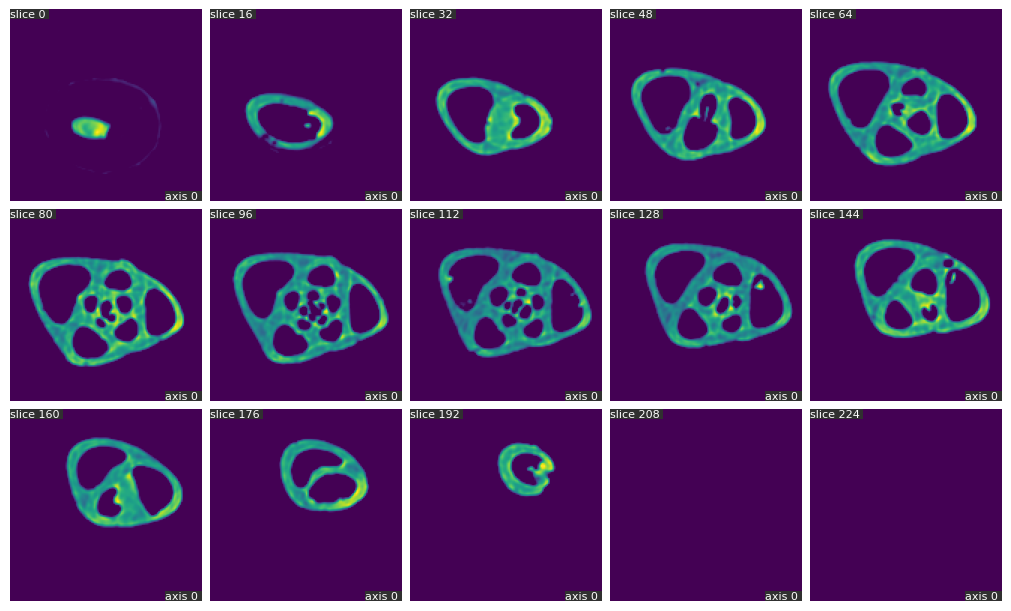
Grid of slices

Source code in qim3d/viz/_data_exploration.py
@coarseness('volume')
def slices_grid(
    volume: np.ndarray,
    slice_axis: int = 0,
    slice_positions: str | int | list[int] | None = None,
    n_slices: int = 15,
    max_columns: int = 5,
    colormap: str = 'magma',
    min_value: float = None,
    max_value: float = None,
    image_size: int = None,
    image_height: int = 2,
    image_width: int = 2,
    display_figure: bool = False,
    display_positions: bool = True,
    interpolation: str | None = None,
    colorbar: bool = False,
    colorbar_style: str = 'small',
    mask:np.ndarray = None,
    mask_alpha:float = 0.4,
    mask_colormap:str = 'gray',
    **matplotlib_imshow_kwargs,
) -> matplotlib.figure.Figure:
    """
    Creates a static grid visualization (montage) of multiple 2D slices from a 3D volume.

    Generates a mosaic or gallery view of the dataset, ideal for reports, publications, or quick overviews. 
    Unlike interactive tools, this function produces a static `matplotlib` figure that can be saved easily. 
    It supports batch visualization of specific indices, relative positions (e.g., 'mid'), or automatically spaced intervals.

    **Key Features:**

    * **Flexible Selection:** Choose slices by specific index, relative strings ('start', 'mid', 'end'), or automatic linear spacing.
    * **Publication Ready:** Control layout (`max_columns`), sizing, and colorbars for export-ready figures.
    * **Mask Overlays:** Superimpose segmentation masks directly onto the slice grid.

    Args:
        volume (numpy.ndarray): The 3D input volume to be sliced.
        slice_axis (int, optional): The axis to slice along (e.g., 0 for Z, 1 for Y, 2 for X).
        slice_positions (int, list[int], str, or None, optional): Determines which slices to display.

            * **None**: Displays `n_slices` linearly spaced across the volume.
            * **list[int]**: Displays exactly the slices at these indices (`n_slices` is ignored).
            * **int**: Displays `n_slices` centered around this specific index.
            * **str**: Displays `n_slices` around a relative position ('start', 'mid', 'end').

        n_slices (int, optional): The number of slices to display. Ignored if `slice_positions` is a list.
        max_columns (int, optional): The maximum number of columns in the grid layout.
        colormap (str or matplotlib.colors.LinearSegmentedColormap, optional): Matplotlib colormap name.
        min_value (float, optional): Minimum value for color scaling. If `None`, inferred from data.
        max_value (float, optional): Maximum value for color scaling. If `None`, inferred from data.
        image_size (int, optional): Overrides both `image_height` and `image_width` to create square subplots.
        image_height (int, optional): Height of each subplot in inches.
        image_width (int, optional): Width of each subplot in inches.
        display_figure (bool, optional): If `True`, calls `plt.show()` immediately.
        display_positions (bool, optional): If `True`, adds text labels indicating slice index and axis.
        interpolation (str, optional): Matplotlib interpolation method (e.g., 'nearest', 'bilinear').
        colorbar (bool, optional): If `True`, adds a global colorbar to the figure.
        colorbar_style (str, optional): Visual style of the colorbar.

            * `'small'`: Matches the height of a single image row.
            * `'large'`: Spans the full height of the grid.

        mask (numpy.ndarray, optional): A 3D segmentation mask to overlay on the slices.
        mask_alpha (float, optional): Opacity of the mask overlay (0.0 to 1.0).
        mask_colormap (str, optional): Matplotlib colormap name for the mask.
        **matplotlib_imshow_kwargs: Additional keyword arguments passed to `matplotlib.pyplot.imshow`.

    Returns:
        fig (matplotlib.figure.Figure):
            The generated matplotlib figure object containing the grid of slices.

    Raises:
        ValueError: If `volume` is not 3D or if `slice_axis` is invalid.
        ValueError: If `slice_positions` is an invalid string.
        ValueError: If `colorbar_style` is not 'small' or 'large'.

    Example:
        ```python
        import qim3d

        # Load sample data
        vol = qim3d.examples.shell_225x128x128

        # Create a grid of 15 linearly spaced slices
        qim3d.viz.slices_grid(vol, n_slices=15)
        ```
        ![Grid of slices](../../assets/screenshots/viz-slices.png)
    """
    if image_size:
        image_height = image_size
        image_width = image_size

    # If we pass python None to the imshow function, it will set to
    # default value 'antialiased'
    if interpolation is None:
        interpolation = 'none'

    # Numpy array or Torch tensor input
    if not isinstance(volume, np.ndarray | da.Array):
        msg = 'Data type not supported'
        raise ValueError(msg)

    if volume.ndim < 3:
        msg = 'The provided object is not a volume as it has less than 3 dimensions.'
        raise ValueError(msg)

    colorbar_style_options = ['small', 'large']
    if colorbar_style not in colorbar_style_options:
        msg = f"Value '{colorbar_style}' is not valid for colorbar style. Please select from {colorbar_style_options}."
        raise ValueError(msg)

    if isinstance(volume, da.Array):
        volume = volume.compute()

    # Ensure axis is a valid choice
    if not (0 <= slice_axis < volume.ndim):
        msg = f"Invalid value for 'slice_axis'. It should be an integer between 0 and {volume.ndim - 1}."
        raise ValueError(msg)

    # Here we deal with the case that the user wants to use the objects colormap directly
    if (
        type(colormap) == matplotlib.colors.LinearSegmentedColormap
        or colormap == 'segmentation'
    ):
        num_labels = volume.max()

        if colormap == 'segmentation':
            colormap = qim3d.viz.colormaps.segmentation(num_labels)
        # If min_value and max_value are not set like this, then in case the
        # number of objects changes on new slice, objects might change
        # colors. So when using a slider, the same object suddently
        # changes color (flickers), which is confusing and annoying.
        min_value = 0
        max_value = num_labels

    # Get total number of slices in the specified dimension
    n_total = volume.shape[slice_axis]

    # Position is not provided - will use linearly spaced slices
    if slice_positions is None:
        slice_idxs = np.linspace(0, n_total - 1, n_slices, dtype=int)
    # Position is a string
    elif isinstance(slice_positions, str) and slice_positions.lower() in [
        'start',
        'mid',
        'end',
    ]:
        if slice_positions.lower() == 'start':
            slice_idxs = _get_slice_range(0, n_slices, n_total)
        elif slice_positions.lower() == 'mid':
            slice_idxs = _get_slice_range(n_total // 2, n_slices, n_total)
        elif slice_positions.lower() == 'end':
            slice_idxs = _get_slice_range(n_total - 1, n_slices, n_total)
    #  Position is an integer
    elif isinstance(slice_positions, int):
        slice_idxs = _get_slice_range(slice_positions, n_slices, n_total)
    # Position is a list of integers
    elif isinstance(slice_positions, list) and all(map(lambda x:isinstance(x, int), slice_positions)):
        slice_idxs = np.array(slice_positions)
        if any(slice_idxs < 0):
            dim = volume.shape[slice_axis]
            slice_idxs[np.where(slice_idxs < 0)] += dim
        n_slices = len(slice_idxs)


    else:
        msg = 'Position not recognized. Choose an integer, list of integers or one of the following strings: "start", "mid" or "end".'
        raise ValueError(msg)

    # Make grid
    nrows = math.ceil(n_slices / max_columns)
    ncols = min(n_slices, max_columns)

    # Generate figure
    fig, axs = plt.subplots(
        nrows=nrows,
        ncols=ncols,
        figsize=(ncols * image_height, nrows * image_width),
        constrained_layout=True,
    )

    if nrows == 1:
        axs = [axs]  # Convert to a list for uniformity

    # Convert to NumPy array in order to use the numpy.take method
    if isinstance(volume, da.Array):
        volume = volume.compute()

    if colorbar:
        # In this case, we want the vrange to be constant across the
        # slices, which makes them all comparable to a single colorbar.
        new_min_value = min_value if min_value is not None else np.min(volume)
        new_max_value = max_value if max_value is not None else np.max(volume)

    # Run through each ax of the grid
    for i, ax_row in enumerate(axs):
        for j, ax in enumerate(np.atleast_1d(ax_row)):
            slice_idx = i * max_columns + j
            try:
                slice_img = volume.take(slice_idxs[slice_idx], axis=slice_axis)
                slice_mask = (
                    None
                    if mask is None
                    else mask.take(slice_idxs[slice_idx], axis=slice_axis)
                )

                if not colorbar:
                    # If min_value is higher than the highest value in the
                    # image ValueError is raised. We don't want to
                    # override the values because next slices might be okay
                    new_min_value = (
                        None
                        if (
                            isinstance(min_value, float | int)
                            and min_value > np.max(slice_img)
                        )
                        else min_value
                    )
                    new_max_value = (
                        None
                        if (
                            isinstance(max_value, float | int)
                            and max_value < np.min(slice_img)
                        )
                        else max_value
                    )

                ax.imshow(
                    slice_img,
                    cmap=colormap,
                    interpolation=interpolation,
                    vmin=new_min_value,
                    vmax=new_max_value,
                    **matplotlib_imshow_kwargs,
                )
                if slice_mask is not None:
                    ax.imshow(slice_mask, cmap = mask_colormap, alpha = mask_alpha)

                if display_positions:
                    ax.text(
                        0.0,
                        1.0,
                        f'slice {slice_idxs[slice_idx]} ',
                        transform=ax.transAxes,
                        color='white',
                        fontsize=8,
                        va='top',
                        ha='left',
                        bbox={'facecolor': '#303030', 'linewidth': 0, 'pad': 0},
                    )

                    ax.text(
                        1.0,
                        0.0,
                        f'axis {slice_axis} ',
                        transform=ax.transAxes,
                        color='white',
                        fontsize=8,
                        va='bottom',
                        ha='right',
                        bbox={'facecolor': '#303030', 'linewidth': 0, 'pad': 0},
                    )

            except IndexError:
                # Not a problem, because we simply do not have a slice to show
                pass

            # Hide the axis, so that we have a nice grid
            ax.axis('off')

    if colorbar:
        with warnings.catch_warnings():
            warnings.simplefilter('ignore', category=UserWarning)
            fig.tight_layout()

        norm = matplotlib.colors.Normalize(
            vmin=new_min_value, vmax=new_max_value, clip=True
        )
        mappable = matplotlib.cm.ScalarMappable(norm=norm, cmap=colormap)

        if colorbar_style == 'small':
            # Figure coordinates of top-right axis
            tr_pos = np.atleast_1d(axs[0])[-1].get_position()
            # The width is divided by ncols to make it the same relative size to the images
            colorbar_ax = fig.add_axes(
                [tr_pos.x1 + 0.05 / ncols, tr_pos.y0, 0.05 / ncols, tr_pos.height]
            )
            fig.colorbar(mappable=mappable, cax=colorbar_ax, orientation='vertical')
        elif colorbar_style == 'large':
            # Figure coordinates of bottom- and top-right axis
            br_pos = np.atleast_1d(axs[-1])[-1].get_position()
            tr_pos = np.atleast_1d(axs[0])[-1].get_position()
            # The width is divided by ncols to make it the same relative size to the images
            colorbar_ax = fig.add_axes(
                [
                    br_pos.xmax + 0.05 / ncols,
                    br_pos.y0 + 0.0015,
                    0.05 / ncols,
                    (tr_pos.y1 - br_pos.y0) - 0.0015,
                ]
            )
            fig.colorbar(mappable=mappable, cax=colorbar_ax, orientation='vertical')

    if display_figure:
        plt.show()

    plt.close()

    return fig

qim3d.viz.threshold

threshold(volume, colormap='magma', min_value=None, max_value=None)

Launches an interactive widget to perform 3D image segmentation via thresholding (binarization).

This tool allows you to explore the volume slice-by-slice to determine the optimal cut-off value for creating a binary mask. It is essential for separating objects of interest from the background based on intensity. The interface provides real-time feedback by displaying the intensity histogram and overlaying the resulting mask on the original data.

Key Features:

  • Visualization: Simultaneously views the original slice, intensity histogram, binary mask, and a color overlay.
  • Manual Control: Adjust the threshold value precisely using a slider.
  • Automatic Algorithms: Applies standard skimage auto-thresholding methods including Otsu, Isodata, Li, Mean, Minimum, Triangle, and Yen.
  • Slice Navigation: Scroll through the 3D stack to ensure the chosen threshold works across different depths.

Parameters:

Name Type Description Default
volume ndarray

The 3D input data (image stack) to threshold.

required
colormap str

The Matplotlib colormap for the original image display.

'magma'
min_value float

Custom minimum value for display contrast (vmin). If None, uses the data minimum.

None
max_value float

Custom maximum value for display contrast (vmax). If None, uses the data maximum.

None

Returns:

Name Type Description
slicer_obj VBox

The interactive Jupyter widget containing the visualization plots and control sliders.

Example

import qim3d

# Load a sample volume
vol = qim3d.examples.bone_128x128x128

# Visualize interactive thresholding
qim3d.viz.threshold(vol)
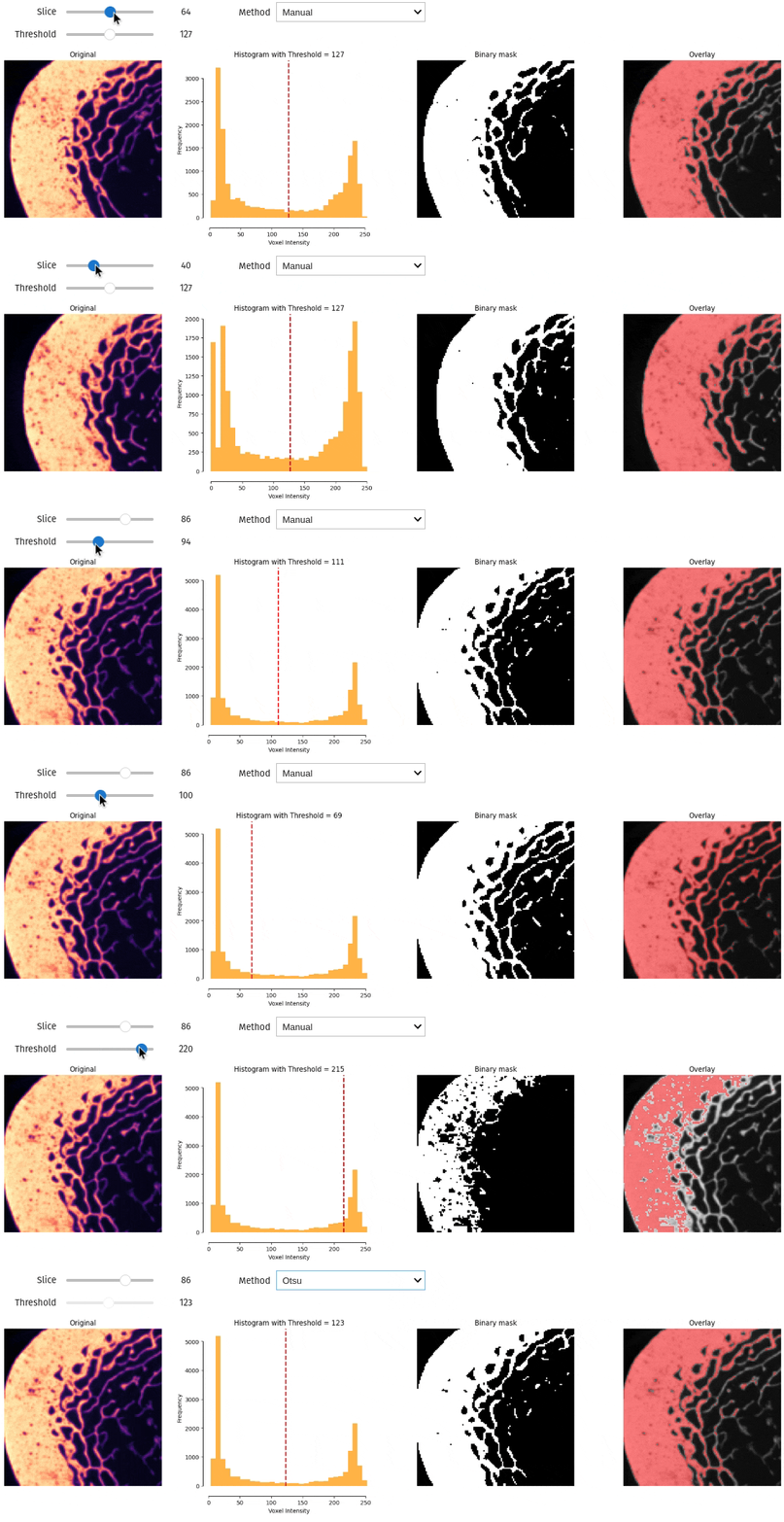
interactive threshold

Source code in qim3d/viz/_data_exploration.py
@coarseness('volume')
def threshold(
    volume: np.ndarray,
    colormap: str = 'magma',
    min_value: float = None,
    max_value: float = None,
) -> widgets.VBox:
    """
    Launches an interactive widget to perform 3D image segmentation via thresholding (binarization).

    This tool allows you to explore the volume slice-by-slice to determine the optimal cut-off value for creating a binary mask. It is essential for separating objects of interest from the background based on intensity. The interface provides real-time feedback by displaying the intensity histogram and overlaying the resulting mask on the original data.

    **Key Features:**

    * **Visualization:** Simultaneously views the original slice, intensity histogram, binary mask, and a color overlay.
    * **Manual Control:** Adjust the threshold value precisely using a slider.
    * **Automatic Algorithms:** Applies standard `skimage` auto-thresholding methods including Otsu, Isodata, Li, Mean, Minimum, Triangle, and Yen.
    * **Slice Navigation:** Scroll through the 3D stack to ensure the chosen threshold works across different depths.

    Args:
        volume (np.ndarray): The 3D input data (image stack) to threshold.
        colormap (str, optional): The Matplotlib colormap for the original image display.
        min_value (float, optional): Custom minimum value for display contrast (vmin). If `None`, uses the data minimum.
        max_value (float, optional): Custom maximum value for display contrast (vmax). If `None`, uses the data maximum.

    Returns:
        slicer_obj (widgets.VBox):
            The interactive Jupyter widget containing the visualization plots and control sliders.

    Example:
        ```python
        import qim3d

        # Load a sample volume
        vol = qim3d.examples.bone_128x128x128

        # Visualize interactive thresholding
        qim3d.viz.threshold(vol)
        ```
        ![interactive threshold](../../assets/screenshots/interactive_thresholding.gif)
    """

    # Centralized state dictionary to track current parameters
    state = {
        'position': volume.shape[0] // 2,
        'method': 'Manual',
    }

    if np.issubdtype(volume.dtype, np.integer):
        step = 1
        state['threshold'] = int((volume.min() + volume.max()) / 2)
    elif np.issubdtype(volume.dtype, np.floating):
        step = (volume.max() - volume.min())/1000
        state['threshold'] = (volume.min() + volume.max()) / 2
    else:
        pass

    threshold_methods = {
        'Otsu': threshold_otsu,
        'Isodata': threshold_isodata,
        'Li': threshold_li,
        'Mean': threshold_mean,
        'Minimum': threshold_minimum,
        'Triangle': threshold_triangle,
        'Yen': threshold_yen,
    }

    # Create an output widget to display the plot
    output = widgets.Output()

    # Function to update the state and trigger visualization
    def update_state(change: dict[str, Any]) -> None:
        # Update state based on widget values
        state['position'] = position_slider.value
        state['method'] = method_dropdown.value

        if state['method'] == 'Manual':
            state['threshold'] = threshold_slider.value
            threshold_slider.disabled = False
        else:
            threshold_func = threshold_methods.get(state['method'])
            if threshold_func:
                slice_img = volume[state['position'], :, :]
                computed_threshold = threshold_func(slice_img)
                state['threshold'] = computed_threshold

                # Programmatically update the slider without triggering callbacks
                threshold_slider.unobserve_all()
                threshold_slider.value = computed_threshold
                threshold_slider.disabled = True
                threshold_slider.observe(update_state, names='value')
            else:
                msg = f"Unsupported thresholding method: {state['method']}"
                raise ValueError(msg)

        # Trigger visualization
        update_visualization()

    # Visualization function
    def update_visualization() -> None:
        slice_img = volume[state['position'], :, :]
        with output:
            output.clear_output(wait=True)  # Clear previous plot
            fig, axes = plt.subplots(1, 4, figsize=(25, 5))

            # Original image
            new_min_value = (
                None
                if (isinstance(min_value, float | int) and min_value > np.max(slice_img))
                else min_value
            )
            new_max_value = (
                None
                if (isinstance(max_value, float | int) and max_value < np.min(slice_img))
                else max_value
            )
            axes[0].imshow(slice_img, cmap=colormap, vmin=new_min_value, vmax=new_max_value)
            axes[0].set_title('Original')
            axes[0].axis('off')

            # Histogram
            histogram(
                volume=volume,
                bins=32,
                slice_index=state['position'],
                vertical_line=state['threshold'],
                kde=False,
                ax=axes[1],
                show=False,
            )
            thr = state['threshold']
            if isinstance(step, float):
                thr = f'{thr:.3f}'
            else:
                thr = int(thr)
            axes[1].set_title(f"Histogram with Threshold = {thr}")

            # Binary mask
            mask = slice_img >= state['threshold']
            axes[2].imshow(mask, cmap='gray')
            axes[2].set_title('Binary mask')
            axes[2].axis('off')

            # Overlay
            mask_rgb = np.zeros((mask.shape[0], mask.shape[1], 3), dtype=np.uint8)
            mask_rgb[:, :, 0] = mask
            masked_volume = qim3d.operations.overlay_rgb_images(
                background=slice_img,
                foreground=mask_rgb,
            )
            axes[3].imshow(masked_volume, vmin=new_min_value, vmax=new_max_value)
            axes[3].set_title('Overlay')
            axes[3].axis('off')

            plt.show()

    # Widgets
    position_slider = widgets.IntSlider(
        value=state['position'],
        min=0,
        max=volume.shape[0] - 1,
        description='Slice',
    )

    threshold_slider = widgets.FloatSlider(
        value=state['threshold'],
        min=volume.min(),
        max=volume.max(),
        step = step,
        description='Threshold',
        readout_format = 'd' if step == 1 else '.3f'
    )

    method_dropdown = widgets.Dropdown(
        options=[
            'Manual',
            'Otsu',
            'Isodata',
            'Li',
            'Mean',
            'Minimum',
            'Triangle',
            'Yen',
        ],
        value=state['method'],
        description='Method',
    )

    # Attach the state update function to widgets
    position_slider.observe(update_state, names='value')
    threshold_slider.observe(update_state, names='value')
    method_dropdown.observe(update_state, names='value')

    # Layout
    controls_left = widgets.VBox([position_slider, threshold_slider])
    controls_right = widgets.VBox([method_dropdown])
    controls_layout = widgets.HBox(
        [controls_left, controls_right],
        layout=widgets.Layout(justify_content='flex-start'),
    )
    interactive_ui = widgets.VBox([controls_layout, output])
    update_visualization()

    return interactive_ui

qim3d.viz.vector_field_3d

vector_field_3d(vec, val, select_eigen='smallest', sampling_step=4, max_cones=50000, cone_size=1, verbose=True, colormap='Portland', cmin=None, cmax=None, **kwargs)

Generates an interactive 3D quiver plot (vector field) using cones to visualize local orientation.

This function is designed to visualize the output of structure tensor analysis. It draws 3D cones representing the eigenvectors at various points in the volume. This is widely used to analyze material anisotropy, such as identifying fiber orientations (linear structures) or surface normals (planar structures).

To handle large 3D datasets efficiently, the function downsamples the volume by averaging vectors within grid blocks (sampling_step) and filters to show only the most significant regions (max_cones).

Parameters:

Name Type Description Default
vec ndarray

The eigenvectors from the structure tensor. Expected shapes:

  • (3, Z, Y, X): Contains a single eigenvector per voxel (e.g., result of structure_tensor(..., smallest=True)).
  • (3, 3, Z, Y, X): Contains all three eigenvectors per voxel.
required
val ndarray

The eigenvalues from the structure tensor, with shape (3, Z, Y, X).

required
select_eigen str

Determines which eigenvector to visualize (only used if vec contains all three).

  • 'smallest': Visualizes the vector associated with the smallest eigenvalue (typically the surface normal in planar structures).
  • 'largest': Visualizes the vector associated with the largest eigenvalue (typically the fiber direction in linear structures).
  • 'middle': Visualizes the intermediate vector.
'smallest'
sampling_step int

The stride for the sampling grid. A value of 4 means every 4th voxel in each dimension is sampled (averaging the region). Higher values improve performance but reduce resolution. Defaults to 4.

4
max_cones int

The maximum number of cones to render. If the sampled grid exceeds this, only the points with the highest eigenvalues (strongest features) are kept. Defaults to 50000.

50000
cone_size float

A scaling factor for the size of the cones. Defaults to 1.

1
verbose bool

If True, prints progress and grid statistics. Defaults to True.

True
colormap str

The name of the Plotly colorscale. Defaults to 'Portland'.

'Portland'
cmin float

The minimum value for the color mapping. If None, uses the data minimum.

None
cmax float

The maximum value for the color mapping. If None, uses the data maximum.

None
**kwargs

Additional keyword arguments passed to plotly.graph_objects.Cone. See the Plotly Cone documentation for full customization options.

{}

Returns:

Name Type Description
fig Figure

The interactive Plotly figure containing the 3D vector field.

Raises:

Type Description
ValueError

If select_eigen is not one of 'smallest', 'largest', or 'middle'.

Example

vol = qim3d.examples.fibers_150x150x150
val, vec = qim3d.processing.structure_tensor(vol, smallest = True)
qim3d.viz.vector_field_3d(vec, val, sampling_step=12, max_cones=5000, cone_size = 2)
vector field

Notes

Interpreting Eigenvalues and Eigenvectors

The structure tensor yields three eigenvalues (λ₁ ≤ λ₂ ≤ λ₃) and corresponding eigenvectors. The smallest eigenvector (v₁) indicates the predominant orientation, the direction of minimum intensity variation.

Structure Type Eigenvalue Pattern Interpretation
Linear (fibers, tubes) λ₁ ≪ λ₂ ≈ λ₃ Follow v₁ to trace fiber
Planar (sheets, boundaries) λ₁ ≈ λ₂ ≪ λ₃ v₁ tangent to surface
Isotropic (noise, blobs) λ₁ ≈ λ₂ ≈ λ₃ No predominant direction

Structure Tensor Notes

Source code in qim3d/viz/_structure_tensor.py
def vector_field_3d(
    vec: np.ndarray,
    val: np.ndarray,
    select_eigen: Literal['smallest', 'largest', 'middle'] = 'smallest',
    sampling_step: int = 4,
    max_cones: int = 50000,
    cone_size: float = 1,
    verbose: bool = True,
    colormap: str = 'Portland',
    cmin: float = None,
    cmax: float = None,
    **kwargs,
) -> go.Figure:
    """
    Generates an interactive 3D quiver plot (vector field) using cones to visualize local orientation.

    This function is designed to visualize the output of structure tensor analysis. It draws 3D cones representing the eigenvectors at various points in the volume. This is widely used to analyze material anisotropy, such as identifying fiber orientations (linear structures) or surface normals (planar structures).

    To handle large 3D datasets efficiently, the function downsamples the volume by averaging vectors within grid blocks (`sampling_step`) and filters to show only the most significant regions (`max_cones`).

    Args:
        vec (np.ndarray): The eigenvectors from the structure tensor.
            Expected shapes:

            * `(3, Z, Y, X)`: Contains a single eigenvector per voxel (e.g., result of `structure_tensor(..., smallest=True)`).
            * `(3, 3, Z, Y, X)`: Contains all three eigenvectors per voxel.

        val (np.ndarray): The eigenvalues from the structure tensor, with shape `(3, Z, Y, X)`.
        select_eigen (str, optional): Determines which eigenvector to visualize (only used if `vec` contains all three).

            * `'smallest'`: Visualizes the vector associated with the smallest eigenvalue (typically the **surface normal** in planar structures).
            * `'largest'`: Visualizes the vector associated with the largest eigenvalue (typically the **fiber direction** in linear structures).
            * `'middle'`: Visualizes the intermediate vector.

        sampling_step (int, optional): The stride for the sampling grid. A value of `4` means every 4th voxel in each dimension is sampled (averaging the region). Higher values improve performance but reduce resolution. Defaults to 4.
        max_cones (int, optional): The maximum number of cones to render. If the sampled grid exceeds this, only the points with the highest eigenvalues (strongest features) are kept. Defaults to 50000.
        cone_size (float, optional): A scaling factor for the size of the cones. Defaults to 1.
        verbose (bool, optional): If `True`, prints progress and grid statistics. Defaults to `True`.
        colormap (str, optional): The name of the Plotly colorscale. Defaults to 'Portland'.
        cmin (float, optional): The minimum value for the color mapping. If `None`, uses the data minimum.
        cmax (float, optional): The maximum value for the color mapping. If `None`, uses the data maximum.
        **kwargs: Additional keyword arguments passed to `plotly.graph_objects.Cone`. See the [Plotly Cone documentation](https://plotly.com/python-api-reference/generated/plotly.graph_objects.Cone.html)
            for full customization options.

    Returns:
        fig (plotly.graph_objects.Figure):
            The interactive Plotly figure containing the 3D vector field.

    Raises:
        ValueError: If `select_eigen` is not one of 'smallest', 'largest', or 'middle'.

    Example:
        ```python
        vol = qim3d.examples.fibers_150x150x150
        val, vec = qim3d.processing.structure_tensor(vol, smallest = True)
        qim3d.viz.vector_field_3d(vec, val, sampling_step=12, max_cones=5000, cone_size = 2)
        ```
        ![vector field](../../assets/screenshots/viz-vector_field.png)


    Notes:
        **Interpreting Eigenvalues and Eigenvectors**

        The structure tensor yields three eigenvalues (λ₁ ≤ λ₂ ≤ λ₃) and corresponding eigenvectors.
        The smallest eigenvector (v₁) indicates the predominant orientation, the direction of minimum
        intensity variation.

        | Structure Type | Eigenvalue Pattern | Interpretation |
        | :--- | :--- | :--- |
        | **Linear** (fibers, tubes) | λ₁ ≪ λ₂ ≈ λ₃ | Follow v₁ to trace fiber |
        | **Planar** (sheets, boundaries) | λ₁ ≈ λ₂ ≪ λ₃ | v₁ tangent to surface  |
        | **Isotropic** (noise, blobs) | λ₁ ≈ λ₂ ≈ λ₃ | No predominant direction |

        [Structure Tensor Notes](https://people.compute.dtu.dk/vand/notes/ST_intro.pdf)

    """
    if vec.ndim == 4:
        val = val[0]
    elif vec.ndim == 5:
        if select_eigen == 'largest':
            val = val[2]
            vec = vec[2, :, ...]
        elif select_eigen == 'smallest':
            val = val[0]
            vec = vec[0, :, ...]
        elif select_eigen == 'middle':
            val = val[1]
            vec = vec[1, :, ...]
        else:
            msg = f'Invalid select_eigen value: {select_eigen}. Choose between "smallest", "largest", or "middle".'
            raise ValueError(msg)
    vec = np.transpose(vec, (1, 2, 3, 0))

    nx, ny, nz, _ = vec.shape
    if verbose:
        log.info(f'Original number of grid points: {nx * ny * nz}')
    half = sampling_step // 2

    # Sampling grid
    grid_x = np.arange(0, nx, sampling_step)
    grid_y = np.arange(0, ny, sampling_step)
    grid_z = np.arange(0, nz, sampling_step)

    points, vectors, values = [], [], []

    # Average vectors and eigenvalues in each sampling cube
    for px in grid_x:
        for py in grid_y:
            for pz in grid_z:
                x0, x1 = max(px - half, 0), min(px + half + 1, nx)
                y0, y1 = max(py - half, 0), min(py + half + 1, ny)
                z0, z1 = max(pz - half, 0), min(pz + half + 1, nz)

                region_vecs = vec[x0:x1, y0:y1, z0:z1, :]
                region_vals = val[x0:x1, y0:y1, z0:z1]

                avg_vec = region_vecs.mean(axis=(0, 1, 2))
                avg_val = region_vals.mean()

                points.append((px, py, pz))
                vectors.append(avg_vec)
                values.append(avg_val)

    points = np.array(points)
    vectors = np.array(vectors)
    values = np.array(values)

    # Select top N highest eigenvalue locations
    idx_top = np.argsort(values)[::-1][:max_cones]
    points_top = points[idx_top]
    vectors_top = vectors[idx_top]
    values_top = values[idx_top]

    if verbose:
        log.info(f'Number of grid points sampled: {len(values)}')
        log.info(f'Number of cones actually plotted: {len(points_top)}')

    # Normalize vectors and scale by eigenvalue magnitude
    norms = np.linalg.norm(vectors_top, axis=1, keepdims=True)
    norms[norms == 0] = 1
    unit_vecs = vectors_top / norms

    # Apply decay to downscale weak directions
    # scaled_strength = values_top * np.exp(
    #     -decay_rate * (1 - values_top / values_top.max())
    # )
    # scaled_strength = np.log(values_top - values_top.min() + 1)

    scaled_strength = np.log1p(values_top)

    u = unit_vecs[:, 0] * scaled_strength
    v = unit_vecs[:, 1] * scaled_strength
    w = unit_vecs[:, 2] * scaled_strength

    # Compute magnitude for color scaling if needed
    magnitude = np.sqrt(u**2 + v**2 + w**2)
    min_mag = magnitude.min()
    max_mag = magnitude.max()
    if verbose:
        log.info(f'Min magnitude: {min_mag:.4f}, Max magnitude: {max_mag:.4f}')

    if cmin is None:
        cmin = min_mag
    if cmax is None:
        cmax = max_mag

    # Use 'raw' to display sizes in actual vector length.
    fig = go.Figure(
        data=go.Cone(
            x=points_top[:, 0],
            y=points_top[:, 1],
            z=points_top[:, 2],
            u=u,
            v=v,
            w=w,
            sizemode='scaled',
            sizeref=cone_size,
            colorscale=colormap,
            colorbar_title='Orientation strength',
            cmin=cmin,
            cmax=cmax,
            **kwargs,
        ),
        layout={'width': 900, 'height': 700},
    )

    return fig

qim3d.viz.vectors

vectors(volume, vectors, axis=0, volume_colormap='grey', min_value=None, max_value=None, slice_index=None, grid_size=10, interactive=True, figsize=(10, 5), show=False)

Visualizes the local orientation of structures using structure tensor eigenvectors.

This function is designed to analyze anisotropy and fiber direction in 3D volumes. It generates a three-panel visualization to interpret the structure tensor output:

  1. Quiver Plot: Overlays vector arrows on the image slice to show the dominant direction in the 2D plane.
  2. Orientation Histogram: displays the distribution of angles, helping to identify if structures are aligned or random.
  3. Color Map: Renders the slice using an HSV scheme where Hue represents the in-plane angle and Saturation represents the out-of-plane alignment (vectors pointing out of the screen appear desaturated/gray).

Parameters:

Name Type Description Default
volume ndarray

The 3D input volume (scalar field).

required
vectors ndarray

The eigenvectors of the structure tensor, typically shape (3, Z, Y, X).

required
axis int

The axis along which to slice the volume for visualization (0, 1, or 2). Defaults to 0.

0
volume_colormap str

The colormap for the background volume slice in the quiver plot. Defaults to 'grey'.

'grey'
min_value float

Minimum value for the volume display contrast.

None
max_value float

Maximum value for the volume display contrast.

None
slice_index int or float

The initial slice to display.

  • int: The exact index of the slice.
  • float: A fraction between 0.0 and 1.0.
  • None: Defaults to the middle slice.
None
grid_size int

The spacing between arrows in the quiver plot. Lower values result in denser vector fields. Defaults to 10.

10
interactive bool

If True, returns a widget with sliders for slicing and grid density. If False, returns a static figure. Defaults to True.

True
figsize tuple[int, int]

The width and height of the figure in inches. Defaults to (10, 5).

(10, 5)
show bool

If True, calls plt.show() to display the plot immediately. Defaults to False.

False

Returns:

Name Type Description
object interactive or Figure

The visualization object.

  • widgets.interactive: Returned if interactive=True.
  • matplotlib.figure.Figure: Returned if interactive=False.

Raises:

Type Description
ValueError

If axis is invalid or slice_index is out of bounds.

Example

import qim3d

vol = qim3d.examples.NT_128x128x128
val, vec = qim3d.processing.structure_tensor(vol)

# Visualize the structure tensor
qim3d.viz.vectors(vol, vec, axis = 2, interactive = True)
structure tensor

Source code in qim3d/viz/_structure_tensor.py
def vectors(
    volume: np.ndarray,
    vectors: np.ndarray,
    axis: int = 0,
    volume_colormap: str = 'grey',
    min_value: float | None = None,
    max_value: float | None = None,
    slice_index: int | float | None = None,
    grid_size: int = 10,
    interactive: bool = True,
    figsize: tuple[int, int] = (10, 5),
    show: bool = False,
) -> plt.Figure | widgets.interactive:
    """
    Visualizes the local orientation of structures using structure tensor eigenvectors.

    This function is designed to analyze anisotropy and fiber direction in 3D volumes. It generates a three-panel visualization to interpret the structure tensor output:

    1.  **Quiver Plot:** Overlays vector arrows on the image slice to show the dominant direction in the 2D plane.
    2.  **Orientation Histogram:** displays the distribution of angles, helping to identify if structures are aligned or random.
    3.  **Color Map:** Renders the slice using an HSV scheme where Hue represents the in-plane angle and Saturation represents the out-of-plane alignment (vectors pointing out of the screen appear desaturated/gray).

    Args:
        volume (np.ndarray): The 3D input volume (scalar field).
        vectors (np.ndarray): The eigenvectors of the structure tensor, typically shape `(3, Z, Y, X)`.
        axis (int, optional): The axis along which to slice the volume for visualization (0, 1, or 2). Defaults to 0.
        volume_colormap (str, optional): The colormap for the background volume slice in the quiver plot. Defaults to 'grey'.
        min_value (float, optional): Minimum value for the volume display contrast.
        max_value (float, optional): Maximum value for the volume display contrast.
        slice_index (int or float, optional): The initial slice to display.

            * **int**: The exact index of the slice.
            * **float**: A fraction between 0.0 and 1.0.
            * **None**: Defaults to the middle slice.

        grid_size (int, optional): The spacing between arrows in the quiver plot. Lower values result in denser vector fields. Defaults to 10.
        interactive (bool, optional): If `True`, returns a widget with sliders for slicing and grid density. If `False`, returns a static figure. Defaults to `True`.
        figsize (tuple[int, int], optional): The width and height of the figure in inches. Defaults to (10, 5).
        show (bool, optional): If `True`, calls `plt.show()` to display the plot immediately. Defaults to `False`.

    Returns:
        object (widgets.interactive or matplotlib.figure.Figure):
            The visualization object.

            * **widgets.interactive**: Returned if `interactive=True`.
            * **matplotlib.figure.Figure**: Returned if `interactive=False`.

    Raises:
        ValueError: If `axis` is invalid or `slice_index` is out of bounds.

    Example:
        ```python
        import qim3d

        vol = qim3d.examples.NT_128x128x128
        val, vec = qim3d.processing.structure_tensor(vol)

        # Visualize the structure tensor
        qim3d.viz.vectors(vol, vec, axis = 2, interactive = True)
        ```
        ![structure tensor](../../assets/screenshots/structure_tensor_visualization.gif)

    """

    # Ensure volume is a float
    if volume.dtype != np.float32 and volume.dtype != np.float64:
        volume = volume.astype(np.float32)

    # Normalize the volume if needed (i.e. if values are in [0, 255])
    if volume.max() > 1.0:
        volume = volume / 255.0

    # Define grid size limits
    min_grid_size = max(1, volume.shape[axis] // 50)
    max_grid_size = max(1, volume.shape[axis] // 10)
    if max_grid_size <= min_grid_size:
        max_grid_size = min_grid_size * 5

    if not grid_size:
        grid_size = (min_grid_size + max_grid_size) // 2

    # Testing
    if grid_size < min_grid_size or grid_size > max_grid_size:
        # Adjust grid size as little as possible to be within the limits
        grid_size = min(max(min_grid_size, grid_size), max_grid_size)
        log.warning(f'Adjusting grid size to {grid_size} as it is out of bounds.')

    def _structure_tensor(volume, vectors, axis, slice_index, grid_size, figsize, show):
        # Choose the appropriate slice based on the specified dimension
        if axis == 0:
            data_slice = volume[slice_index, :, :]
            vectors_slice_x = vectors[0, slice_index, :, :]
            vectors_slice_y = vectors[1, slice_index, :, :]
            vectors_slice_z = vectors[2, slice_index, :, :]

        elif axis == 1:
            data_slice = volume[:, slice_index, :]
            vectors_slice_x = vectors[0, :, slice_index, :]
            vectors_slice_y = vectors[2, :, slice_index, :]
            vectors_slice_z = vectors[1, :, slice_index, :]

        elif axis == 2:
            data_slice = volume[:, :, slice_index]
            vectors_slice_x = vectors[1, :, :, slice_index]
            vectors_slice_y = vectors[2, :, :, slice_index]
            vectors_slice_z = vectors[0, :, :, slice_index]

        else:
            msg = 'Invalid dimension. Use 0 for Z, 1 for Y, or 2 for X.'
            raise ValueError(msg)

        # Create three subplots
        fig, ax = plt.subplots(1, 3, figsize=figsize, layout='constrained')

        blend_hue_saturation = (
            lambda hue, sat: hue * (1 - sat) + 0.5 * sat
        )  # Function for blending hue and saturation
        blend_slice_colors = lambda slice, colors: 0.5 * (
            slice + colors
        )  # Function for blending image slice with orientation colors

        # ----- Subplot 1: Image slice with orientation vectors ----- #
        # Create meshgrid with the correct dimensions
        xmesh, ymesh = np.mgrid[0 : data_slice.shape[0], 0 : data_slice.shape[1]]

        # Create a slice object for selecting the grid points
        g = slice(grid_size // 2, None, grid_size)  # noqa: A002

        # Angles from 0 to pi
        angles_quiver = np.mod(
            np.arctan2(
                vectors_slice_y[g, g],
                vectors_slice_x[g, g],
            ),
            np.pi,
        )

        # Calculate z-component (saturation)
        saturation_quiver = (vectors_slice_z[g, g] ** 2)[:, :, np.newaxis]

        # Calculate hue
        hue_quiver = plt.cm.hsv(angles_quiver / np.pi)

        # Blend hue and saturation
        rgba_quiver = blend_hue_saturation(hue_quiver, saturation_quiver)
        rgba_quiver = np.clip(
            rgba_quiver, 0, 1
        )  # Ensure rgba values are values within [0, 1]
        rgba_quiver_flat = rgba_quiver.reshape(
            (rgba_quiver.shape[0] * rgba_quiver.shape[1], 4)
        )  # Flatten array for quiver plot

        # Plot vectors
        ax[0].quiver(
            ymesh[g, g],
            xmesh[g, g],
            vectors_slice_x[g, g],
            vectors_slice_y[g, g],
            color=rgba_quiver_flat,
            angles='xy',
        )
        ax[0].quiver(
            ymesh[g, g],
            xmesh[g, g],
            -vectors_slice_x[g, g],
            -vectors_slice_y[g, g],
            color=rgba_quiver_flat,
            angles='xy',
        )

        ax[0].imshow(data_slice, cmap=volume_colormap, vmin=min_value, vmax=max_value)
        ax[0].set_title(
            f'Orientation vectors (slice {slice_index})'
            if not interactive
            else 'Orientation vectors'
        )
        ax[0].set_axis_off()

        # ----- Subplot 2: Orientation histogram ----- #
        nbins = 36

        # Angles from 0 to pi
        angles = np.mod(np.arctan2(vectors_slice_y, vectors_slice_x), np.pi)

        # Orientation histogram over angles
        distribution, bin_edges = np.histogram(angles, bins=nbins, range=(0.0, np.pi))

        # Half circle (180 deg)
        bin_centers = (np.arange(nbins) + 0.5) * np.pi / nbins

        # Calculate z-component (saturation) for each bin
        bins = np.digitize(angles.ravel(), bin_edges)
        saturation_bin = np.array(
            [
                (
                    np.mean((vectors_slice_z**2).ravel()[bins == i])
                    if np.sum(bins == i) > 0
                    else 0
                )
                for i in range(1, len(bin_edges))
            ]
        )

        # Calculate hue for each bin
        hue_bin = plt.cm.hsv(bin_centers / np.pi)

        # Blend hue and saturation
        rgba_bin = hue_bin.copy()
        rgba_bin[:, :3] = blend_hue_saturation(
            hue_bin[:, :3], saturation_bin[:, np.newaxis]
        )

        ax[1].bar(bin_centers, distribution, width=np.pi / nbins, color=rgba_bin)
        ax[1].set_xlabel('Angle [radians]')
        ax[1].set_xlim([0, np.pi])
        ax[1].set_aspect(np.pi / ax[1].get_ylim()[1])
        ax[1].set_xticks([0, np.pi / 2, np.pi])
        ax[1].set_xticklabels(['0', '$\\frac{\\pi}{2}$', '$\\pi$'])
        ax[1].set_yticks([])
        ax[1].set_ylabel('Frequency')
        ax[1].set_title('Histogram over orientation angles')

        # ----- Subplot 3: Image slice colored according to orientation ----- #
        # Calculate z-component (saturation)
        saturation = (vectors_slice_z**2)[:, :, np.newaxis]

        # Calculate hue
        hue = plt.cm.hsv(angles / np.pi)

        # Blend hue and saturation
        rgba = blend_hue_saturation(hue, saturation)

        # Grayscale image slice blended with orientation colors
        data_slice_orientation_colored = (
            blend_slice_colors(plt.cm.gray(data_slice), rgba) * 255
        ).astype('uint8')

        ax[2].imshow(data_slice_orientation_colored)
        ax[2].set_title(
            f'Colored orientations (slice {slice_index})'
            if not interactive
            else 'Colored orientations'
        )
        ax[2].set_axis_off()

        if show:
            plt.show()

        plt.close()

        return fig

    if vectors.ndim == 5:
        vectors = vectors[0, ...]
        log.warning(
            'Eigenvector array is full. Only the eigenvectors corresponding to the first eigenvalue will be used.'
        )

    if slice_index is None:
        slice_index = volume.shape[axis] // 2

    elif isinstance(slice_index, float):
        if slice_index < 0 or slice_index > 1:
            raise ValueError(
                'Values of slice_index of float type must be between 0 and 1.'
            )
        slice_index = int(slice_index * volume.shape[0]) - 1

    if interactive:
        slice_index_slider = widgets.IntSlider(
            min=0,
            max=volume.shape[axis] - 1,
            step=1,
            value=slice_index,
            description='Slice index',
            layout=widgets.Layout(width='450px'),
        )

        grid_size_slider = widgets.IntSlider(
            min=min_grid_size,
            max=max_grid_size,
            step=1,
            value=grid_size,
            description='Grid size',
            layout=widgets.Layout(width='450px'),
        )

        widget_obj = widgets.interactive(
            _structure_tensor,
            volume=widgets.fixed(volume),
            vectors=widgets.fixed(vectors),
            axis=widgets.fixed(axis),
            slice_index=slice_index_slider,
            grid_size=grid_size_slider,
            figsize=widgets.fixed(figsize),
            show=widgets.fixed(True),
        )
        # Arrange sliders horizontally
        sliders_box = widgets.HBox([slice_index_slider, grid_size_slider])
        widget_obj = widgets.VBox([sliders_box, widget_obj.children[-1]])
        widget_obj.layout.align_items = 'center'

        if show:
            display(widget_obj)

        return widget_obj

    else:
        return _structure_tensor(
            volume, vectors, axis, slice_index, grid_size, figsize, show
        )

qim3d.viz.vol_masked

vol_masked(volume, volume_mask, viz_delta=128)

Applies masking to a volume based on a binary volume mask.

This function takes a volume array volume and a corresponding binary volume mask volume_mask. It computes the masked volume where pixels outside the mask are set to the background value, and pixels inside the mask are set to foreground.

Parameters:

Name Type Description Default
volume ndarray

The input volume as a NumPy array.

required
volume_mask ndarray

The binary mask volume as a NumPy array with the same shape as volume.

required
viz_delta int

Value added to the volume before applying the mask to visualize masked regions. Defaults to 128.

128

Returns:

Name Type Description
ndarray ndarray

The masked volume with the same shape as volume, where pixels outside the mask are set to the background value (negative).

Source code in qim3d/viz/_metrics.py
def vol_masked(
    volume: np.ndarray, volume_mask: np.ndarray, viz_delta: int = 128
) -> np.ndarray:
    """
    Applies masking to a volume based on a binary volume mask.

    This function takes a volume array `volume` and a corresponding binary volume mask `volume_mask`.
    It computes the masked volume where pixels outside the mask are set to the background value,
    and pixels inside the mask are set to foreground.


    Args:
        volume (ndarray): The input volume as a NumPy array.
        volume_mask (ndarray): The binary mask volume as a NumPy array with the same shape as `volume`.
        viz_delta (int, optional): Value added to the volume before applying the mask to visualize masked regions.
            Defaults to 128.

    Returns:
        ndarray: The masked volume with the same shape as `volume`, where pixels outside the mask are set
            to the background value (negative).


    """

    background = (volume.astype('float') + viz_delta) * (1 - volume_mask) * -1
    foreground = (volume.astype('float') + viz_delta) * volume_mask
    volume_masked_result = background + foreground

    return volume_masked_result

qim3d.viz.volumetric

volumetric(volume, aspectmode='data', show=True, save=False, grid_visible=False, colormap='magma', constant_opacity=False, opacity_function=None, min_value=None, max_value=None, samples='auto', max_voxels=256 ** 3, data_type='scaled_float16', camera_mode='orbit', **kwargs)

Renders a 3D volume using high-performance hardware-accelerated ray-casting.

Creates an interactive 3D visualization in the browser using K3D. This function is ideal for inspecting complex voxel data, understanding 3D spatial relationships, or creating exportable HTML representations of a stack. It handles large datasets by automatically downsampling if the size exceeds a set threshold.

Key Features:

  • Browser-Based: Renders directly in Jupyter notebooks or exports to standalone HTML.
  • Performance: Automatically manages sampling rates and data types (float16) for smooth interaction.
  • Customization: Supports custom colormaps, opacity transfer functions, and camera modes.

Parameters:

Name Type Description Default
volume ndarray

The 3D input data to be rendered.

required
aspectmode str

Controls the proportions of the scene axes.

  • 'data': Axes are drawn in proportion to the physical data range.
  • 'cube': Axes are constrained to a cube regardless of data range.
'data'
show bool

If True, displays the plot immediately.

True
save bool or str

Controls saving the output.

  • str: Saves the visualization to the specified HTML file path.
  • True: Saves as 'snapshot.html' (default behavior of save).
  • False: Does not save the file.
False
grid_visible bool

If True, displays a grid around the volume.

False
colormap str, matplotlib.colors.Colormap, or list

Colormap for the rendering. Can be a Matplotlib name (e.g., 'magma') or object.

'magma'
constant_opacity bool

Deprecated. Use opacity_function='constant' instead.

False
opacity_function str or list

Defines the transparency transfer function.

  • 'constant': Sets a uniform opacity for segmentation masks.
  • list: A specific list defining the opacity curve.
None
min_value float

Minimum value for color scaling. If None, inferred from data.

None
max_value float

Maximum value for color scaling. If None, inferred from data.

None
samples int or str

Number of ray-marching samples.

  • 'auto': Calculates optimal samples based on volume size.
  • int: Specific number of samples (lower is faster, higher is better quality).
'auto'
max_voxels int

Maximum number of voxels allowed before downsampling occurs (defaults to approx. 16 million).

256 ** 3
data_type str

Internal data type for rendering. 'scaled_float16' reduces memory usage.

'scaled_float16'
camera_mode str

Interaction mode for the camera ('orbit', 'trackball', or 'fly').

'orbit'
**kwargs

Additional keyword arguments passed to k3d.plot.

{}

Returns:

Name Type Description
plot Plot

The K3D plot object. Returned if show=False.

Raises:

Type Description
ValueError

If aspectmode is not 'data' or 'cube'.

ValueError

If camera_mode is not 'orbit', 'trackball', or 'fly'.

Tip

The function can be used for object label visualization using a colormap created with qim3d.viz.colormaps.objects along with setting objects=True. The latter ensures appropriate rendering.

Example

Display a volume inline:

import qim3d

vol = qim3d.examples.bone_128x128x128
qim3d.viz.volumetric(vol)

Save the rendering to an HTML file without displaying it:

plot = qim3d.viz.volumetric(vol, show=False, save="my_render.html")

Source code in qim3d/viz/_k3d.py
@coarseness('volume')
def volumetric(
    volume: np.ndarray,
    aspectmode: str = 'data',
    show: bool = True,
    save: bool = False,
    grid_visible: bool = False,
    colormap: str = 'magma',
    constant_opacity: bool = False,
    opacity_function: str | list = None,
    min_value: float | None = None,
    max_value: float | None = None,
    samples: int | str = 'auto',
    max_voxels: int = 256**3,
    data_type: str = 'scaled_float16',
    camera_mode: str = 'orbit',
    **kwargs,
) -> k3d.Plot | None:
    """
    Renders a 3D volume using high-performance hardware-accelerated ray-casting.

    Creates an interactive 3D visualization in the browser using K3D. This function is ideal for inspecting complex voxel data, understanding 3D spatial relationships, or creating exportable HTML representations of a stack. It handles large datasets by automatically downsampling if the size exceeds a set threshold.

    **Key Features:**

    * **Browser-Based:** Renders directly in Jupyter notebooks or exports to standalone HTML.
    * **Performance:** Automatically manages sampling rates and data types (`float16`) for smooth interaction.
    * **Customization:** Supports custom colormaps, opacity transfer functions, and camera modes.

    Args:
        volume (numpy.ndarray): The 3D input data to be rendered.
        aspectmode (str, optional): Controls the proportions of the scene axes.

            * `'data'`: Axes are drawn in proportion to the physical data range.
            * `'cube'`: Axes are constrained to a cube regardless of data range.

        show (bool, optional): If `True`, displays the plot immediately.
        save (bool or str, optional): Controls saving the output.

            * **str**: Saves the visualization to the specified HTML file path.
            * **True**: Saves as 'snapshot.html' (default behavior of save).
            * **False**: Does not save the file.

        grid_visible (bool, optional): If `True`, displays a grid around the volume.
        colormap (str, matplotlib.colors.Colormap, or list, optional): Colormap for the rendering. Can be a Matplotlib name (e.g., 'magma') or object.
        constant_opacity (bool, optional): **Deprecated**. Use `opacity_function='constant'` instead.
        opacity_function (str or list, optional): Defines the transparency transfer function.

            * `'constant'`: Sets a uniform opacity for segmentation masks.
            * **list**: A specific list defining the opacity curve.

        min_value (float, optional): Minimum value for color scaling. If `None`, inferred from data.
        max_value (float, optional): Maximum value for color scaling. If `None`, inferred from data.
        samples (int or str, optional): Number of ray-marching samples.

            * `'auto'`: Calculates optimal samples based on volume size.
            * **int**: Specific number of samples (lower is faster, higher is better quality).

        max_voxels (int, optional): Maximum number of voxels allowed before downsampling occurs (defaults to approx. 16 million).
        data_type (str, optional): Internal data type for rendering. `'scaled_float16'` reduces memory usage.
        camera_mode (str, optional): Interaction mode for the camera (`'orbit'`, `'trackball'`, or `'fly'`).
        **kwargs: Additional keyword arguments passed to `k3d.plot`.

    Returns:
        plot (k3d.Plot):
            The K3D plot object. Returned if `show=False`.

    Raises:
        ValueError: If `aspectmode` is not 'data' or 'cube'.
        ValueError: If `camera_mode` is not 'orbit', 'trackball', or 'fly'.

    Tip:
        The function can be used for object label visualization using a `colormap` created with `qim3d.viz.colormaps.objects` along with setting `objects=True`. The latter ensures appropriate rendering.

    Example:
        Display a volume inline:
        ```python
        import qim3d

        vol = qim3d.examples.bone_128x128x128
        qim3d.viz.volumetric(vol)
        ```
        <iframe src="https://platform.qim.dk/k3d/fima-bone_128x128x128-20240221113459.html" width="100%" height="500" frameborder="0"></iframe>

        Save the rendering to an HTML file without displaying it:
        ```python
        plot = qim3d.viz.volumetric(vol, show=False, save="my_render.html")
        ```
    """

    pixel_count = volume.shape[0] * volume.shape[1] * volume.shape[2]
    # target is 60fps on m1 macbook pro, using test volume: https://data.qim.dk/pages/foam.html
    if samples == 'auto':
        y1, x1 = 256, 16777216  # 256 samples at res 256*256*256=16.777.216
        y2, x2 = 32, 134217728  # 32 samples at res 512*512*512=134.217.728

        # we fit linear function to the two points
        a = (y1 - y2) / (x1 - x2)
        b = y1 - a * x1

        samples = int(min(max(a * pixel_count + b, 64), 512))
    else:
        samples = int(samples)  # make sure it's an integer

    if aspectmode.lower() not in ['data', 'cube']:
        msg = "aspectmode should be either 'data' or 'cube'"
        raise ValueError(msg)

    if camera_mode not in ['orbit', 'trackball', 'fly']:
        msg = "camera_mode should be either 'orbit', 'trackbal' or 'fly'"
        raise ValueError(msg)

    # check if image should be downsampled for visualization
    original_shape = volume.shape
    volume = downscale_img(volume, max_voxels=max_voxels)

    new_shape = volume.shape

    if original_shape != new_shape:
        log.warning(
            f'Downsampled image for visualization, from {original_shape} to {new_shape}'
        )

    # Scale the image to float16 if needed
    if save:
        # When saving, we need float64
        volume = volume.astype(np.float64)
    else:
        if data_type == 'scaled_float16':
            volume = scale_to_float16(volume)
        else:
            volume = volume.astype(data_type)

    # Set color ranges
    color_range = [np.min(volume), np.max(volume)]
    if min_value:
        color_range[0] = min_value
    if max_value:
        color_range[1] = max_value

    # Handle the different formats that colormap can take
    if colormap:
        if isinstance(colormap, str):
            colormap = plt.get_cmap(colormap)  # Convert to Colormap object
        if isinstance(colormap, Colormap):
            # Convert to the format of colormap required by k3d.volume
            attr_vals = np.linspace(0.0, 1.0, num=colormap.N)
            rgb_vals = colormap(np.arange(0, colormap.N))[:, :3]
            colormap = np.column_stack((attr_vals, rgb_vals)).tolist()

    # Default k3d.volume settings
    interpolation = True

    if constant_opacity:
        log.warning(
            'Deprecation warning: Keyword argument "constant_opacity" is deprecated and will be removed next release. Instead use opacity_function="constant".'
        )
        # without these settings, the plot will look bad when colormap is created with qim3d.viz.colormaps.objects
        opacity_function = [0.0, float(constant_opacity), 1.0, float(constant_opacity)]
        interpolation = False
    else:
        if opacity_function == 'constant':
            # without these settings, the plot will look bad when colormap is created with qim3d.viz.colormaps.objects
            opacity_function = [0.0, float(True), 1.0, float(True)]
            interpolation = False
        elif opacity_function is None:
            opacity_function = []

    # Create the volume plot
    plt_volume = k3d.volume(
        volume,
        bounds=(
            [0, volume.shape[2], 0, volume.shape[1], 0, volume.shape[0]]
            if aspectmode.lower() == 'data'
            else None
        ),
        colormap=colormap,
        samples=samples,
        color_range=color_range,
        opacity_function=opacity_function,
        interpolation=interpolation,
    )
    plot = k3d.plot(grid_visible=grid_visible, **kwargs)
    plot += plt_volume
    plot.camera_mode = camera_mode
    if save:
        # Save html to disk
        with open(str(save), 'w', encoding='utf-8') as fp:
            fp.write(plot.get_snapshot())

    if show:
        plot.display()
    else:
        return plot